V Recorder Editor is one of the most reliable screen recording tools available online. Download the latest Android version for free and enjoy outstanding image quality and extended recording time. V Recorder Editor presents users with a powerful, multi-functional video and photo media editor. Users can not only experiment with advanced content creation but also complete high-quality video recording activities with AI noise reduction technology. Use V Recorder Editor now to easily fulfill all your needs for capturing videos and recording action!
Click to load YouTube / 点击加载视频
YouTube ↗Fantastic Function
Record the Entire Screen
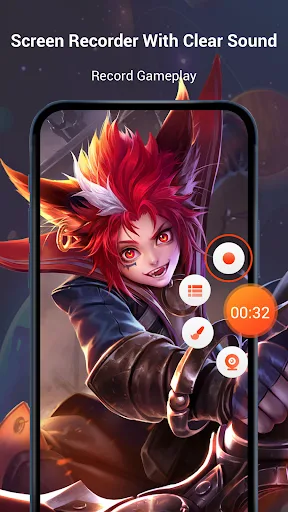
Many Android devices' built-in screen recording functions cannot record the entire screen. But with V Recorder Editor, recording the entire screen becomes a breeze. This app removes any overlays on the screen that might interfere with screen recording. Therefore, if you want a clear screen recording, this app can help you achieve it easily.
Excellent Audio Quality
When recording your screen, you may need to record the audio of your entire device. For game recording, you need the highest possible audio quality to provide the best gaming experience for your viewers. Otherwise, recording will not be possible. Excellent audio quality allows you to easily record the entire game without any problems. Therefore, if you are a professional streamer, you can easily record videos and then publish them to your channel or live streaming platform.
Multiple Formats
V Recorder Editor supports multiple video formats. If you record screen videos, you can export them to multiple formats. You can export them to MOV, AVI, MP4, or MKV formats as needed. Everyone needs different formats when uploading to different platforms or for subsequent editing. With this feature, you can export your screen recording videos to any format you want. Furthermore, this app supports exporting videos at the highest possible quality. In short, you can export videos up to Full HD resolution.
Video Editing Tools
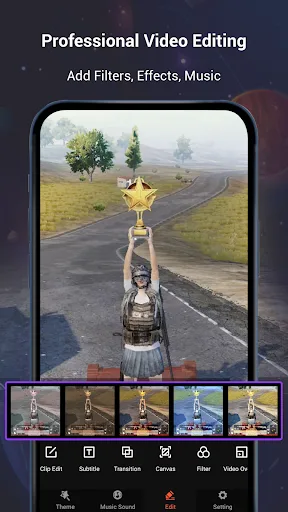
This app does much more than just screen recording and uploading to YouTube or other platforms. It also includes professional video editing tools, allowing you to easily edit your recorded videos and create professional-quality productions. You can easily get started using the video editing tools in V Recorder Editor for Android. You can even move elements within the video to create highly interactive videos that engage with your audience.
Helpful Tips
Once your recorded video is ready, you can immediately import it to your computer for editing, or use the application's built-in editing features.
Use a variety of trendy filters to add a unique atmosphere to your images. Adjust the smoothness, brightness, and other elements of your video to give them different effects. You can choose to make your video as natural as possible, or try more dramatic effects, enjoying all the features within the app.
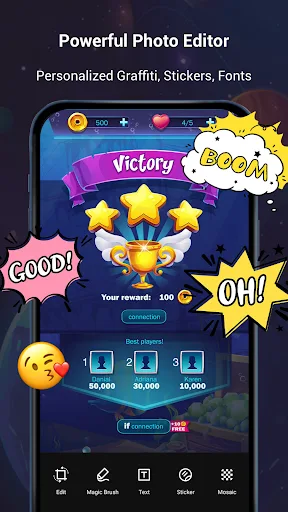
When creating videos, use the app's cute stickers and fun GIFs to make your video production even more exciting. Easily edit videos on your mobile device in just a few simple steps. Or, unlock V Recorder Editor's exclusive personalized themes to add various customization options to your recordings.
Frequently Asked Questions
Can the V Recorder Editor app record gameplay?
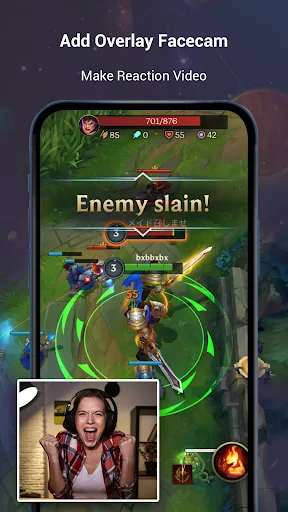
Yes. With the V Recorder Editor APK, it's easier to record gameplay videos on your device and upload them to other platforms.
Can we export full HD screen recording videos?
V Recorder Editor supports exporting videos in full HD resolution.
Is V Recorder Editor safe to use?
It's completely safe to use on your device.
Advantages and Disadvantages
Advantages:
Includes a comprehensive editing suite
Supports built-in and external audio (depending on the device)
No recording time limit
Multiple aspect ratios and resolution settings
Convenient annotation and drawing tools
Disadvantages:
Internal recording functionality is limited on some devices
App watermarks may appear in recordings
Background noise may affect audio quality on some phones.
Final Thoughts
For Android users looking to quickly and efficiently record videos and take screenshots on their mobile devices, this screen recording and video editing app is sure to satisfy. The app boasts a clean and user-friendly interface, making it easy to access all its features. Furthermore, this powerful and well-optimized app allows users to fully immerse themselves in the experience and enjoy the recording process.