Mobizen Screen Recorder is a popular screen recording software. Users can start recording without registration or login. The software not only supports high-definition recordings on your device but also records your voice and game sound effects. All videos are not saved to the cloud; users can view and share them directly on their device. The software also includes built-in editing functions, allowing you to beautify video details and add suitable filters, effects, subtitles, music, and more to meet your creative needs. The software supports recording videos longer than one hour, which can be easily exported to your device with a single click, and no membership is required.
Click to load YouTube / 点击加载视频
YouTube ↗Features of Mobizen Screen Recorder:
The recording process will also appear with many additional features or special settings for you to interact with the screen recorder easily. You can manually trim unnecessary parts without editing through the stop or resume feature. Besides, you can directly record any internal sounds without being affected by the environment. If you want, recording can be limited to an application or window instead of the entire screen, making the process smoother for viewers and producing high-quality video.
The application can utilize all the features or performance of the system to meet any need or enhance everyone’s usage experience to the next level. That includes activating the front or back camera during recording to deliver creative videos or funny content. Through it, you can directly record yourself and the content on the screen without overlapping and edit them to have facetime videos that match the content you are working on.
If you want to emphasize important things or focus the viewer’s attention on the video, the application will introduce the draw feature with various pens and colors. A drawing board will appear during recording without overlaying the main content, allowing you to highlight key content with multiple colors through layers directly. You can delete or resize the drawings simply and flexibly without stopping the video or recording from creating a two-way interaction with the viewers.
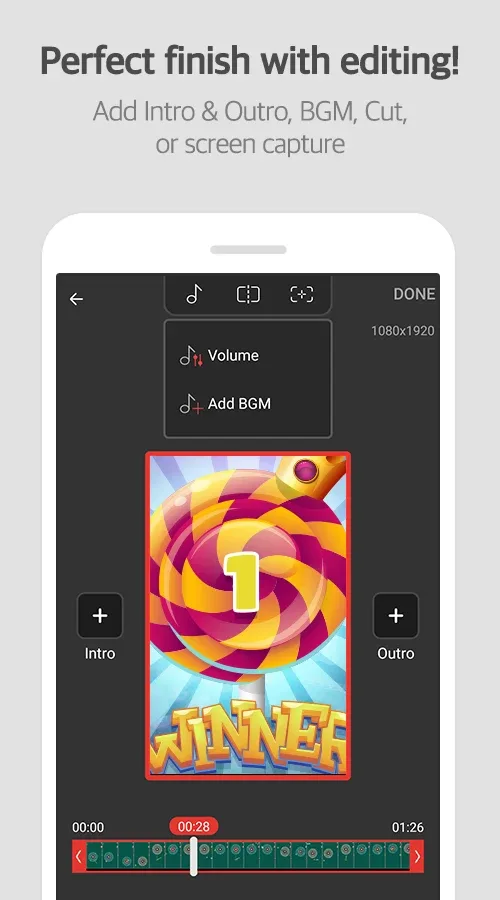
In addition to recording, the application also integrates a flexible and advanced editor so you can refine any video and add appropriate content. That includes adding intros, outro, visual effects, texts, background music, and more to make the video perfect and complete, ready for community upload. The video editing system can also be customized to suit each person’s preferences to maximize productivity or take creativity to the next level.
The function of creating GIFs or memes is currently a strong trend, and people are responding enthusiastically to bring endless joy to everyone or viewers. The GIF function can be directly extracted from any video that users love to emphasize certain content or humor. Meanwhile, the meme does the opposite, and it has many of the necessary facilities for you to add text to the image or create the space needed to add emojis or other content.
Highlights of Mobizen Screen Recorder:
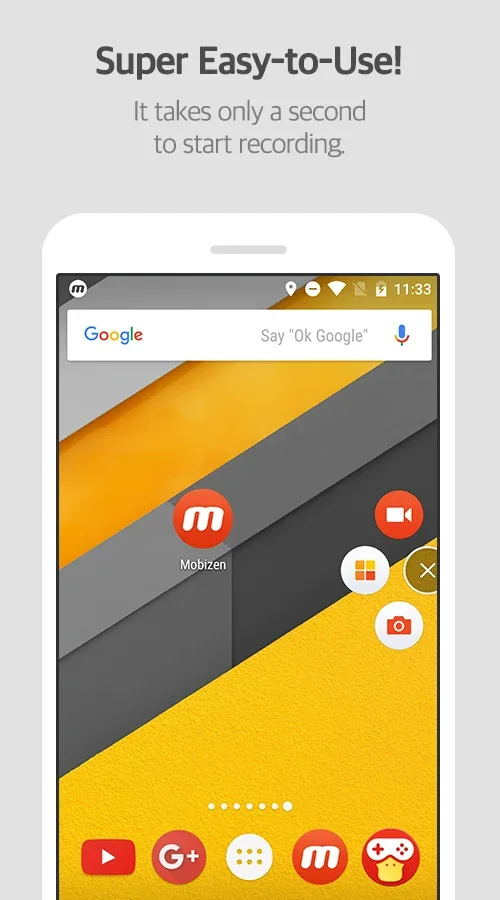
High quality recording: Mobizen records up to QHD 1440p at 60fps with a bitrate up to 24 Mbps. You start recording with one tap, and videos save locally on your phone for easy access. For longer sessions, you can set the save location to an external SD card to reduce storage pressure. This helps keep large files organized and avoids interruptions.
Clean and Hide modes: Mobizen offers Clean mode to record without a watermark. It also provides Hide mode, which removes the on-screen recording button during capture. You choose the mode before starting, and the footage stays focused on content. This makes tutorials and gameplay videos clearer for viewers.
Facecam and audio capture: Mobizen lets you overlay a facecam with audio so reactions appear alongside the screen. It captures game sounds and your voice together, depending on device support and settings. You can adjust the facecam size and placement to match the scene. This setup is helpful for commentary and coaching videos.
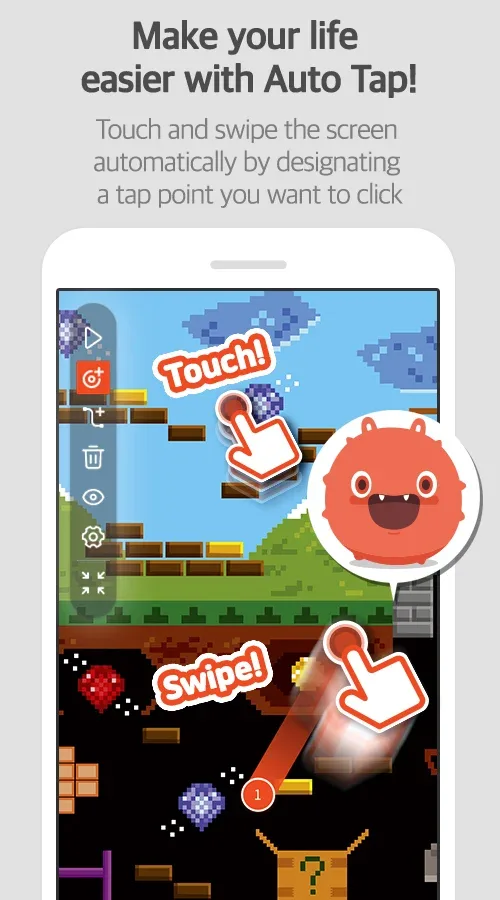
Automation and Air Circle customization: Mobizen provides Auto Tap and Auto Swiping to automate repetitive touches during recording. These features require AccessibilityService permission, which is used only to perform tap and swipe actions. You can stop automation at any time and adjust intervals as needed. Additionally, the Air Circle styles are customizable to fit your screen layout.
User Reviews of Mobizen Screen Recorder:
Ive been looking for a video recorder that won't make me lag and will record my internal audio and I went the 5 different recorders before I found this and it works I am making YouTube videos to have fun and the recorder I had built into my phone was laggy grainy and overall just sucked this one is actually worth getting.
This app is absolutely amazing! I needed something that would let me record from my phone Internally so the recordings wouldn't pick up the backround noises from the external mic. I searched all over the web and couldn't find a way to do this, until I saw the recommendation for their app on a forum that said this app let's you record from the phone internally. I am beyond extremely giddy to have found this app! It is making my recording projects a heck of a lot easier! 100+ stars!!
this is the BANDICAM of mobile screen recorders, and I mean that in a good way. it has all the features you'll want, and unlike Bandicam, you can just watch a couple of ads to get most of the paid features! even though I don't use this app anymore, I still recommend it. I only don't use it because I don't have enough room, but you probably won't have that issue. I also recommend bandicam for PC recording btw edit: if you're having problems, Xrecorderr is basically mobizen but capcut.
WOAH! THIS APP IS GREAT! It is way better than I expected and I am glad I got an LG and found this app. I was disappointed when I found out my LG did not have the built-in screen recording and screenshot, but NOT anymooore. It even records your voice so I dont have to do a separate voiceover and combine it. This app has other cool features i have not even tried yet. The ads are not too much, all ads are annoying but whatevs.
FAQs of Mobizen Screen Recorder:
How to Activate Booster Mode?
Activate Booster mode: Tap on the pop-up for Booster mode when Mobizen app is launched.We need a PC: Connect the mobile device (phone/tablet) to the PC using the USB cable that came with the phone and tap “Yes, I have”.
Step 1: Following the instruction, press “Check Debugging” to enable DEVELOPER OPTIONS > USB DEBUGGING.
Step 2: From the PC, visit www.mobizen.com, download the Booster Engine and install it.
Final step: From the PC, launch the Engine and follow the instruction to complete the installation.
Completed: Press “Done” to finish.
How to Free up RAM on Your Device?
- Go into your Device Settings
- Select Memory
- Select "Memory used by apps"
- Select the apps that you are currently not using
- After clicking on the information button, force stop the app.
Do I need a Recording Engine?
Most smartphones/tablets with OS version 5.0 or prior require a recording engine to capture your screen.Search and downlioad the Recording Engine for your device in the Google Play Store.
How do I install the latest version?
Tap “Install Recording engine” (link to Google Play Store), install and download the Recording engine app.Once downloaded and installed, Mobizen app will start automatically and you can start recording and playing the video.
Final words:
Mobizen Screen Recorder stands as a reliable and flexible tool for capturing everything happening on your Android screen. It combines smooth recording performance, customizable settings, and built-in editing features into a single, easy-to-use platform. Instead of feeling complicated or resource-heavy, it keeps things efficient and user-friendly, allowing you to focus on creating content rather than managing technical details.