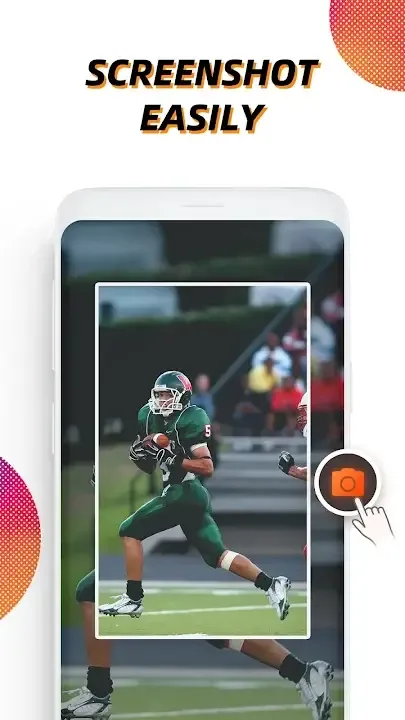
Screen Recorder is an app for recording everything that happens on your smartphone screen, all with amazing quality. The way Screen Recorder works is pretty simple. All you have to do is open the app when you want to start recording your screen, then tap the recording button to start recording. You can also record the sound on the smartphone internally as it plays. With Screen Recorder, you can record your Android smartphone screen. All you have to do is start the recording and pause it or stop it completely whenever you're done. You can also use this app to take screenshots to save to your smartphone. This is one of the best tools for recording your Android smartphone screen whenever you want, for as long as you want.
Overview:
Screen Recorder is a free screen recorder tool that offers various added functionalities. Designed for Android, the software also lets users take screenshots, edit recorded videos and images, and start a live stream. You can even record tutorials, gaming videos, live shows, and video calls. Screen Recorder also lets you enable facecam and record external audio.
Screen Recorder is a multi-purpose screen recording tool that lets you capture screenshots, edit recordings, stream content, create GIFs, and more. The application offers a user-friendly interface, integrating well with various social media platforms. The tool’s features aren’t limited to screen recording and can be used to record facecam videos.
After you download and set up the Screen Recorder app on your Android device, enabling and disabling it is quite effortless. Once launched, the app shows a simple icon that you can drag anywhere around the screen. All of the functions that you might need, including recording and screen capture, are available next to the icon. You just need to drag and drop the icon to the bottom of the screen to close the app.
Features:
You can easily hide the recording window for frameless video while recording or capturing screen, change the aspect ratio to widescreen, vertical or square.
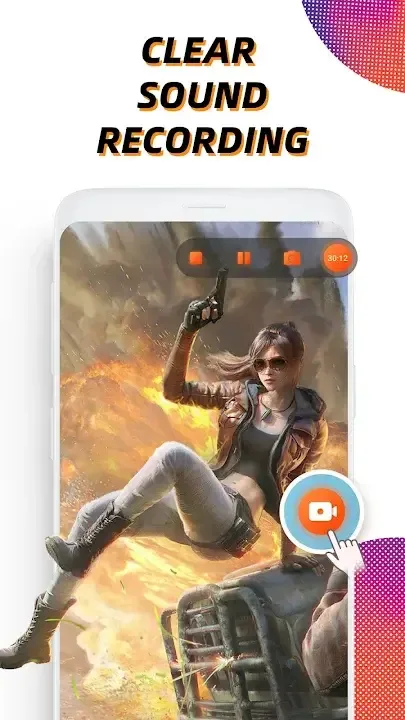
Record internal audio, this screen recorder supports recording internal sound.
Custom floating window: replace the default floating button with any feature you like.
GIF Recorder: Tap to record gif, convert video to gifs. Easy-to-use gif editor, create and edit animated gifs.
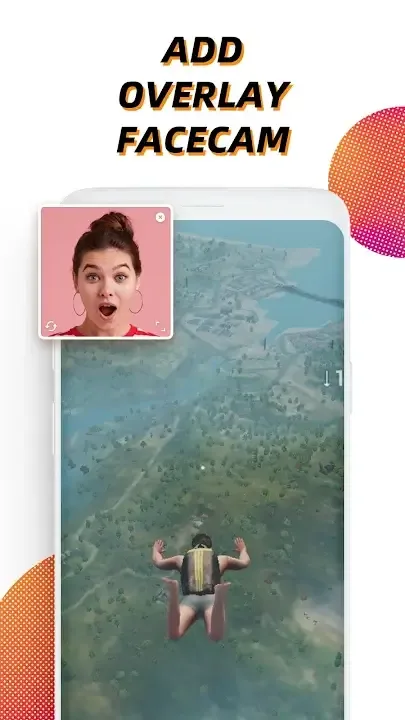
Facecam Recorder: enable camera to capture your reactions while recording.
It's a stable screen video recorder for you to record video, record the tutorials and capture screen.
It only takes one touch to start recording on your phone with sound, one single tap to pause/resume at any time.
Simple interface, easy to record games while playing, record video calls or live shows, capture screenshots, rec screen and edit images.
This video capture provides high quality and customized settings, support HD video, both portrait and landscape video orientation. With this screen recorder, you can change the video settings at will to meet your needs and record clear video.
Benefits:
Amazing editor and smooth features
this application is without a doubt flawless, since it enabled me to make use of the app's designed function despite the capability not being present on the primary hard drive of my current device. That is the key question at hand! I send many blessings to the hard workers who have gathered together to ensure that their hard work is successful in some way. Damn! This application is really helpful! The quality, user interface, and editing capabilities, in addition to the function that enables audio recording, are all great. This is a very beautiful and straightforward programme for editing screen capture videos. This application includes the unaltered, original sound that was captured from the video and music volume levels. The features of trimming, the stickers, the typography, and the play speed.
Flawless recording without background noise
it's always a good idea to have vidma recorder on hand in case you find yourself in a situation where you need to record a movie for later viewing. I enjoy this screen recorder since it allows me to record my drawings as well as any game. This programme has a lot of potential and needs to be updated. I liked this app as i can record roblox, or ibis paint, and more than any game you should play on this app. You may use it on your tablet or your phone. It's too much fun. To begin, the size of this app on your screen is really convenient; it is tucked away in one of the corners and does not dominate the display of your phone, as is the case with some other apps. You have the option to disable either your microphone or the audio that is used in the app, which is something that i really enjoy. Without the noise of my fan in the background, i can capture response videos or just record a song to keep. You are provided with a wide variety of options for the video's quality, and you have the ability to make adjustments to them. 100% greatest video recorder app.
Pros & Cons:
Pros
No in-app advertisements are included
Supports a handful of basic editing options
Very little hard drive memory is required
Provides support for numerous languages
Cons
Permissions might be required to activate this app on certain devices
Recorded videos cannot be compressed
Files may be deleted on occasion for no apparent reason
The editing tools can be somewhat difficult to use