
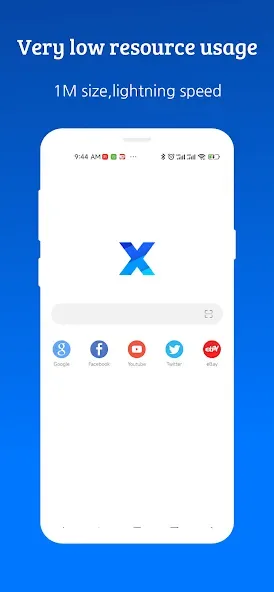
XBrowser is a lightweight browser designed specifically for Android. Its installation package is less than 1MB, yet it integrates user-friendly features like efficient ad tagging, smart address completion, night mode, offline reading, gesture-controlled full-screen browsing, and search. While ensuring browsing speed and privacy, it offers users a fast, secure, and smooth mobile web browsing experience through a minimalist interface and minimal permission requirements.
Click to load YouTube / 点击加载视频
YouTube ↗How it Works?
With XBrowser, Android users will have themselves the perfect mobile app for browsing web pages and access all online content with ease. Enjoy the minimalist UI and optimized in-app features to help you quickly access any webpages. Enable many useful features to help you browse websites and interact with the web content without any issues.
Feel free to customize the UI to match your personal preferences. Have access to many useful and customizable gestures, which will allow you to effortlessly control the browser. Make use of many automated features to help you improve your online experiences. Save webpages and other online media so you can view them offline.
Make uses of the built-in adblocker to prevent annoying and disturbing ads from bothering you. Feel free to add bookmarks and customize your homepages to save important articles and start your browser on the right foot. Have access to many privacy settings, which will help you freely customize your in-app features. The list goes on.
Features:
Minimalist & Super Fast
1M Size, uses minimal resources. Very smooth and fast.
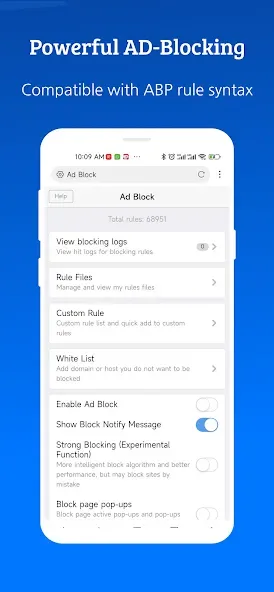
Ad Blocking
Super ad blocking ability, helping you to remove 80% of malicious ads. Support importing and subscribing to third-party blocking rules.
Video Sniffing
Super video sniffing capability, easy to save Internet videos.
User Script
Build-in Support GreaseMonkey and Tampermonkey user script. Greatly improved browser capabilities.
Security and Privacy
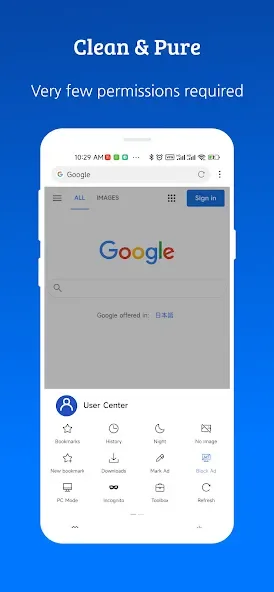
Only very few permissions are requested, no background residency services, no push services, and very many security and privacy options are provided.
Autofill forms
Fill out forms automatically with saved info, like your user name,passwd,address etc.
Personalized Customization
Provide a large number of personalization options, appearance, gestures, shortcuts, etc. Can be adjusted according to your preference.
Tips for Users:
Take advantage of the lightweight nature of XBrowser to save storage space on your device, especially if you have limited storage capacity.
Customize the interface to suit your preferences and enhance your browsing experience with the additional practical functions offered by XBrowser.
Explore the ad blocking feature in the settings to enjoy a seamless browsing experience without interruptions from unwanted ads.
Utilize the information security packages provided by XBrowser to protect your personal information and ensure a safe browsing experience.
What's New?
- Greatly improved the smoothness of searching suggestions in the search box of the browser.
- Optimized application startup speed stability
- Fixed the problem that the download file could not end normally in some cases.
- Fixed the problem that some Chinese domain names are not supported
Conclusion:
If you are someone who regularly uses a smartphone to access the internet like me and always wants to find a fast, light, and battery-saving web browser. Luckily, XBrowser – Mini & Super Fast met all my needs perfectly. From the first time I used it, I was extremely impressed with XBrowser’s web browsing speed. Web pages download in a flash, even when the network connection is unstable. Thanks to that, I can comfortably surf the web, watch videos, and read newspapers without experiencing any lag or lag.