
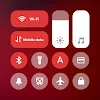
Mi Control Center is an app that lets you modify your Android smartphone's control center to mimic the MIUI and iOS designs in a quick and easy way.Setting up your smartphone to your liking is not always entirely possible since, by default, there are certain settings that are impossible to change. With Mi Control Center, however, you can adjust the features of your control center however you want, eliminating or adding as many as you need.
Click to load YouTube / 点击加载视频
YouTube ↗Features:
Two different layouts: combined notifications and quick toggles, or separate with control center Similar to MIUI 12+.
Full color customization: Take the base layout and color all the elements how you like.
Powerful options to customize mobile
Useful icons with your current device information
Choose your own profile picture to be displayed in the shade.
Choose between a number of tile icon shapes (circle, square, teardrop, gradients and more)
(Pro) Change quick settings grid layout (ie. number of columns and rows).
Adjustable background types: Choose a solid color, live or image static blur. Change the transparency and blur amount.
Advanced custom notification bar: Get, read, snooze or dismiss it.
Advanced music: Dynamic colors based on the currently playing album artwork. You can skip to any part of the track right from the notification's progress bar.
Quick reply: Reply to your messages as soon as you see them. For all Android devices.
Auto bundled: Tired of that one app that spams you with notifications? Now they're all grouped together, for easy control.
Custom background picture: Pick your favorite image to be displayed in the shade. Customize mobile with unique control center easily!
ENHANCED NOTIFICATIONS:
In addition to regular notifications, the application also has an advanced notification feature. Notifications will automatically be separated into two panels to help you view notifications more easily. The screen is neatly arranged so you can easily find and quickly access the features you need to use. You can also quickly open notifications by swiping your fingers down from the left to open and swiping your fingers to the right for quick settings on your device.
Separate Panels: The application will automatically divide notifications into two separate notification panels so you can easily grasp the notified information.
Intuitive Swipes: Or you can swipe your finger down from the left to open the notification bar and swipe your fingers to the right to open quick settings.
Decluttered Screens: With a simple and neat design, you can easily find and access the features you need quickly without wasting much time searching.
FAQs:
What Android versions are supported?
Mi Control Center is compatible with most Android devices running Android 5.0 and up.
Can I use Mi Control Center without ads?
Yes, upgrading to the pro version removes all ads, providing an ad-free experience.
How do I unlock all features?
You can unlock all features by purchasing the premium version of the app.
Is Mi Control Center safe to use?
Yes, Mi Control Center is safe and does not require root access to function.
Conclusion:
In summary, if you like how Apple and Xiaomi implement their quick access toggles and want to experience it on your device, the Mi Control Center is as close as you can get to the real thing. It's easy to use and offers plenty of customization options to have it look and function the way you want. Give it a try and see for yourself.








