

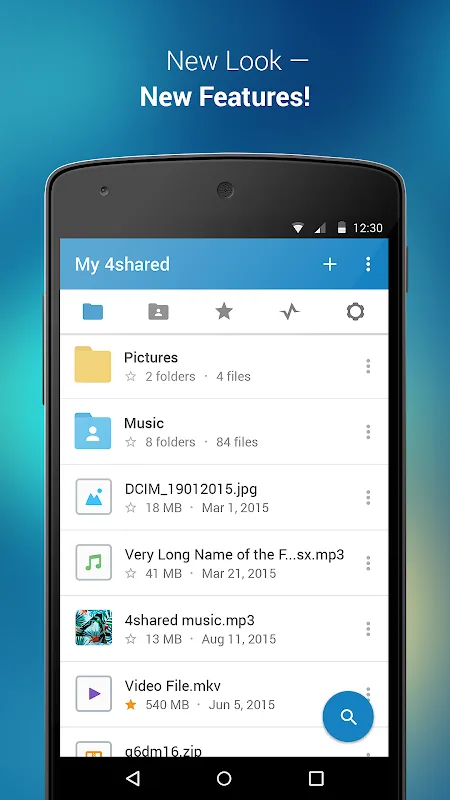
4shared is a powerful file-sharing software that supports multiple formats, allowing users to share files with friends or other devices with a single click. It also features a powerful categorized search function, allowing users to quickly find relevant files by entering keywords. It's incredibly easy to use. The software is completely free, requiring no fees or membership fees to access its features. Furthermore, the software is constantly being updated and optimized, fixing various operational bugs and adding more powerful features to meet user needs.
Click to load YouTube / 点击加载视频
YouTube ↗Features:
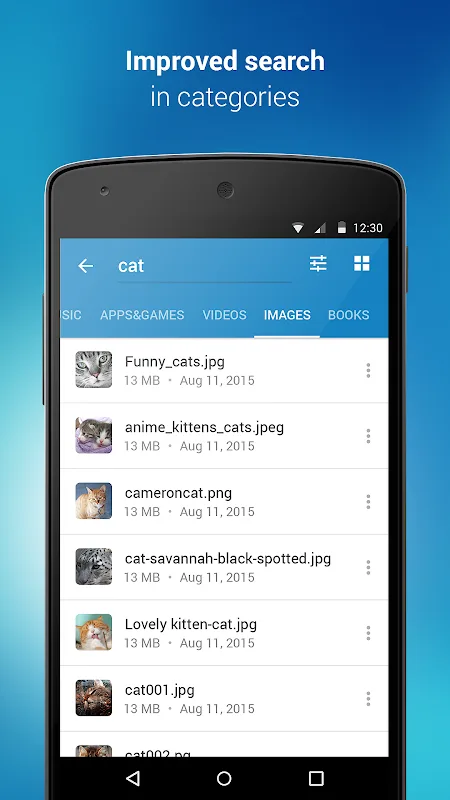
Fast file search: Get access to a massive 4shared library with millions of files and discover what you’re searching for fast & easy. Simply enter a keyword (e.g. song title), and get the search results in seconds, or select a file category and/or add a search filter (e.g. upload time, file size, etc.) - in order to narrow the list of results and find the file you need even faster.
One-tap save: Found the file you were searching for at 4shared? Add it to your cloud storage and save it on your mobile device in one tap for further access and use, even when you’re offline.
Instant file sharing and transfer: Wish to share any data with others? 4shared for Android enables you to share files with your friends, colleagues and family via email, messengers and other apps; or transfer files directly to nearby devices - smoothly.
Music and video streaming: 4shared for Android enables you to play songs and live streams, create and share your own music live streams with others, and, of course, watch multiple videos in high quality and without interruptions directly in the app.
Free cloud storage: The 4shared app is a fast and easy way to access files and folders already stored in your 4shared account and upload new files (e.g. photos and videos) to it from your Android device, or the 4shared library, for further use and sharing.
Easy-to-use app chat: Communicate with your friends, who’re also using 4shared, exchange media and other files and get instant alerts about updates in your account directly in the app chat.
No Ads: Wish to enjoy the 100% ad-free 4shared experience? Switch off all ads in your 4shared app by subscribing to 4shared PRO membership.
Functions:
Contacts - only used for reading contact list. This enables sharing your files to emails from your contacts.
We do not enable any 3rd-party access to your contact list info.
Device ID & Call information - only used for reading the status of any ongoing calls. This enables pausing streamed music in the app, when someone’s calling you.
Photos/Media/Files - enables file upload from Android device (including Camera upload) to your 4shared account and the download of files from your account to the phone storage or SD card.
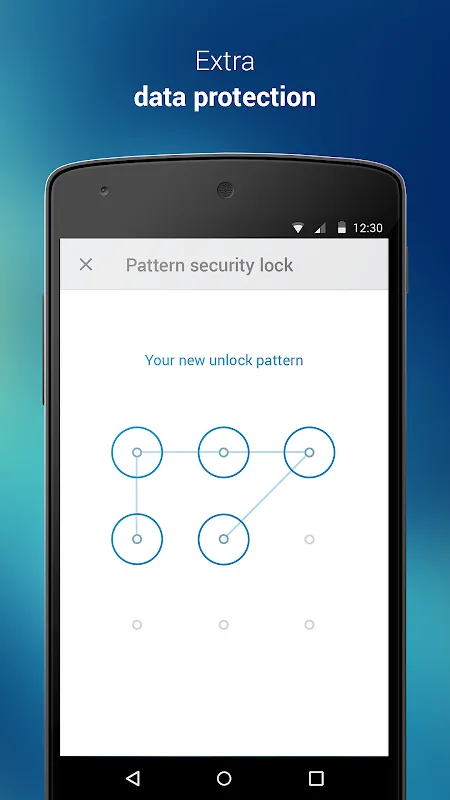
Identity - used for the correct sign-in to your 4shared account via the app.
We do not sell or otherwise transfer your personal data to 3rd-party vendors.
Wi-Fi connection info - only used for reading the state of Wi-Fi connection. This improves file upload and download app features.
FAQs:
Where are my files stored?
The files you upload are hosted on our high-speed servers. Your individual virtual drive is set up for you when you register. By becoming a registered user you can create your own folders and upload files.
Why do I need to sign up?
To use our service, we require you to create an account and set up your virtual drive. This allows you access to your files from any laptop or PC connected to the Internet, just by entering your email and password. Your files are kept safe within your account until you decide to share them.
Registration is free, easy, and takes seconds to complete. There's no need to enter your credit card details.
What is 4shared account verification?
Once you have signed up for a 4shared account, you need to verify it prior to getting access to 4shared services and features.
Why do I need to verify my 4shared account?
Account verification confirms that the particular e-mail address, which you have entered while creating an account, is your actual e-mail address and ensures that you have access to it.
Only verified users can access their 4shared accounts, share and download files and folders, preview files, leave comments to files, or use other essential features of the service.
How can I verify my account at 4shared.com?
Upon the creation of your 4shared account, you will receive an e-mail with a verification link. To confirm the verification of your account, you only need to click on this link.
Having clicked on the link, your web browser will open with a notification, that your 4shared account has been verified.
In case nothing happens after you click on the verification link, you need to copy & paste it in your web browser.
In case you haven't received an e-mail with a verification link, please, check the Spam folder at your e-mail account.
How long are my files stored for?
Your free account and all your files will only be removed from 4shared if you don't log into your account for 180 days.
How can I change the Nickname in my account?
Go to Settings in the upper right-hand corner on your virtual drive, click Settings and choose Account Overview section. Enter a new Nickname into the corresponding field and click Save changes.
Reviews:
I love this app and have used this app for years. It is a great app. With this app you don’t have to worry about using up all your memory on your phone on your iPads, or your Kindle or whatever tablet you may have or your computer as it’s an external drive you can just offload them and you have them you don’t lose them. It’s in some sort of cloud up there and you can access it when you change phones, it is just fantastic. I’ve always loved this app and I am so glad that it’s still continuing to be a great app. Thank you developers!
This app is fantastic! I can play within the app or AirPlay almost any audio & video file from within the app flawlessly. And plus, they're not stingy about giving 15 GB of space for free. One of the best free cloud storage companies around, which is also the most underrated.
I have had a heck of a time trying to download zips of folders of my files. So I don’t have to do a file by file download. Sadly, it isn’t working and file by file is what I am forced to do. This is extremely annoying for how old this App is, the kinks should be worked out by now. Luckily my internet isn’t metered or I’d be way more angry then I already am, which is a lot.
I have no issues with it until few months ago, when I click to add file none happened. I had to go to online website to upload my files there. Please fix that. I did download app to different device and it didn’t bring up to upload file to save, same problem.
Conclusion:
The 4shared app for Android is the perfect companion for accessing, managing and sharing your files on the go. It allows you to view, upload, download and share any files directly from your Android phone or tablet. It is an extremely easy-to-use app that is designed to work with the 4shared website and the 4shared platform. You can access and manage your files on the website from any web browser or mobile device.It is free to use. There are no subscription fees or other fees to pay for the service. You can access your account from anywhere in the world.








