

VMOS PRO is the professional version of VMOS, a virtual machine application. This application allows you to customize the ROM you emulate and includes nearly every tool you need. Using this system, users can activate root on their PC without a single click. VMOS PRO is an innovative application that replaces your native operating system. Its simple, user-friendly interface and user-friendly instructions make it easy for anyone to use. Its only drawback is that it requires a powerful device. Download and experience it now!
Feature-rich tool:
With VMOS Pro, you can install identical copies of apps on one mobile device. With just one application, you can duplicate the functionality of other apps like Instagram, Facebook, Twitter, and more. This way, you can check in on your social media accounts without carrying another smartphone. You can also use the app to download other games you like, so your main account gets credit for playing them.
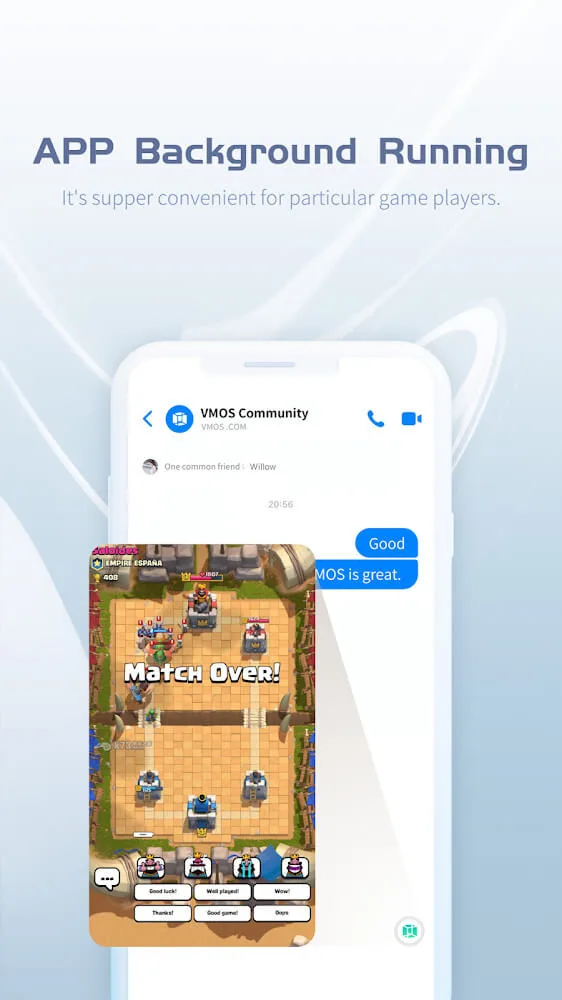
The app has an array of valuable features, such as Picture-to-Picture mode and more. This tool has floating window features that allow you to multitask by viewing and working on different apps at the same time. It's also possible to open two similar apps simultaneously. You can watch a live broadcast and play on another app at the same time.
Further, this tool also provides quick access to shortcuts, making it even easier and more convenient. You can also control the apps available in the background by setting preferences. The app’s interface is intuitive, so anyone can use it without difficulty. However, since this app is helpful and resource-intensive, you will need the highest-specs mobile device to run it. It shows poor support for older devices.
Features:
Enhanced Security: Utilize an autonomous virtual mobile system, free from real device constraints, ensuring a secure environment for development and testing without the threat of viruses or system instability.
Root Access: Enjoy built-in root access, complete with XP framework and Google Mobile Services, catering to the diverse requirements of mobile enthusiasts.
Versatile Floating Windows: Enable floating windows for any application, facilitating multitasking with multiple apps operating simultaneously on a single screen.
Dual App Launch: Seamlessly launch games and apps in pairs, enabling concurrent activities such as gaming while watching live streams or chatting, surpassing the performance of cloud-based solutions for a balanced work-life experience.
ROM Compatibility: Compatible with ROM systems of versions 7.1 and 5.1, supporting multiple virtual machines for enhanced versatility.
Intuitive Controls: Simplify operations and navigation with the floating ball feature, ensuring effortless interaction.
Interactive Screen Adjustments: Customize resolution settings and enable background operation for uninterrupted usage.
Efficient File Transfer: Streamline file transfers with the file transfer station, facilitating the cloning of application files between real and virtual machines, eliminating redundant installations.
Tips and Tricks:
Understand the Permissions: When you first install and use VMOS Lite, it will request various permissions such as access to storage, device information, location, camera, microphone, etc. These permissions are necessary for the app to function properly.
Grant Necessary Permissions: It is important to carefully review and grant the appropriate permissions based on your usage needs. However, be cautious about granting permissions that seem excessive or unnecessary to protect your privacy and security.
Optimize System Settings: After entering the virtual system, you can adjust the system settings according to your preferences.
Pros & Cons:
Pros
It is a free app with no in-app purchases.
The user interface of the Vmos Pro Mod Android App is easy to use and navigate through.
This modded version provides access to all premium features without spending any money, such as unlimited coins, gems or lives for games that require them.
It allows users to customize their device’s appearance by changing themes and icons on their home screen.
Users can also download various apps from third-party sources which are not available on Google Play Store due to certain restrictions imposed by it.
Cons
Vmos Pro Mod Android app is not available in the Google Play Store, making it difficult to find and download.
The app may contain malicious code or malware that could harm your device.
It can be unstable as there are no official updates for bug fixes and security patches from its developers.
There is a risk of data leakage if users do not take proper precautions while using this modded version of the original VMOS application.
Conclusion:
VMOS PRO offers everyone the useful and convenient potential of operating two independent windows running side-by-side on one monitor. It also has extensive support for many programs, applications, and games so that users can maximize every time to be more productive while multi-tasking. Of course, it comes with comfortable and straightforward interaction so that everyone has the best user experience, even when running multiple programs simultaneously. Its intuitive interface ensures seamless multitasking, offering users a comfortable and straightforward experience while running multiple programs concurrently.








