
The AR Ruler app is a highly practical tool. Leveraging AR technology, it allows users to say goodbye to cumbersome and heavy measuring tapes and access its functionality on their mobile devices. Simply by using a camera, the app can detect surfaces and provide real-time measurements, making it easy to understand lengths and distances. Furthermore, the AR Ruler app includes an angle measurement feature, allowing users to measure corners and angles on 3D surfaces, a common application in woodworking and construction. Download and experience it now!
About:
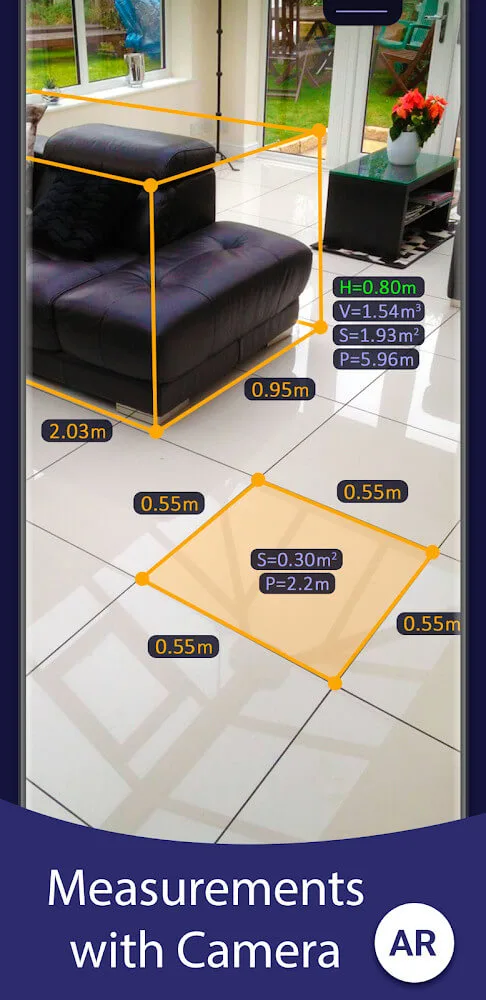
Accuracy: No need to use a tape measure, you can also measure the height, length or distance of many different objects and houses. Users can use the camera to calculate augmented reality technology.
Precision: The application measures accurately and almost absolutely down to the millimeter, making the experience simpler.
Range: Users can use it to measure distances and measure rooms and objects at a distance of up to 5 meters.
Features:
AR Ruler app – allows to tape measure linear sizes in cm, m (meter), mm, inches, feet, yard.
Distance meter – allows to tape measure distance from device camera to a fixed point on the detected 3D plane.
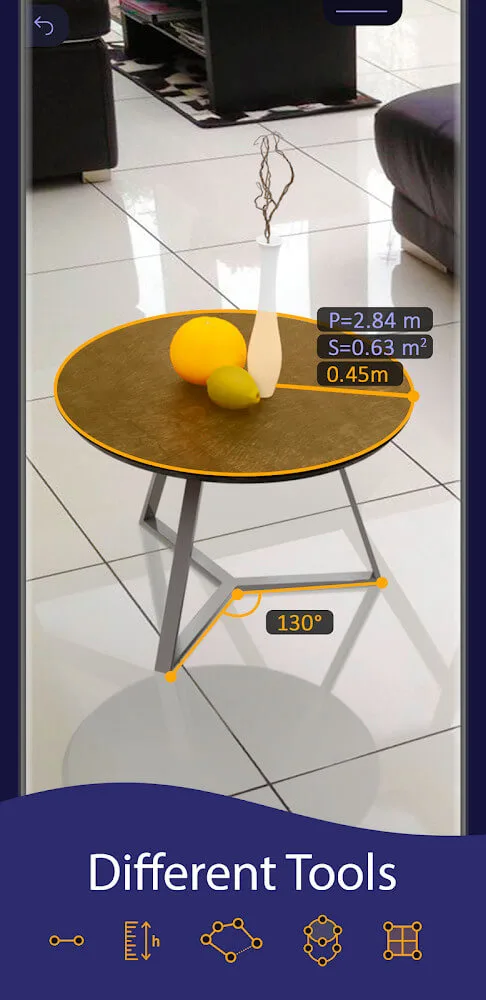
Angle – allows to tape measuring corners on 3D planes.
Area and Perimeter – allows to tape room measurement and area of the house.
Volume scanner – allows to tape measure size of 3D objects.
Path scan – allows to calculate the length of the photo path.
Height measure – allows to tape measure height relative to the recognized surface.
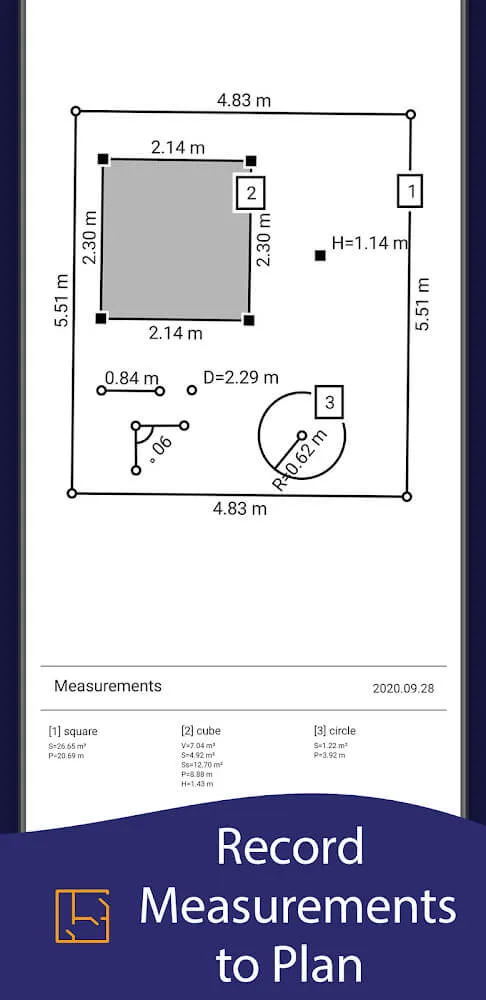
Room Planner and Home Design – generates a room plan projection for drawn objects and exports the floor plan to PDF format.
On-screen Ruler app – measuring small objects directly on the phone screen.
Photo measure app.
What does it do?
Here in AR Ruler App, Android users will have themselves the most reliable augmented reality ruler app, which is fully capable of measuring rooms, homes, houses, and other places or objects, using only the inbuilt phone camera and other sensors. All you need is to enable the app and start pointing the camera toward the certain planes, as you measure objects with ease.
Have no troubles working on the most simple and easy to use application of AR Ruler App on all your Android devices. Have yourself the most convenient measuring tools with AR enabled. Enjoy measuring distances using only your Android camera. Make the most of the different in-app features to measure corners and angles.
Check for the area and perimeter in the app when measuring. Have no troubles scanning for device volumes. Calculate the certain paths on the scanned images in the app. Check for relative heights in the AR Ruler App whenever needed. The list goes on.
Conclusion:
AR Ruler App is a multitasking tool helping users measure the size of anything through its built-in camera AR technology. Now, finding all information related to objects will not require cumbersome tools but only a high-quality camera for accurate and specific measurements. It does not stop there, but it integrates various calculation systems and immediately provides more practical information. The AR Ruler App is the trusted friend that construction or interior designers need in every situation. It can completely replace all physical tools and save time measuring or calculating basic parameters.








