

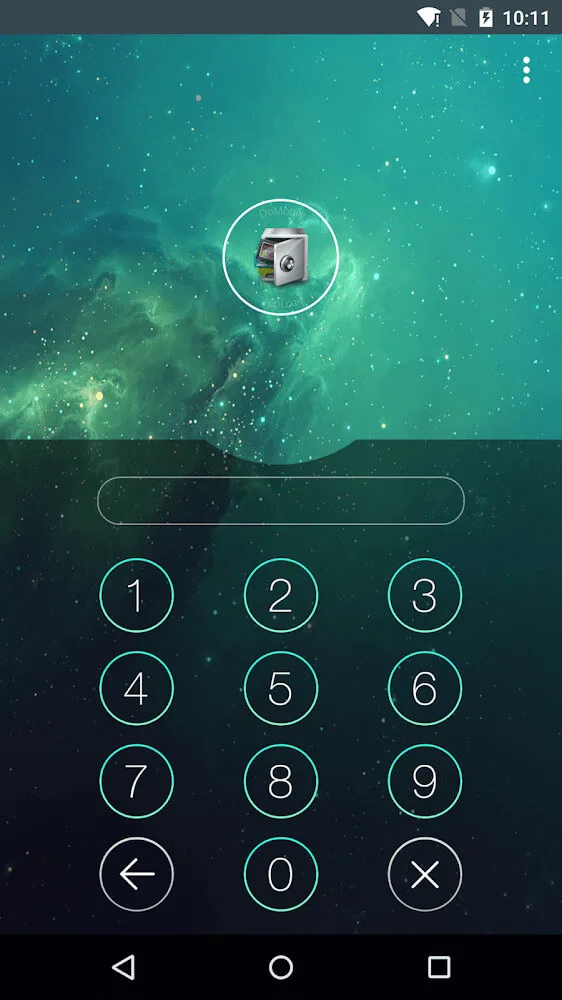
AppLock is a tool for Android devices. Because AppLock uses a lightweight installation package, you don't have to worry about APK files hogging system resources. The home screen lists all the apps on your smartphone, which you can easily lock with a single slider. Users are required to create a numeric password to unlock the apps they want to protect. From that point on, each time you open the app, you will be prompted to enter the password you set. Even if another user attempts to uninstall the app, this password window will prevent them from doing so. Download AppLock now and protect your private information!
Click to load YouTube / 点击加载视频
YouTube ↗Highlights:
• Lock apps with password, pattern, or fingerprint lock.
• Vault: hide pictures and videos
• Well-designed Themes
• Incognito browser: no history record
• Private SNS: log in multiple accounts
• Intruder Selfie: take photos of invaders.
• Customized background, select a favorite picture
• Customized Profiles: set different locked app groups
• Time Lock: auto-lock/unlock according to time
• Location Lock: auto-lock/unlock according to location
• Hide AppLock icon
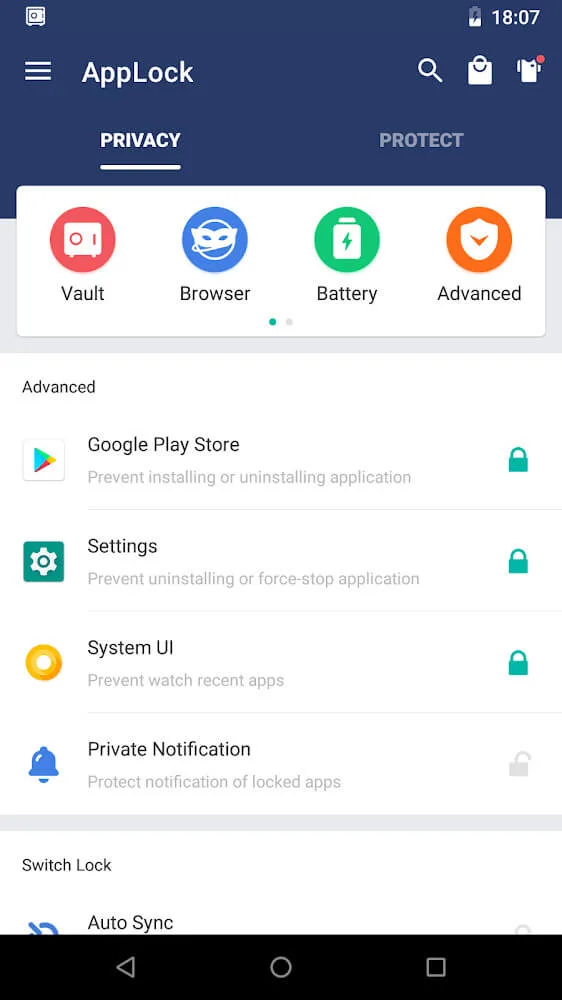
• Advanced Protection: prevent AppLock being killed by task killer
• Random keyboard: prevent people peeping pin code
• Force stopped cover
• Lock switch (WiFi, Bluetooth, sync)
• AppLock widget: enable/disable AppLock with one tap
• Quick lock switch: Lock/unlock in notification bar
• Lock system settings to prevent a mess by kids
• Allow a brief exit: no need password, pattern, fingerprint again within set time
• Prevent uninstalling apps
• Low memory usage.
• Power saving mode
Features:
Picture Vault, which lets you keep some pictures in a virtual safe, and only you can open it.
Lock/unlock apps automatically according the time or location.
Set different profiles to lock different apps, random keyboard: prevent other people peeping the password.
Fake Cover: you can put a cover like fingerprint scanner or force closed message on locked apps to confuse the intruder.
Quick lock switch on status bar, brief exit and so on.
FAQs:
How to change password?
Open AppLock, Protect, Unlock Settings.
How to stop uninstalling AppLock?
Please enable Advanced Protection in Protect of AppLock, so nobody can uninstall or kill AppLock without password. You can disable Advanced Protection when you don't want it.
I forgot my password, How to find it?
Update to the latest version first. And then tap AppLock icon, click the icon at top right corner of lock page, tap 'forgot password'.
Conclusion:
AppLock is a helpful extension for those who want to protect all data or prevent access from others in family or friends on the phone. This functionality also comes with various automated AIs explicitly designed for a few pre-existing apps or tools. Of course, users can create many separate settings and use different types of passwords for each content they need to protect. The ability to secure and protect users from AppLock is absolute and modern as it combines with superior AIs to help users stay agile. Now, no one can access the device or exploit the secret from the device without the password or the authentication from the user when the application is installed.








