
LR is a powerful, professional photo editing mobile app. Its ease of use allows you to transform your photos, whether you're a beginner or a seasoned veteran. Users can freely edit, experiment with lighting and color balance, and apply preset filters to quickly achieve stunning results. This official app not only elegantly manages photos and syncs data across multiple devices, but also supports professional editing of DSLR RAW files. Download and experience it now!
Click to load YouTube / 点击加载视频
YouTube ↗Features:
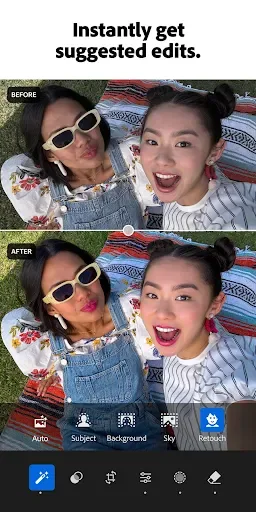
Intuitive AI-assisted tools: The app offers a range of intelligent tools powered by AI, making photo editing easier and more efficient.
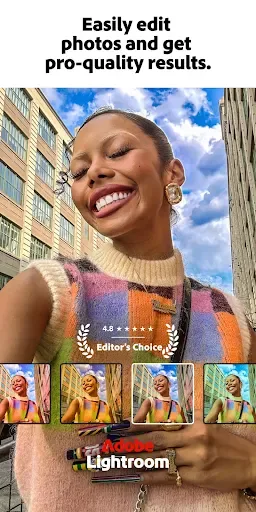
Presets and filters: With a wide variety of presets and filters, the app allows you to instantly enhance your photos and videos with just one tap.
Advanced editing features: From lens blur to adaptive presets, the app offers advanced editing features that give you full control over your photos and videos, allowing you to create professional-quality content.
Selective edits: The app allows you to make selective edits to specific parts of your photos, making your subjects stand out and removing distractions or unwanted objects.
Powerful editing tools: With high-precision removal tools, lighting adjustments, color grading options, and more, the app provides a comprehensive set of editing tools to refine and enhance your images.
Pro camera controls: The app offers all the controls of a professional camera right on your phone, giving you the ability to adjust ISO, exposure, shutter speed, and more for capturing perfect shots.
Easy-to-operate editing tools:
The first thing that makes Adobe Lightroom outstanding is the practicality and brevity of the interface.
Adobe Lightroom provides easy-to-use image and video editing tools. In the form of function names and sliders to adjust the level, users just need to bring images, videos or capture directly through the application, immediately reaching this detailed feature set without going through step via the complicated menu class.
Want to do anything, you just need to touch and select the corresponding function, drag up and down the slider to adjust the level, then move on to the next function to continue the second and third task if you want. Until you get a picture you like, don’t forget to share it directly on social networks or save it to your computer with optional quality.
The whole process is smooth, fast, does not generate redundant operations and does not require you to have any graphic knowledge. To make good use of Adobe Lightroom, you just need a creative mind and a visual aesthetic.
Adobe Lightroom is therefore an editing and video editing application that you can use anytime, anywhere to have the most beautiful, natural photos.
Tips and Tricks:
Experiment with Presets: Take advantage of Lightroom's wide range of presets and filters to experiment with different looks. Apply them to your photos or videos with just one tap and see how they transform your images.
Use AI-Powered Features: Make use of Lightroom's AI-powered features like Generative Remove and Lens Blur to easily remove unwanted objects and make your subject stand out. These tools save you time and effort in editing.
Make Precise Edits: Take advantage of Lightroom's advanced editing features to make precise adjustments to your photos. Use tools like masking and selective edits to focus on specific areas and achieve the right balance in your image.
Pros & Cons:
Pros
Use perfect filters and presets for pictures using AI
Instantly edit your photos in just a few taps
All premium features and tools are unlocked in Lightroom MOD APK
NO Subscription is required for the Lr mod apk version
Adobe Community Help
Cons
Once the photo is open in LR, there is no option to save it for edit later
The cropping experience is less smoother
Conclusion:
LR Mod is the ultimate photo editing tool for Android users. With a sleek, user-friendly interface, this app makes enhancing photos a breeze. Packed with professional-grade tools like advanced color correction, healing brushes, and exposure adjustments, LR Mod APK allows users to transform their images effortlessly. The app is designed to cater to both beginners and seasoned photographers, offering modes like Portrait, Landscape, and HDR for various photo types. Editing tools are intuitive and powerful, allowing users to get creative with their shots. You can even apply presets, filters, and make real-time adjustments to ensure your photos look stunning. Enjoy the premium features unlocked without the need for a subscription—simply download LR Mod APK for Android today and start creating breathtaking images.








