
Minecraft is a popular game everyone is familiar with. PojavLauncher is a powerful tool that helps players experience updated resources, items, and textures. This free tool not only provides the latest resource packs but also optimizes Minecraft performance. PojavLauncher supports nearly all versions of Minecraft, making it a worthwhile tool for both new players and veterans. Download it now and let PojavLauncher help you create your own world!
Click to load YouTube / 点击加载视频
YouTube ↗Brief Introduction:
Pojav Launcher is a Java-based game launcher that allows the user to launch almost any version of Minecraft available online. Developed by Artdeell, Pojav Launcher was released in 2009 and is available for Android as well as Windows operating systems.
With the Pojav launcher, the user can launch the much older Minecraft versions on their latest smartphones and computers. Pojav launcher is a result of an unofficial development for altruistic reasons. However, you will encounter many crashes or lag while playing your favorite games. For any bugs, the developers usually fix them before the release of the latest version.
Features & Highlights:
Privacy
Although Pojav is a third-party software application, it encrypts your files and keeps them private. Moreover, you can hide the icons of different video games and keep your interface cleaner.
Smoother and Faster
Pojav launcher has been optimized for a low slower internet connection, meaning it can provide you a smoother experience even if your network is slow.
User Interaction
The app works as it allows the user to choose from a ton of options and gameplay modes. With a simple UI, you can go through various options and seamlessly choose any video game. In the latest release, it dynamically refreshes the version lists along with the skins in the profile selector.
Bug Fixes
The developers fixed a number of crucial bugs including the input pipeline, IME support, TF2 stuff mod, full hardware mouse support, full keyboard support, and cursor resize.
Detailed Steps:
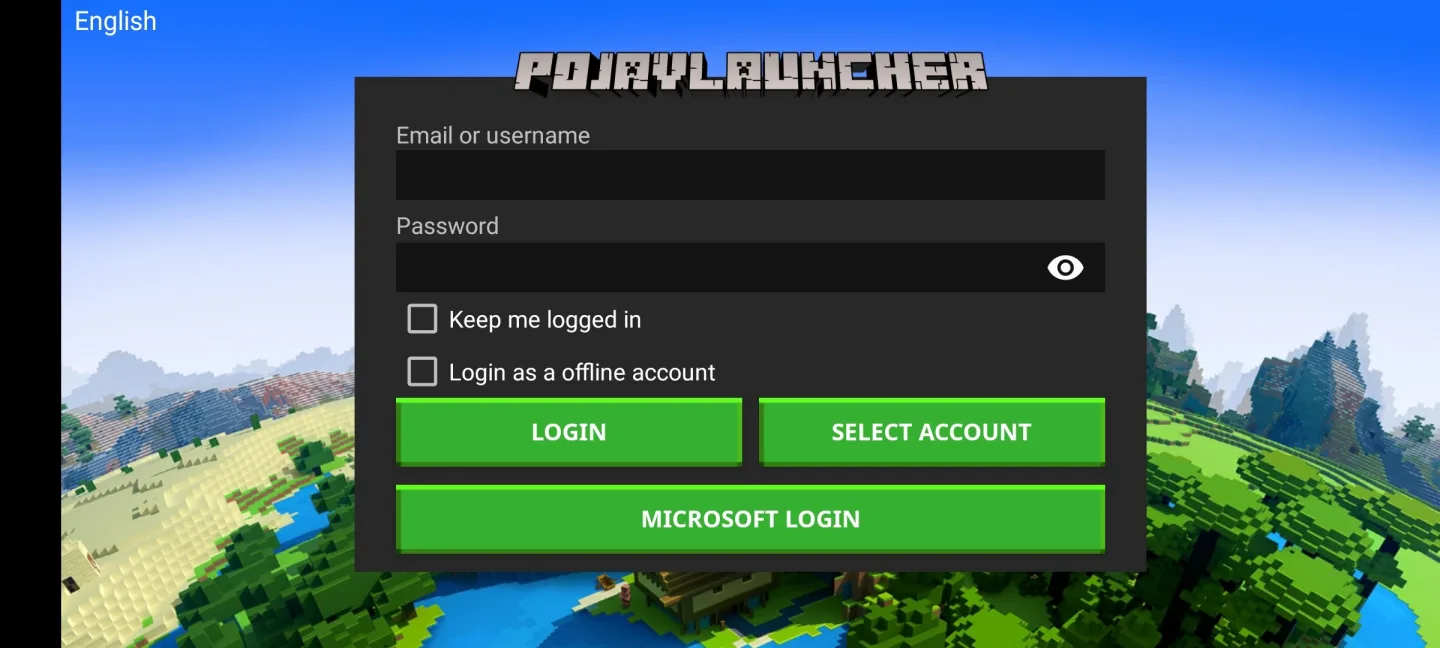
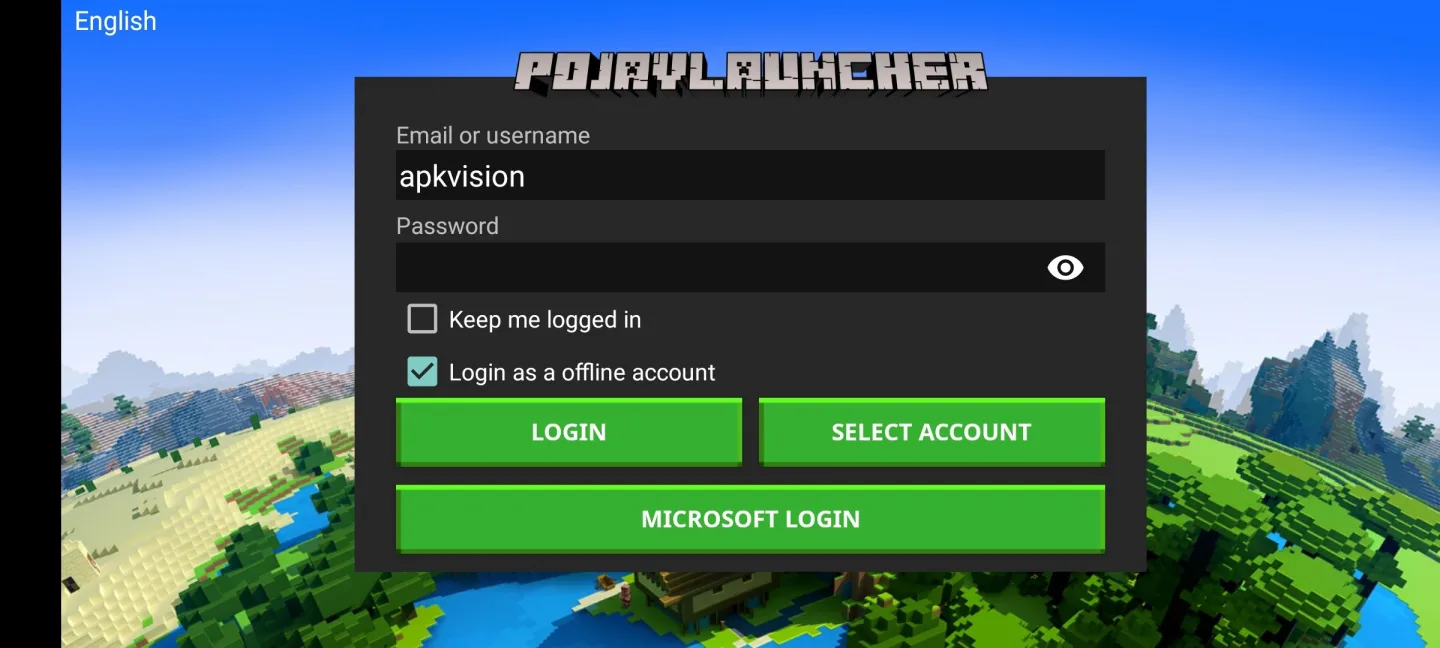
After installing and launching the app, you will be prompted to enter your Minecraft account details. If you have a license, you can use your account to log in.
If you do not have a license, enter your nickname in the Username field, check the Login as a offline account and click the Login button.
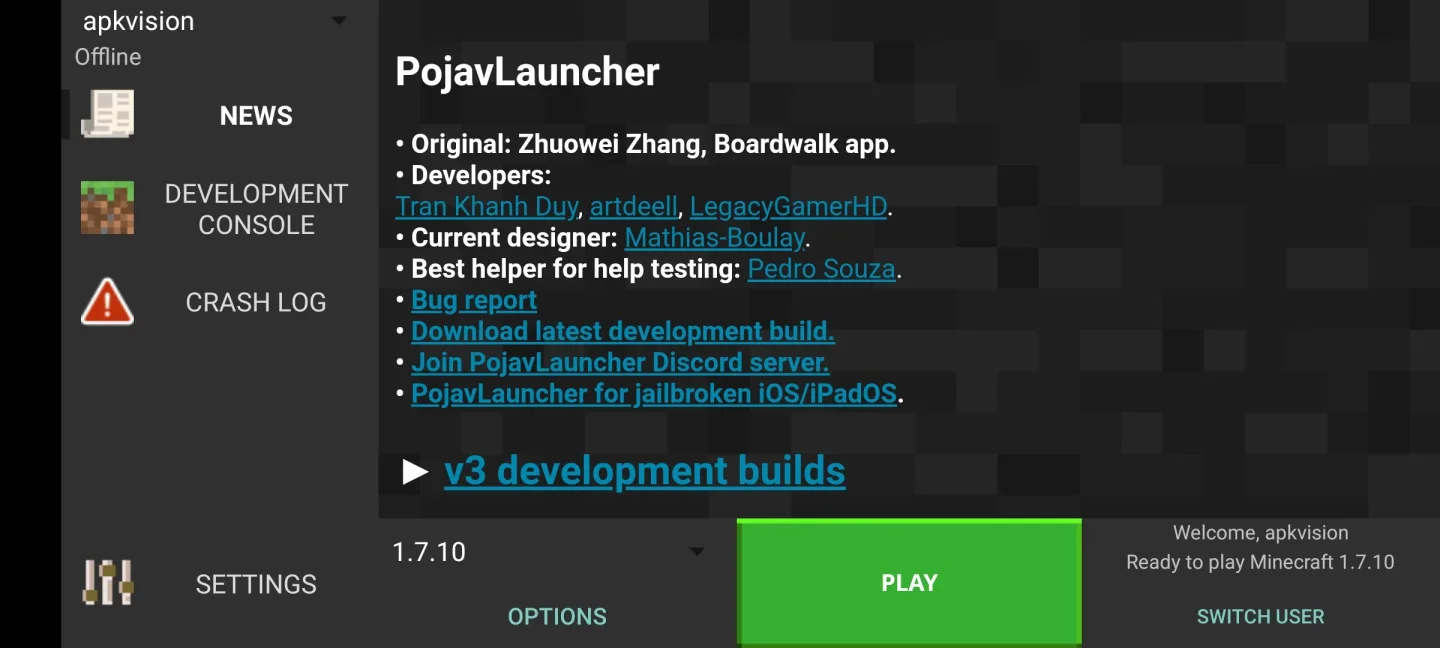
After that, the main menu will open, where you can launch the game itself.
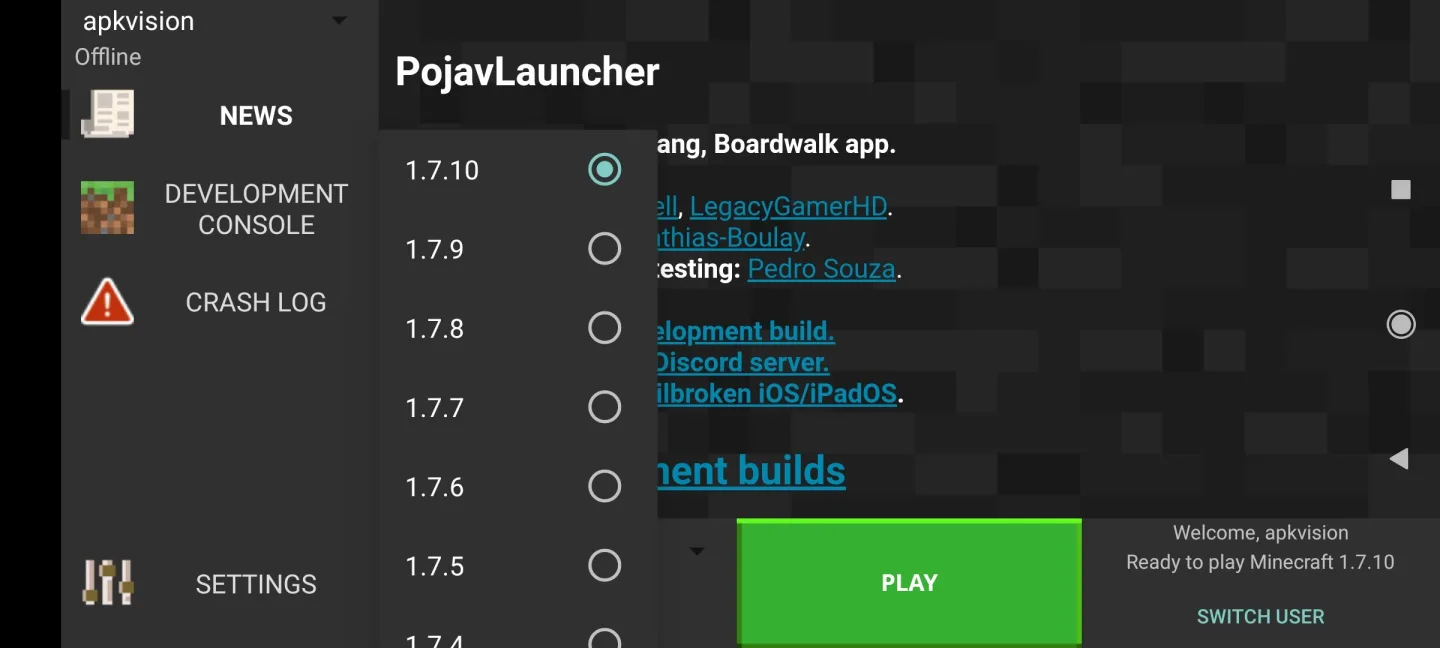
Here you will need to select the update version to run.
Old alphas and old betas will be enabled in the launcher settings.
After selecting a version and clicking on the Play button, the download of the update will begin. You will need to wait and this is done only once, but other versions will have to be downloaded separately separately.
The launcher will automatically launch the game immediately after downloading all the necessary data.
Frequently Asked Questions:
What is PojavLauncher?
PojavLauncher is an open-source application that allows you to run Minecraft Java Edition on Android devices. It provides a way to play the full version of Minecraft Java, even on devices that aren’t normally compatible with the game.
Is PojavLauncher free?
Yes, PojavLauncher is free and open-source. You can download it from our Official Website. Since it is open-source, anyone can contribute to its development or customize it to fit their needs.
Is it a paid application?
No, the Pojav launcher is a completely free APK for your smartphones and computers.
Is Pojav Launcher illegal?
No. Pojav Launcher is completely legal as it it follows along with the Terms that Mojang has laid out for its users.
Can I use mods with PojavLauncher?
Yes, you can use Minecraft mods with PojavLauncher. You’ll need to install Forge or Fabric, and then place the mods in the appropriate directory. Just like with Minecraft on PC, make sure the mods are compatible with the Minecraft version you’re running.
How do I install PojavLauncher?
1.Download the APK from a Official website of PojavLauncher.
2.Enable “Install from Unknown Sources” in your Android settings.
3.Open the downloaded APK file to install.
Conclusion:
In conclusion, PojavLauncher is a powerful tool that allows Android users to experience Minecraft Java Edition on their mobile devices. By providing a launcher that can run the Java version of the game on Android, it offers the flexibility to play Minecraft with full mod support and customizable settings.
Although it has certain performance limitations and device requirements, it represents a significant achievement in making the PC version of Minecraft portable. PojavLauncher is particularly appealing to Minecraft enthusiasts who want to experience the Java Edition while on the go, but it works best on higher-end Android devices.
If you’re a fan of Minecraft and want to take your experience to your mobile device, PojavLauncher opens up the possibility for a seamless, customized gameplay experience, right in your pocket.








