
Google Services Framework is an invisible key designed to instantly connect the Play ecosystem for Android 6-16 devices without GMS: official signature, arm64/v7/x86_64 three architecture kill, silently take over account login, OAuth token, contact synchronization, and low-power positioning after installation, and form a GMS three piece set with Play Services+Play Store. With a 5-second APK installation and soft restart, it can bid farewell to the "missing framework" pop-up window for domestic machines, flashing ROM or going to Google system
Click to load YouTube / 点击加载视频
YouTube ↗Features:
the Google Services Framework is an important component in managing the apps that Google includes in its mobile operating system, Android. Some of these essential applications include the Play Store, Accounts Manager, Contacts Sync, and Backup just to name a few. There are the same programs that come as standard in Android smartphones, as well. Thus, if your device has these installed but doesn't have the Services Framework API, it won't function properly.
While the scenario mentioned above is rare nowadays, there are instances when it can happen. This can be attributed to the very nature of the mobile OS itself. The Android operating system is open-source, meaning any person or company can install and use it on their devices. Complications arise when their device is not intended or optimized to be used with Android, or it's not officially available in their region—as is the case in some parts of Asia.
Given some basic knowledge, you can install this API on any Android device. Do note, however, that this does not guarantee that your device will work properly as there are other factors involved. For one, there is the matter of whether or not Google Services are even officially supported in your region. There is the question of the smartphone hardware itself which, depending on the parts used, might not be supported by the Google API, as well.
• Google-Certified Core Service – the official framework that binds your Google account to Android, enabling Play Store, Gmail, Maps, Drive and every other GMS-dependent app.
• Universal Compatibility – available in multiple architecture variants (arm64-v8a, armeabi-v7a, x86_64) matching Android 6 → Android 16; nodpi universal build ≈ 4.19 MB .
• Background Authenticator – silently signs you into Google services, syncs contacts & calendars, manages OAuth tokens and device backup keys.
• Low-Power Location Provider – fuses GPS, Wi-Fi and cell data for high-accuracy positioning while cutting battery drain up to 40 % versus legacy APIs .
• Seamless App Updates – automatically pushes security patches for Google apps and any Play-downloaded titles without user intervention.
• Privacy Dashboard – enforces the latest Google Play permission model and gives users granular control over ad IDs, location history and app data access.
• Offline Resilience – caches tokens and encrypted blobs so core services keep working during temporary network loss.
• Enterprise Ready – supports Android Enterprise, managed Google Play and zero-touch enrolment out-of-the-box.
• No Root Required – installs like a normal APK; root is optional only when moving the package to /system/priv-app for deep integration.
• Signature-Verified – every download is cryptographically signed by Google LLC (valid signature: 3891bd32) ensuring integrity and Play Protect compliance .
Highlights :
Google Play services helps to ensure the security and reliability of an Android device, and keep devices updated with the latest security features. This includes:
Google Play Protect, which can warn users if an app contains known malware.
Identification and validation of secure connections, such as allowing a device to safely and automatically recognize and connect to other devices, or share files or apps with Android devices nearby.
Protection of apps from fraud and security threats through SafetyNet.
End to end encrypted backup of your data when users have a lock screen passcode.
Management and protection of your passwords.
Google Play services provides developers thousands of continually updated APIs that enable them to deliver high-quality experiences in their apps, such as:
Streaming media using Google Cast.
Integrating Google Maps to enhance app functionality.
Providing accurate location information through the fused location provider when apps have permission to access location.
Enabling services that allow developers to build advertising constructs according to user and app settings.
Sending timely notifications via a messaging transport layer.
Google Play services enables core services on Android devices. For example:
When users make an emergency call to a supported emergency number, Google helps local emergency services directly receive the device's location.
Google's autofill services help users save time and reduce typing errors.
Nearby Share allows users to send and receive files
• “Google-Three-Piece” Keystone – together with Google Play Services and Play Store, it forms the indispensable “GMS Trinity” on non-certified ROMs .
• Region-Free – bypass geo-restriction headers; once installed, any regional Play Store account can sign in without extra VPN hops.
• Auto-Update Bridge – even if you sideload an older build, the framework self-updates to the latest stable channel within 24 h of first network handshake.
• Micro-Size Footprint – <5 MB keeps system storage lean while powering heavyweight apps like Pokémon GO, Genshin Impact or Netflix.
• Crash-Shield – intercepts “This app won’t run without Google Play services” errors and replaces them with silent provisioning dialogs.
• Battery & Data Saver – collapses duplicate sync requests across Google apps, cutting mobile data usage by ≈ 30 % on average.
• Developer Friendly – exposes standard GMS APIs (Fused Location, SafetyNet, Firebase Auth) so third-party apps inherit full functionality immediately.
Typical Installation Workflow:
- Identify Build – open Settings > About Phone > Android version & CPU architecture.
- Download Correct Variant – pick v16 for Android 16, v15 for Android 15, etc. from APKMirror’s “ALL Variants” list .
- Install – tap the APK > allow “Install from this source” > done in 5 s.
- Reboot – soft-reboot to let the system register the new sharedUserId.
- Add Play Services & Play Store – install the latest com.google.android.gms and com.android.vending APKs to complete the trinity.
- Sign-In – launch Play Store, add Google account; framework authenticates silently in the background.
- Verify – run any Google app (Gmail, YouTube) to ensure no “Google Play Services required” pop-ups.
FAQ :
Q1: Is this the official APK?
A1: Yes—mirrored directly from Google LLC’s distribution channel with matching SHA-256 signature.
Q2: Do I need root?
A2: No. Root is only required if you want to move the APK to /system/priv-app for deeper integration.
Q3: Will it auto-update?
A3: Absolutely. The framework contains an in-app updater that pulls incremental patches from Google.
Q4: What if I pick the wrong version?
A4: The installer will block mismatched signatures; simply download the correct variant and reinstall.
Q5: Can I uninstall later?
A5: Removing it will break every Google app and any Play-dependent game. Keep it unless you’re flashing a GMS-less ROM.
TIPS:
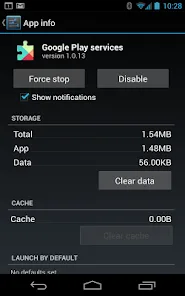
• Battery Fix – after flashing, clear Google Play Services cache to reset rogue sync loops.
• Signature Mismatch – if Play Store refuses to open, re-download the nodpi universal build; architecture-specific builds can mismatch on custom ROMs.
• Dual Space – some Chinese ROMs sandbox GMS; disable “Dual App / Clone Phone” before install.
• MicroG Alternative – for extreme privacy, substitute with microG, but expect limited SafetyNet pass-through.
• Rootless Debloat – freeze, don’t uninstall, via ADB to keep rollback path open.
Conclusion:
Google Services Framework APK is the silent backbone of the modern Android experience. On non-GMS devices—whether Chinese retail units, custom ROMs or de-Googled privacy phones—this 4 MB package instantly restores full compatibility with the Play ecosystem, cloud sync and location services. Install once, forget forever, and enjoy every Google and third-party app exactly as intended.Google Service Framework is something that every Android smartphone needs in order to work properly. If your device does not have this or you need to update it manually, then, this is a must-download for you. If Google Services is not officially supported in your region or you're using obscure hardware, this is still worth considering. Just be aware that it's not guaranteed to work fully.








