Notein aims to bring users a brand new office experience. Its rich note-taking tools allow users to capture inspiration, ideas, and travel plans at any time, meeting their personalized needs. Users can import documents, images, and PowerPoint presentations in various formats and modify and record directly on the images to suit their needs. The software also features a variety of brush effects, each with its own unique characteristics, providing users with the most comfortable writing experience. For those who want to improve their work efficiency, don't miss this software!
Click to load YouTube / 点击加载视频
YouTube ↗Features:
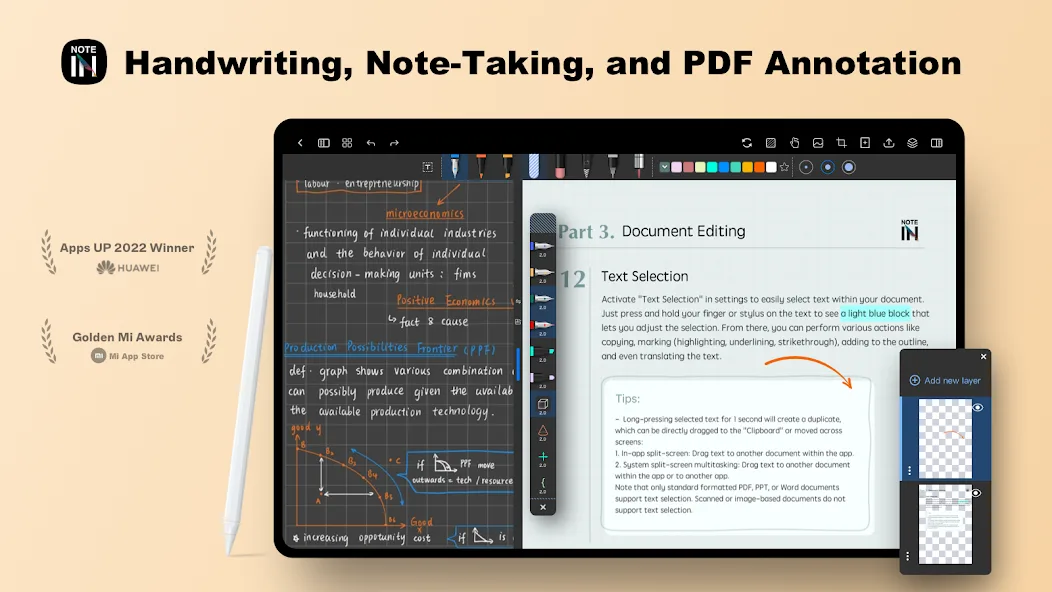
Unleash Your Note-Taking Style: Whether you crave the freedom of handwriting on a virtual canvas or prefer the clean lines of typed notes, Notein caters to you. Importantly, its handwriting recognition takes messy scrawls and converts them to searchable, clean text.
Boost Productivity and Organization: Capture ideas in real-time by recording lectures while simultaneously referencing existing PDFs. Link notes together for a clear flow of thought, and organize them with ease.
Embrace Collaboration: Seamlessly import PDFs, images, and other files into Notein. Collaborate by annotating documents, highlighting key points, and even translating text within PDFs.
More Than Just Notes: Notein elevates the note-taking experience with added features. Sketch ideas like a digital artist on a flexible canvas, perfect for creative minds.
Cloud Syncing for Peace of Mind: Never lose a note again! Cloud syncing through Google Drive ensures your notes are accessible across all your devices, keeping you on top of things wherever you go.
Highlights:
Create quality notes for every job: You can use this note-taking application like other regular applications. There will be a huge space to record everything on the screen. Besides, you can also create other boxes to put additional information in. Those boxes can be websites or flexible translations. It helps you quickly take advantage of this information. Complete the projects you are working on. The more quality this board you use, the more significant benefits it will bring. We will not expect the values we are getting. It makes a valuable tool to accompany you in all your classes or texts.
Use for design: You can use this application to design ideas for buildings or objects. It can help you draw precise shapes. It enables you to combine these shapes. Calculate all the necessary indicators to be able to build it. We can also make the parts separately. You are easily applied to graphic design from basic to advanced. There is no need to use bulky PCs. Instead, we can freely express our ideas right here. You must have certain connections to apply this unique tool well.
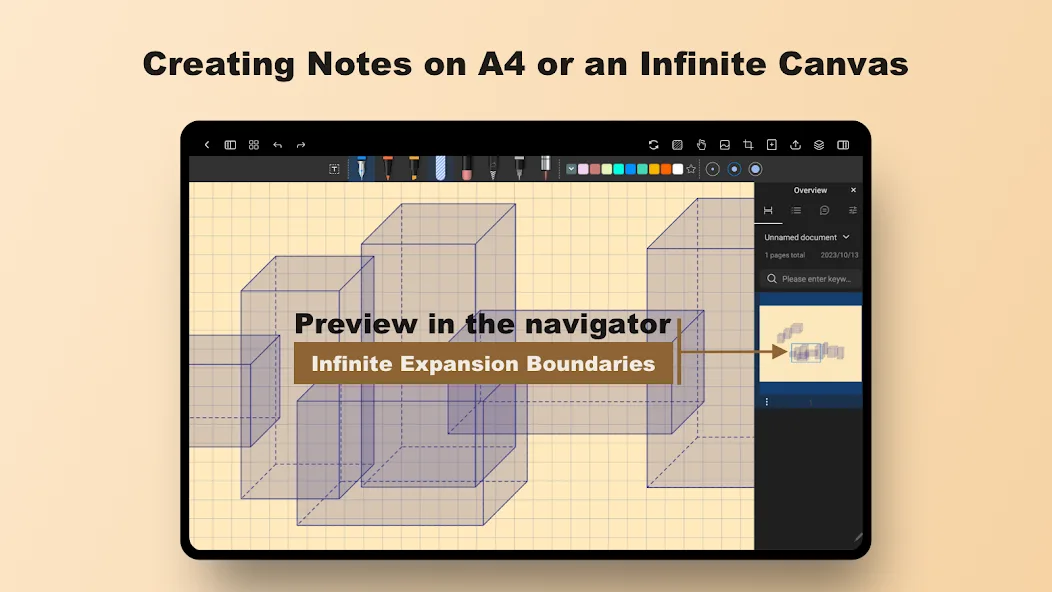
Infinite canvas: Designing presentations is part of important daily tasks. It helps us put our ideas into practice. Help people understand the concepts we want to present. The design right here will simplify all the work. It contains full conditions that are not inferior to other presentation tools. Supports users to complete products faster. No more finding ways to link tools together. We can complete the development and move it to any other device at high speed after editing everything there.
Change style: You can change quite a lot of things using this tool. First of all, it is possible to change the formats according to different frequently used pen styles. Each type of pen will produce its particular kind of strokes. We can even change the color of the pen strokes. It helps you store information and mark it up more quickly. There is no need to find a way to classify this type of information anymore. We can soon delete erroneous notes. Flexibly enlarge or reduce font size. You can even combine input information with the keyboard without making any changes.
Functions:
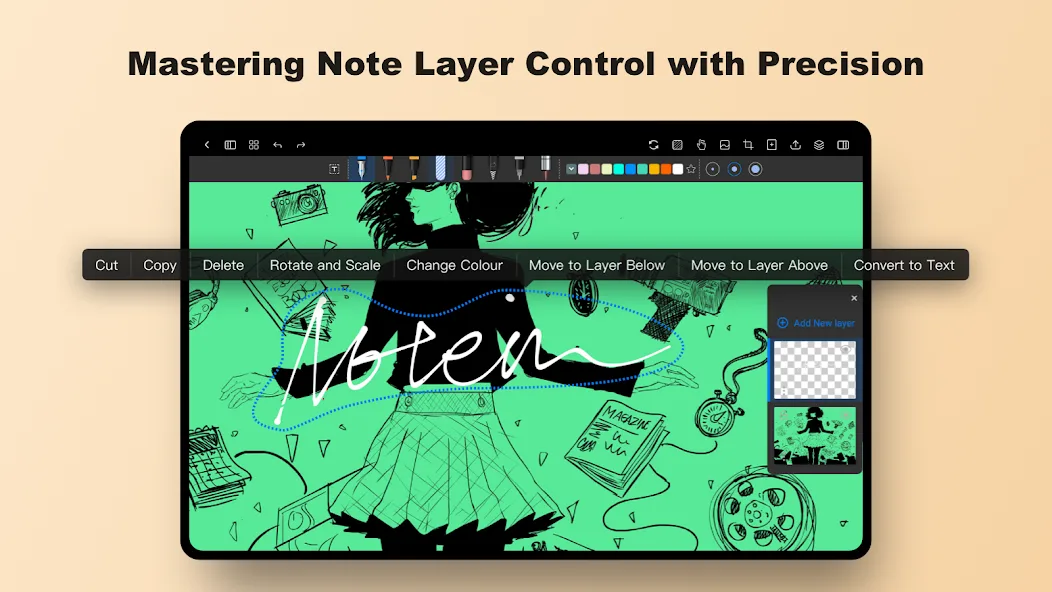
Support for Handwriting & Convert Text: Notein APKis a unique note dirvers that enables super-aged men to record their notes directly with the handwritten format, which, especially that use handwritinginstead oftext. The app writes your penmanship to the text in a legible and easy to read manner for rapid fast notes taking.
Customizable Notebooks: Users can add personalized notebooks using Notein APK that would make them stick to their comfort zones, and they can choose from the wide range of layouts of the sheets like lined sheets, blank pages, or they can even design the page themselves. It allows users to change font, background color and even add images so they can personalize their notebooks for their school, work or personal projects.
Advanced Writing Tools: Notein APK Subscribed also has and manages eight writing tools (pen, eraser, highlighter, etc.) custom use, stroke size and style can be adjusted according to personal needs at will shaped, so users can make writing or drawing easier shaped, annotate, highlight, organize notes to make information clearer and easier to access.
Image Insertion and Editing: Notein APK Android users can insert pictures into their notes and also add diagrams / important pictures. It also allows you to crop and move images to fit within the layout, which means you can either plan things out visually, add some visuals to your notes (if you’re so inclined).
Useful Tips:
Convert your handwritten notes into typed text using the handwriting to text conversion feature. This not only improves readability but also aids in organizing your notes effectively.
Customize your Notein experience by importing fonts, templates, colors, grids, and stickers. This allows you to unleash your creativity and personalize your digital notebooks.
Take advantage of the AI-driven productivity boost by using the document outline, summary, and content dialogue features. These AI assistants can help streamline your note-taking and enhance efficiency.
Conclusion:
Welcome to the best note making apps. With our user-friendly interface, we prioritise automatic saving to protect against any unforeseen mishaps. In addition to that, the font and colour toolkit proves to be the most impressive aspect of this programme. Users have the ability to remove unwanted broken listings from their lists with just a single comment, if they choose to do so. With a simple tap, it was quickly moved to the trash category, which was indicated in a clear and user-friendly way.