

Auto Clicker: Click Assistant helps users complete repetitive tasks at work and in daily life. By using the on-screen control panel to set the appropriate parameters and click count, the software automatically starts working, helping users reduce work stress. The software's interface is simple, without any ads or pop-ups, making it easy to navigate all its features. The software also supports personalized settings, allowing users to adjust scripts, repetition times, and other features to meet their needs.
Click to load YouTube / 点击加载视频
YouTube ↗Features:
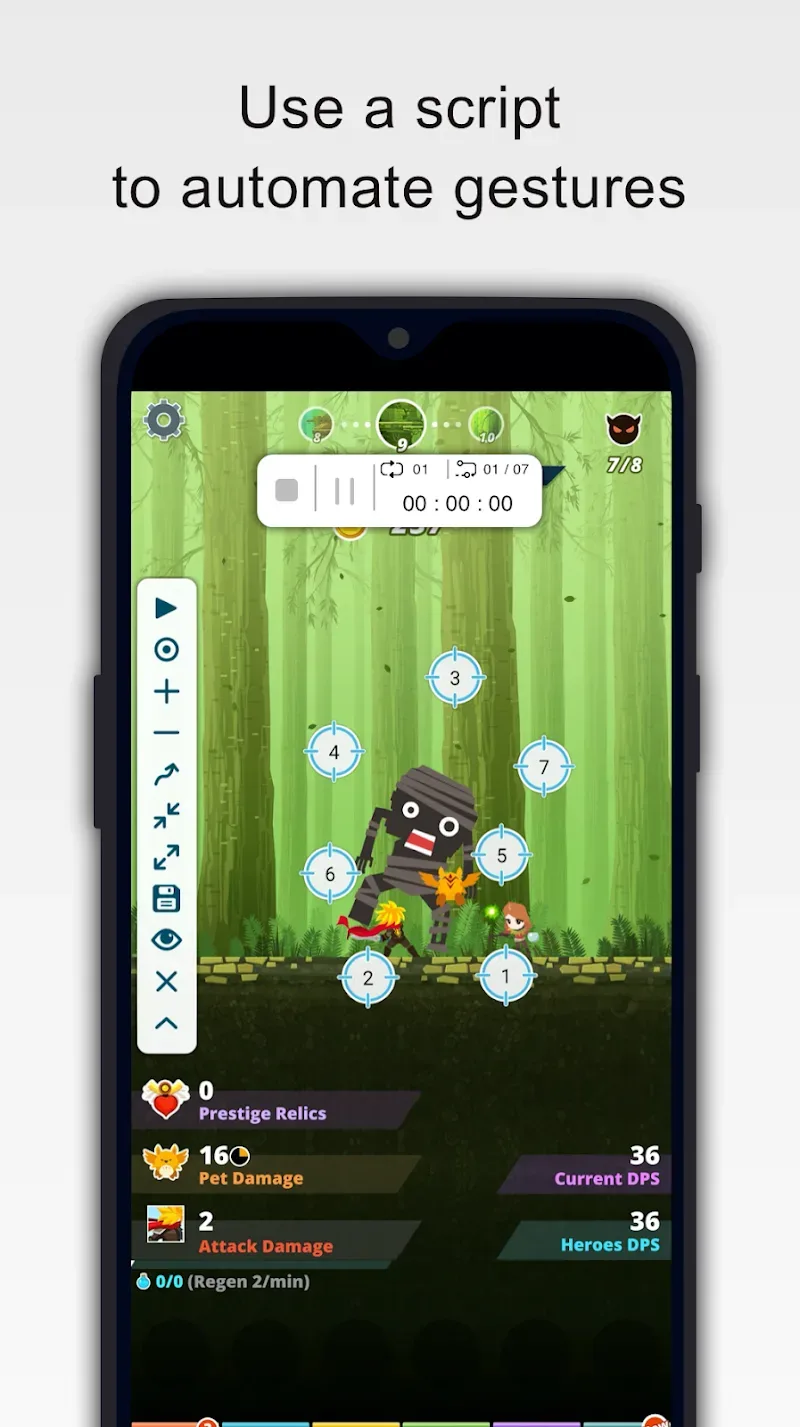
Record touch actions and gestures: With Click Assistant, Android users can easily record both touch actions and gesture controls, which make it extremely convenient and innovative for mobile users to work with. Feel free to explore your different combinations of curve swipes along with one and two-finger gestures to generate the perfect combos for certain apps or games. You can then record the actions and use them whenever needed.
Optimized and personalized control interface: With the optimized and customizable control interfaces, Android users can enjoy absolute comfort when using Click Assistant. Here, you can start by enabling the intuitive floating controllers, which will allow users to stop, pause, or resume the scripts whenever needed. Also make use of the intuitive numbering to have better managements over the scripts. And feel free to adjust the size and opacity of the control interfaces however you want.
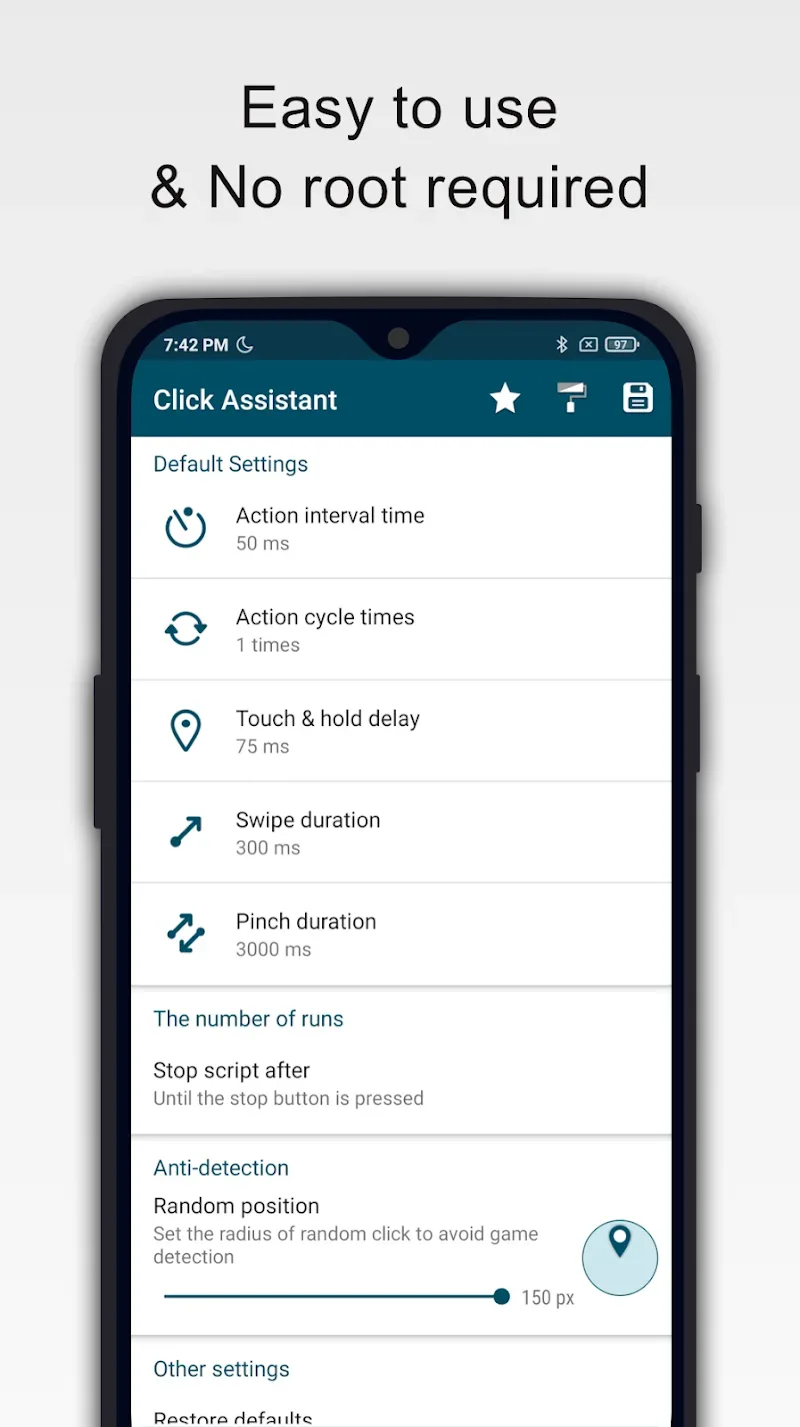
Multiple customizations for your auto clicking: To further customize your auto clicking actions and gestures, Click Assistant will provide a set of different customizations, which you can easily make use of. Simply enable the app to change the action interval time, which will determine the delayed time before performing the next action. Customize the action cycle times to decide how many times you wish to repeat the actions. Adjust and fine tune the Touch & Hold delays to make sure that the actions are executed on time. Make changes to the swipe and pinch duration so you can freely work on your touch controls and finger actions.
Also work with written scripts: In addition, the app will now allow Android users to work with written scripts of Click Assistant, which will save you time and effort on creating one. Simply look them up online and download the certain scripts for your apps and games. You can then enable and apply the new script on the go. Choose the countdown timer to decide the specific start number and delayed star time for the scripts. Make use of Click Assistant to decide the number of runs, loop delay, and when you want to stop the scripts.
Functions:
Multi-Touch Actions: The application will bring you extremely easy touch actions. You do not need to perform too many complicated operations, giving you an extremely convenient user experience.
Curve Swipe Support: The application also supports you to swipe curves. Extremely fast and easy swipe operations will help you use the screen quickly and smoothly.
Record Custom Gestures: The application allows you to quickly record your gestures and usage habits. Giving you an extremely familiar personal user experience.
Floating Control Panel: Coming to this application, you will own a floating control panel. And this control panel is extremely easy to use; you don’t need to spend too much time getting used to it.
Adjustable Click Settings: The old clicks can be set according to your preferences. You can set your own click level, giving you an extremely optimal and convenient user experience.
Pinch & Zoom Gestures: You can zoom in and out of the phone screen extremely quickly with just a pinch gesture. You can zoom in or out with just two fingers, giving you extremely interesting experiences.
FAQs:
Q1. Is this app safe to use?
A1. Yes, Auto Clicker is safe and does not collect or share personal or sensitive data using the accessibility capabilities.
Q2. Do I need root access to Auto Clicker: Click Assistant?
A2. No, Auto Clicker: Click Assistant does not require root access on your Android device. It can be used on non-rooted devices, making it accessible to a wider range of users.
Q3. Can I customize the actions performed by Auto Clicker?
A3. Yes, you can customize the actions performed by Auto Clicker, including the click delay, touch duration, and the number of repetitions. This customization allows you to fine-tune the automation to your specific needs.
Summary:
Click Assistant - Auto Clicker is an application for Android that lets you create a clicker tool that will allow you to perform various gestures. It is a free application that works on Android.A clicker is a type of automatic controller that can be used to make a selection or click on a particular item. It is a tool that makes repetitive work easier for you so you can have extra time to do other things!








