

Stronghold Finder is an amazing Minecraft tool designed to help players easily locate their strongholds, saying goodbye to aimless wandering. Download the latest version online and elevate your gaming experience to an extraordinary level. Stronghold Finder simply requires you to cast an eye of ender to accurately locate your stronghold in Minecraft. Embark on an epic adventure with Stronghold Finder and create as much as you desire in Minecraft!
Click to load YouTube / 点击加载视频
YouTube ↗Requirements
Seeds
For technical reasons, you need to know the seed for your current world to use Stronghold Finder, unless you're looking for a seed for a new world. If you're playing Stronghold Worlds (SSP), the app can retrieve the seed from your save file. Alternatively, you can use the /seed command in-game. In Multiplayer Multitasking (SMP), you can also use the same command if you have sufficient permissions. Otherwise, you'll be dependent on the server owner, who created the world and has access to the save file and configuration files.
Technical
This app uses relatively new web technologies. Therefore, some features may not work on older browsers. I recommend using the latest versions of major browsers such as Chrome, Firefox, Edge, or Safari.
Usage
Map Controls
Mouse
Drag: Move the map
Mouse wheel: Adjust zoom level
Right click: Set the red pin and fill in the coordinates below the map
Double click: Toggle expanded map view
Keyboard
Arrow keys: Move the map (mouse cursor must be over the map)
R key: Random seed (mouse cursor must be over the map)
Esc key: Disable expanded map view
Touchscreen
Drag: Move the map
Click: Show coordinates below the map
Pinch: Adjust zoom level
Click and hold: Set the red pin and fill in the coordinates below the map
Double click: Toggle expanded map view
Seed Selection
The first thing you need to do is select a seed and version. You can enter them manually or load from a save. You can do this by clicking "Load from save..." and selecting your level.dat file, or by dragging and dropping the level.dat file into a browser window. Level.dat is a small file located in the folder of each Minecraft save. You can find saves in the saves folder of your Minecraft installation. On Windows, you can access this folder as %appdata%.minecraftsaves.
You should also be aware that the seed is always a number (up to about 20 digits). If you enter anything else (such as letters), it will be converted to a number. This app handles this the same way as Minecraft, so using letters (and other characters) is safe.
Features of Stronghold Finder
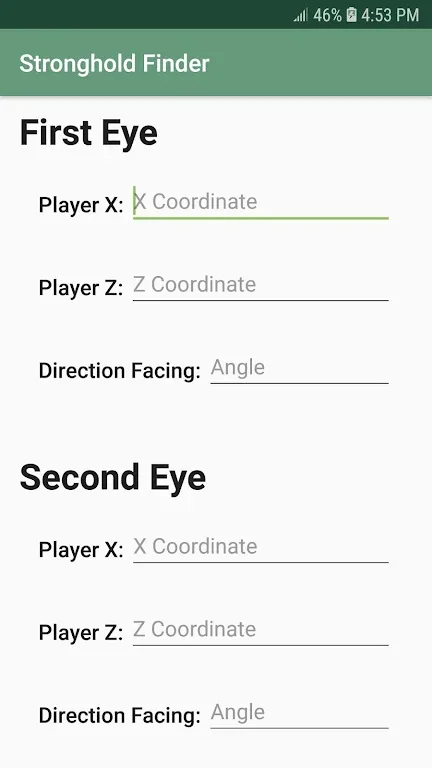
Easy Stronghold Tracking: The app simplifies the search for strongholds in your Minecraft world. With just two eyes of ender, you can pinpoint the exact location of the stronghold without wasting time and resources on extensive exploration.
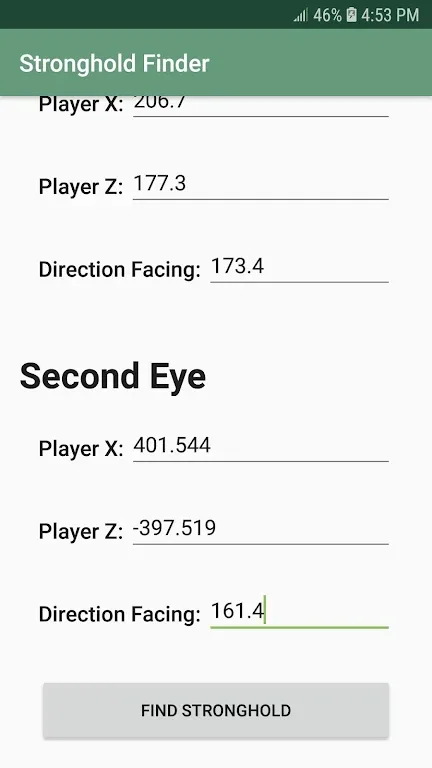
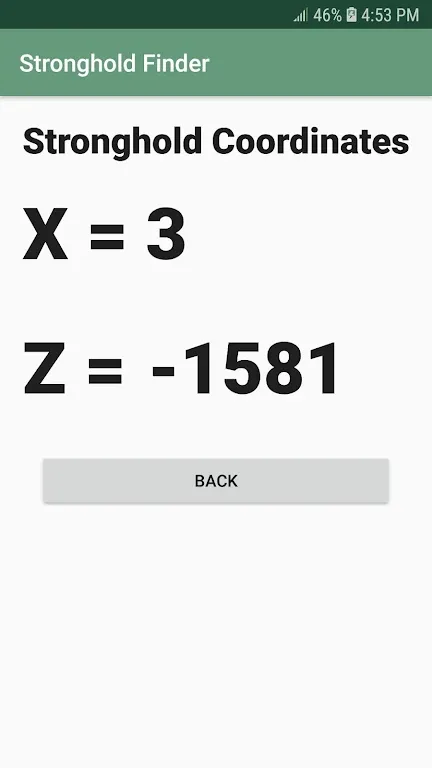
Precise Calculation: The app records the position and direction of each eye of ender you throw, and using advanced algorithms, it calculates the coordinates of the stronghold. This ensures that you reach your destination accurately, minimizing the frustration of getting lost in the vast Minecraft landscape.
User-Friendly Interface: The app boasts a user-friendly interface, making it accessible for players of all levels of expertise. The app's intuitive design ensures a hassle-free experience, allowing you to focus on your gameplay rather than navigating complex settings.
Time and Resource Saver: By providing the exact location of strongholds, the app saves you valuable time and resources. Instead of mindlessly digging or roaming around, you can spend your gameplay hours more efficiently, exploring other exciting aspects of Minecraft.
Tips for Users
Prepare in Advance: Before using the app, make sure you have obtained at least two eyes of ender. These can be crafted using blaze powder and an ender pearl. Having the necessary supplies ready will enable you to initiate the stronghold search effectively.
Throw Eyes of Ender Strategically: Use one eye of ender at a time and observe its trajectory. This will help you determine the general direction of your stronghold. Record the position and direction for each eye of ender you throw to aid the app's calculation process.
Follow the Coordinates: Once the app provides the coordinates of your stronghold, follow them to reach your destination. Along the way, be prepared for challenges such as mobs, ravines, or other hazards that may obstruct your path.
Conclusion
Stronghold Finder is an essential tool for any Minecraft player looking to efficiently locate strongholds. With its user-friendly interface and precise calculations, the app simplifies the search process, so you can focus on exploring the mysterious strongholds and uncovering their hidden treasures. Utilize the playing tips provided to maximize the effectiveness of the app and navigate through the vast Minecraft world with ease. Download the app now and embark on an exciting adventure, saving time and resources along the way








