

Octopus is a truly impressive and practical gaming tool. Download the latest Android version and use a game controller to elevate your gaming experience. Octopus offers the ultimate solution for gaming enthusiasts, connecting a keyboard, mouse, and game controller to their mobile devices in one easy step. Supporting a wide range of game genres, from shooters and role-playing games to multiplayer tactics, Octopus lets you recreate the gaming experience of your PC. Enjoy your favorite mobile action games with Octopus and immerse yourself in them!
Click to load YouTube / 点击加载视频
YouTube ↗Awesome Function
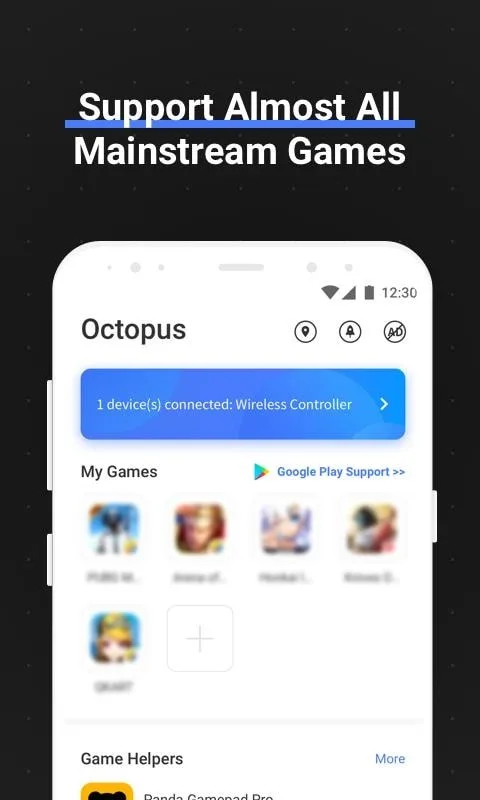
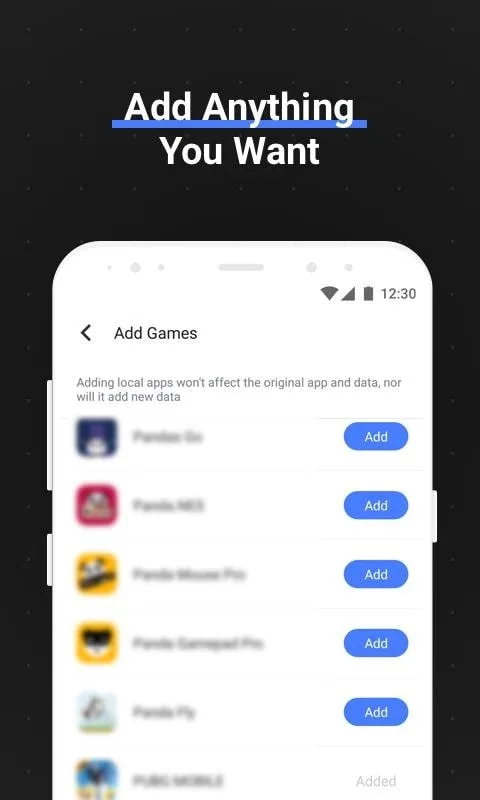
Supports Almost Any Application
The Octopus Gaming Engine supports most applications and games, allowing you to add any game you want.
Peripheral Compatibility
Octopus supports game controllers, keyboards, and mice.
Xbox, PlayStation, IPEGA, Gamesir, Razer, Logitech, and more.
Preset Keymaps
Preset keymaps for over 30 featured games. No need to waste time setting up settings.
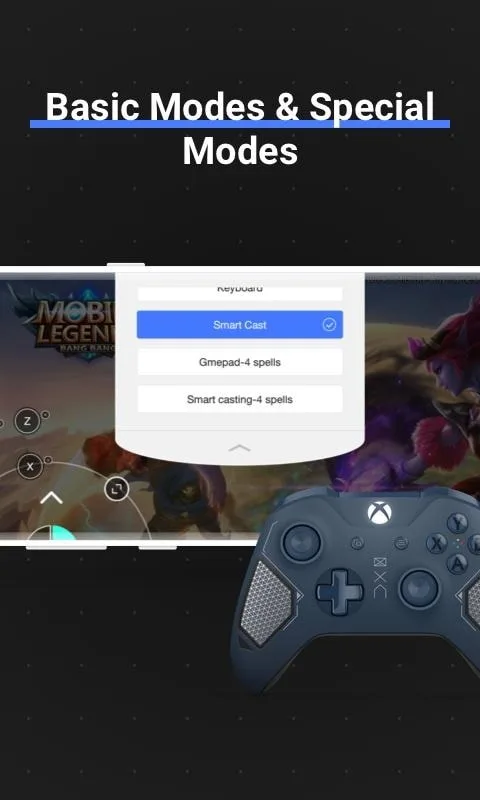
Different Modes for Different Games
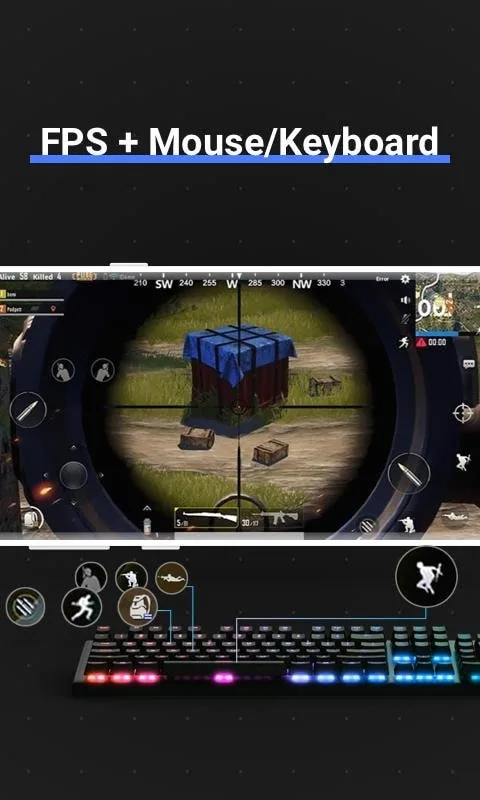
Two basic modes: game controller and keyboard, plus many specialized modes for specific games, such as Advanced Shooting Mode for FPS games and Smart Casting Mode for MOBAs.
Highly Customizable
In addition to the preset keymaps, you can also customize them. Octopus offers over 20 different control components to enhance your gaming experience.
Game Recorder
Octopus integrates with a screen recorder, allowing you to record every battle.
Gamepad Calibration
For some non-standard gamepads or controllers, Octopus provides a gamepad calibration feature that allows you to calibrate your device.
Engaging Highlights
To create a custom control setup, simply make sure your peripherals are properly synced and then select a game. You can then map the controls by linking areas on the screen to buttons or keys on your peripheral. Octopus even supports mouse controls, which is great for shooters like PUBG Mobile or Rules of Survival. Furthermore, you can adjust the opacity of the on-screen control buttons to make them nearly invisible so they don't distract you during gameplay.
Octopus also features a trending tab where you can see currently popular games and even see how many people are using Octopus to play each game. For example, Free Fire is often a popular game because once the controls are set up, it's simply amazing to play with a keyboard and mouse.
Brilliant Features
Google Play Login (requires downloading the Octopus plugin)
Supports Play Store account login and game data synchronization. Requires downloading the Octopus plugin.
Fake Location Feature
Supports fake location functionality.
About Permissions
Due to how Octopus works, it requires the same permissions as the games you play. To cover all games, Octopus requires a number of permissions to function properly. We guarantee that Octopus will not abuse these permissions!
Octopus Pro
Supports more features. For example
Swiping
Draw any path and run! Perfect for games that require swipe gestures or pattern drawing. Customizable duration.
Multiplication
Hit the same location multiple times. Customizable number of times and duration.
Order Number
Set the order in which multiple buttons are clicked. For example, you have three buttons, each with the key value A. The first time you press the A button, the first button A will trigger; the second time you press it, the second button A will trigger; the third time you press it, the third button A will trigger, and so on. This is useful in scenarios like opening and closing a bag button at different positions.
Analog Dead Zone
The dead zone is the area where analog movement is ignored. For example, setting the dead zone to 0 to 20 and 70 to 100 means that any movement below 20% or above 70% will be ignored. So, when you push the analog to 20%, it will act like 0%, and 70% will act like 100%. Different dead zones can be set for the left and right analog buttons.
Profiles
Need multiple different button mappings for a game? Profiles are just what you need. You can create profiles in either keyboard or controller mode.
Customizable Virtual Mouse Shortcuts
When using a gamepad, press LS+RS to activate the virtual mouse. Use the L/R keys to simulate mouse movement, and LT or A to click. This feature is very useful when using a TV or other situations where you don't want to touch the screen. Now, in the Pro version, the shortcut for invoking the virtual mouse is customizable.
Pros and Cons
Pros
Built-in screen recorder
Customizable buttons
Compatible with all popular games
Cons
App frequently freezes
Conclusion
Overall, Octopus is a great app for Android gamers, allowing you to play almost any game with a keyboard or gamepad. Depending on the game, Octopus can give you a significant advantage over touch-based gamers.








