

NetMod VPN Client is a popular VPN software that allows users to access a wide range of restricted web content and download files, images, and videos of interest to their devices, meeting the needs of diverse users. The software utilizes the latest security technologies to provide users with strong privacy protection, allowing users to use the software with confidence without worrying about the leakage of private information. Users who want the most comfortable online experience can download this software from this site.
Click to load YouTube / 点击加载视频
YouTube ↗Features:
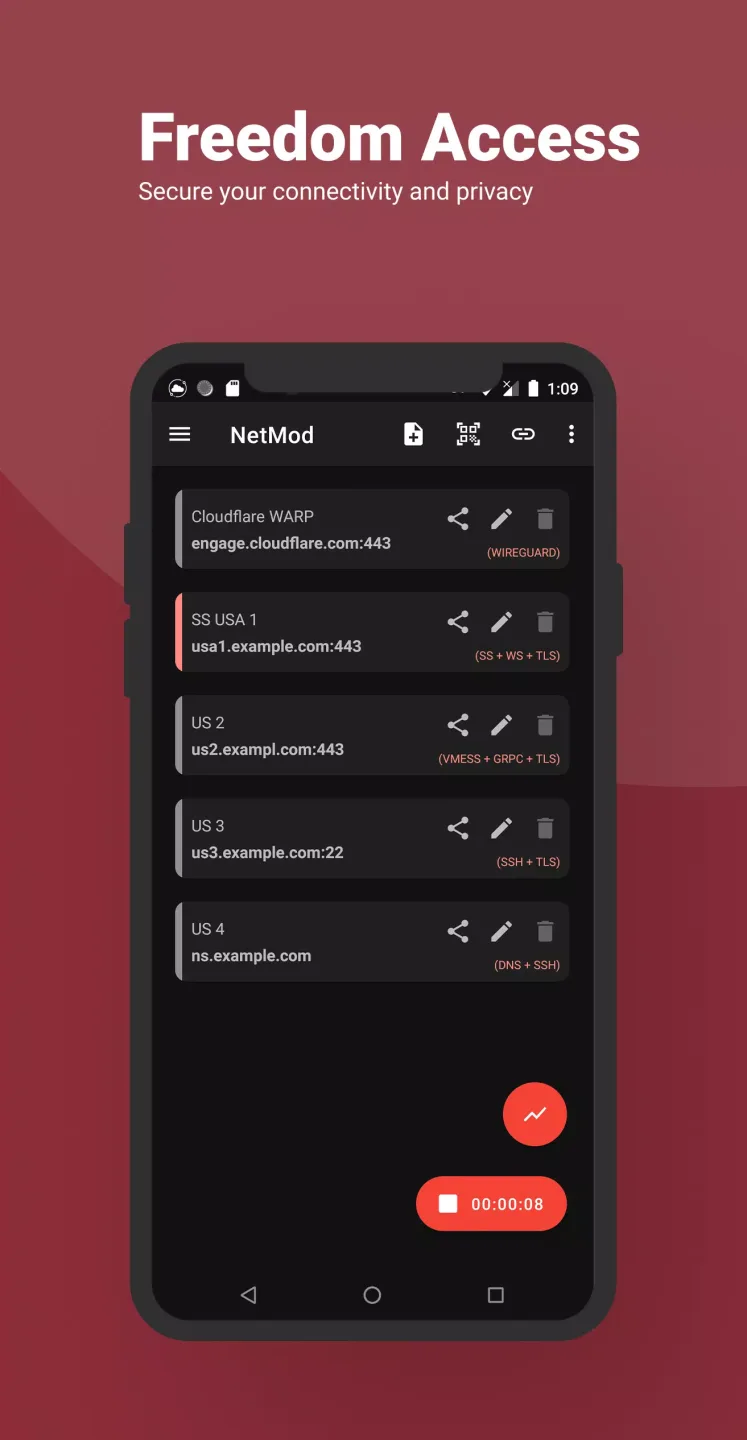
SSH Client: This app includes an SSH client, allowing users to securely connect to remote servers.
V2Ray support protocol: The app supports various V2Ray protocols, including VMess, VLess, Socks, Trojan, Trojan-Go, Shadowsocks, and ShadowsocksR.
SSL/TLS Tunneling: Users can establish secure tunnels using SSL/TLS protocols to ensure the privacy and integrity of their data.
Proxy Tethering: The app allows users to set up a proxy on their device and share the internet connection with other devices through tethering.
HTTP Payload Generator: Users can modify HTTP request and response using built-in keywords, increasing customization options.
Penetration Test (Pentest): This app provides a penetration testing feature, allowing users to assess the security of their network and identify vulnerabilities.
Highlights:
Versatile VPN Protocols: This software supports a wide range of VPN protocols, ensuring you can choose the one that best fits your requirements. From secure SSH and OpenVPN to stealthy Shadowsocks and Trojans, it covers the spectrum of protocols, allowing you to navigate the internet securely and without restrictions.
Customizable Network Traffic: One of the standout features is its ability to customize network traffic. This means you have control over how your data is routed, providing an added layer of security. Whether you want to prioritize certain applications or manage bandwidth more efficiently, it gives you the tools to tailor your online experience to your preferences.
Overcoming Internet Censorship: It is your ally in the battle against internet censorship. Its diverse range of protocols enables you to bypass restrictions imposed by governments or organizations. Enjoy unrestricted access to the internet, stream content from anywhere in the world, and stay connected without limitations.
Anonymous Online Presence: Protecting your online identity is crucial, and this tool understands that. The VPN client ensures anonymity by encrypting your internet traffic and masking your IP address. Browse the web without leaving a digital footprint, safeguarding your privacy and personal information from prying eyes.
Strengths:
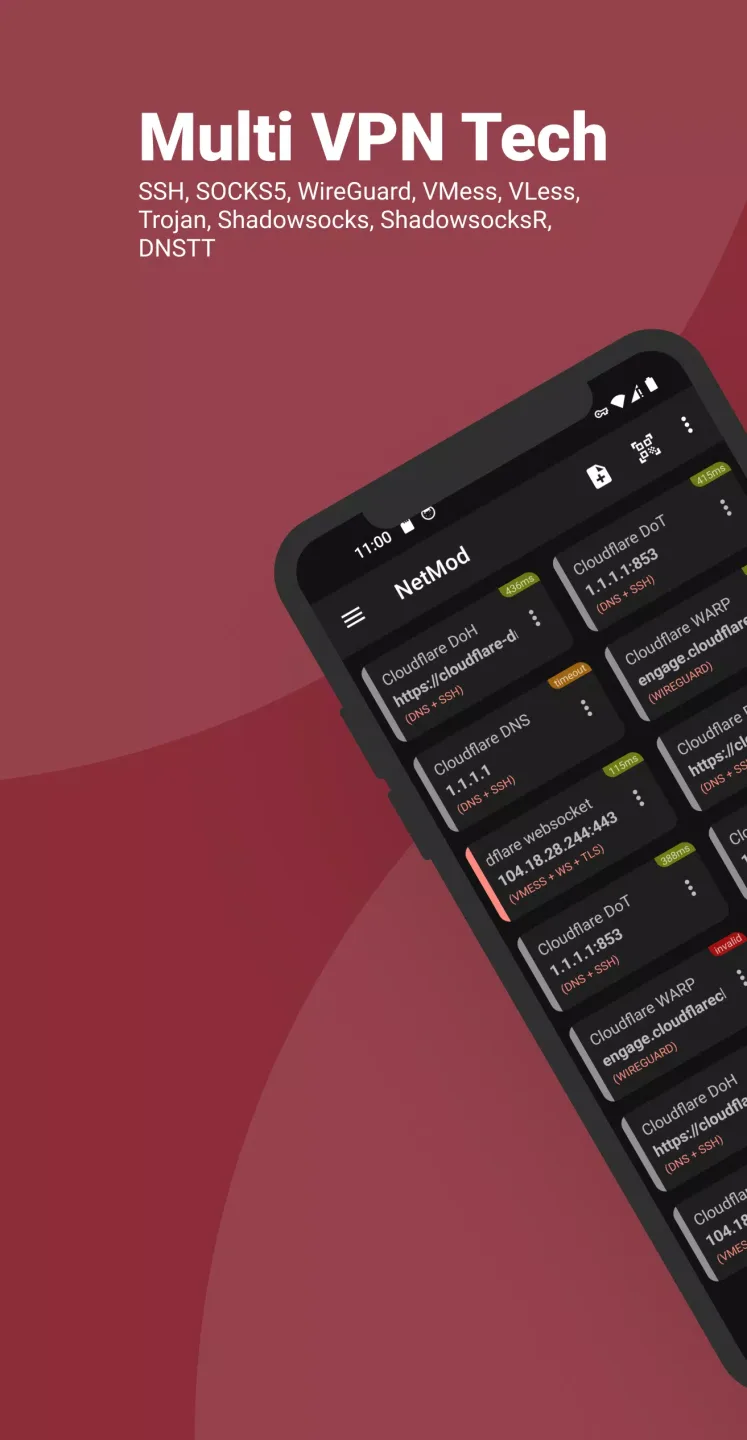
Among its key features, NetMod offers an SSH client for secure remote connections, and a V2Ray client based on the Xray core, providing flexibility and enhanced privacy. It includes SSH SlowDNS (DNSTT), enabling DNS tunneling to evade restrictions, and SSL/TLS tunneling to encrypt your data. You can also take advantage of proxy and VPN hotspot tethering, sharing your VPN connection effortlessly.
For advanced users, NetMod supports WebSocket, Cloudflare, and CloudFront tunneling for added security, while tunneling over VPN offers layered protection. It features an HTTP payload generator for creating and customizing payloads, as well as a host checker for troubleshooting connections. Multi-profile management makes it easy to switch between different VPN or SSH configurations, and the HTTP response replacer allows you to modify HTTP responses as needed.
Additionally, NetMod includes tools such as private configuration files for secure management, host-to-IP and IP-to-host conversion, and an IP lookup for retrieving detailed information about any IP address. The QR code generator and scanner simplify the sharing and importing of configuration files, while app-specific connection filtering gives you control over which apps use your VPN connection. For security experts, NetMod even offers penetration testing (pentest) capabilities to help identify network vulnerabilities.

FAQs:
What platforms does the NetMod VPN Client support?
The NetMod VPN Client is available for various platforms including Windows, macOS, Android, and iOS.
How do I install the NetMod VPN Client?
You can download the installation package from the NetSyna website and follow the on-screen instructions to install the client on your device.
What are V2Ray and SSH?
V2Ray is a platform that encompasses multiple tools to help users bypass internet censorship and improve online privacy. SSH (Secure Shell) is a protocol used for secure network communication.
Is my data secure when using the NetMod VPN Client?
Yes, the NetMod VPN Client encrypts your data traffic, ensuring that your online activities remain private and secure.
Can I use the NetMod VPN Client for streaming services?
Yes, users can utilize the NetMod VPN Client to access various streaming services while maintaining their privacy.
Are there any limitations on bandwidth or speed with the NetMod VPN Client?
Bandwidth and speed may vary depending on your internet connection and the server you are connected to. The client features optimized connections for better performance.
How can I configure the NetMod VPN Client with my server details?
Once installed, open the client and go to the settings menu where you can input your server address, port number, and authentication credentials.
Final words:
Introducing NetModVPN Client, a powerful app that allows you to surf any blocked websites and hide your IP address privately and securely. With built-in keywords, you can easily modify HTTP requests and responses, making customization a breeze. The app features support for SSH and V2Ray protocols like VMess, VLess, Socks, Trojan, Trojan-Go, Shadowsocks, and ShadowsocksR. It is based on Xraycore, ensuring reliable performance. Additional features include SSL/TLS tunneling, proxy tethering, VPN hotspot tethering, websocket support, cloudflare/cloudfront tunneling, HTTP payload generator, multi-profiles, host checker, and more. Experience seamless browsing and download NetModVPN Client now!








