

DevCheck Device & System Info is a powerful application. It provides the most detailed and accurate information on CPUs and system-on-a-chip (SoC), including specifications, frequency, number of cores, and configuration. It also offers in-depth analysis of device power consumption and architecture. Users can easily view the necessary device hardware and operating system information, accessing even more detailed data. Furthermore, with its rich features and user-friendly interface, it's an essential application for users who want to fully utilize their device's performance. Download and experience it now!
Highlights:
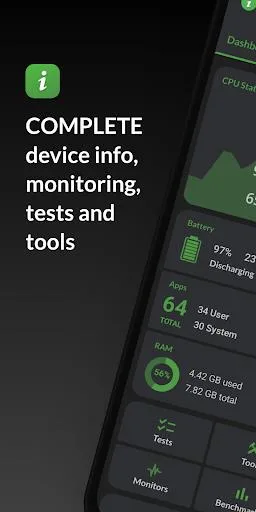
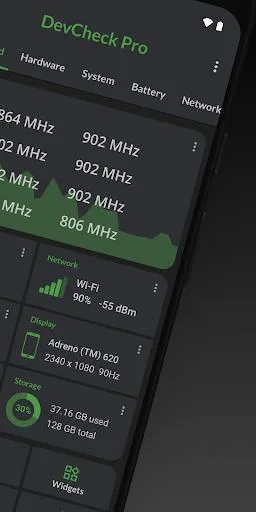
Dashboard: a comprehensive overview of critical device and hardware info, including real-time monitoring of CPU frequencies, memory usage, battery stats, deep sleep and uptime. With summaries and shortcuts to system settings.
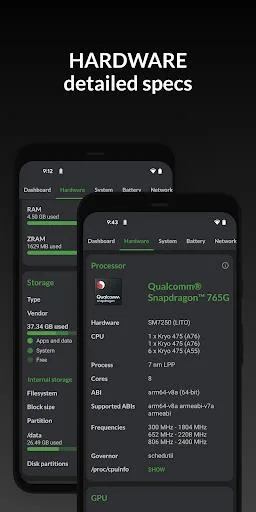
Hardware: displays all detail about your SOC, CPU, GPU, memory, storage, Bluetooth and other hardware, including chip names and manufacturers, architecture, processor cores and configuration, manufacturing process, frequencies, governor, storage capacity, input devices and display specifications.
System: get all info about your device, including codename, brand, manufacturer, bootloader, radio, Android version, security patch level and kernel. DevCheck can also check root, busybox, KNOX status and other info related to software and operating system.
Battery: real-time info about your battery status, temperature, level, technology, health, voltage, current, power and capacity. With Pro version, get details about battery usage with the screen on and off using the Battery Monitor service.
Network: shows info about your Wi-Fi and mobile/cellular connections, including IP addresses (ipv4 and ipv6), connection info, operator, phone and network type, public IP and more. Most complete dual SIM information available
Apps: detailed info and management of all your apps. Running apps provides list of apps and services running on your device, with current memory usage. On Android Nougat or later, memory usage is only available on rooted devices.
Features:
Real-time hardware monitoring: The App allows users to monitor their device's hardware in real time. Users can get complete information about their device model, CPU, GPU, memory, battery, camera, storage, network, sensors, and operating system.
Detailed CPU and SOC info: DevCheck provides the most detailed CPU and System-on-a-chip (SOC) information available. Users can see specifications for Bluetooth, GPU, RAM, storage, and other hardware in their phone or tablet.
Comprehensive device and hardware overview: The App offers a comprehensive dashboard that provides an overview of critical device and hardware information. It includes real-time monitoring of CPU frequencies, memory usage, battery stats, deep sleep, and uptime. Users can also access summaries and shortcuts to system settings.
Detailed system information: Users can get all the information about their device, including codename, brand, manufacturer, bootloader, radio, Android version, security patch level, and kernel. DevCheck can also check root, busybox, KNOX status, and other software and operating system-related information.
Battery monitoring: DevCheck provides real-time information about the battery status, temperature, level, technology, health, voltage, current, power, and capacity. The Pro version allows users to get details about battery usage with the screen on and off using the Battery Monitor service.
Networking details: The App shows information about Wi-Fi and mobile/cellular connections, including IP addresses, connection info, operator, phone and network type, public IP, and more. It also provides the most complete dual SIM information available.
What does it do?
Here in DevCheck Hardware and System Info, Android users will have their chances to enjoy working with this simple yet extremely useful application where they can keep check of the available system performances whilst monitoring all the related information on your hardware and available app data. Use it to monitor and keep track of your devices’ performances and statuses whenever you want. Keep your recorded files so you can check on the data later on.
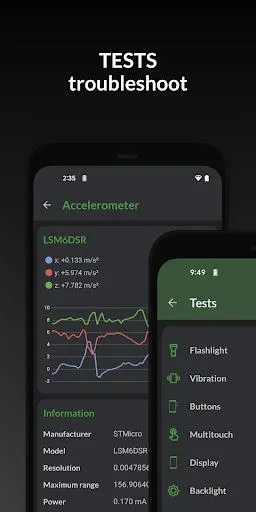
Immediately have access to the useful dashboard where you can look for all the available system data. Using the real-time monitor option to check on your CPU, GPU temperature, statuses, and performances. Learn about the availability and capability of your devices’ Bluetooth, GPS, Sensors, and other built-in hardware. Perform a check up on your battery to learn about its current performances.
Explore everything you need to know about you Android system, including the names, brand, manufacturer, serial number, patch level, and many others. Also, have access to a complete app management interface, in which you are free to work on changing the current apps on your system however you want. The list goes on.
Conclusion:
With this useful mobile application for monitoring and analyzing system data, DevCheck Hardware & System Info will allow Android users to easily keep track of the devices’ performances and always keep them under check. Also make use of the provided tools and features to optimize system’s performances and allow you to learn more about your devices. Plus, the free and unlocked version of the app on our website will certainly give you better reasons to enjoy it.








