
S Secure is a unique and practical security tool. Click to download the latest Android version and use your smart device with greater peace of mind. S Secure offers users multi-dimensional advanced security protection services, bringing you a safer device experience. Users can not only lock and hide specific applications, but also maintain privacy and anonymity when browsing the internet. Use S Secure now and let this indispensable and considerate program safeguard your mobile data security!
Click to load YouTube / 点击加载视频
YouTube ↗Wonderful Function
Samsung is a globally renowned technology company, known for producing high-quality smartphones and tablets covering various market segments. Beyond hardware, the company has also made significant strides in software, releasing a variety of applications and programs designed to enhance user experience. S Secure is one such example, focusing on privacy and security for its mobile devices.
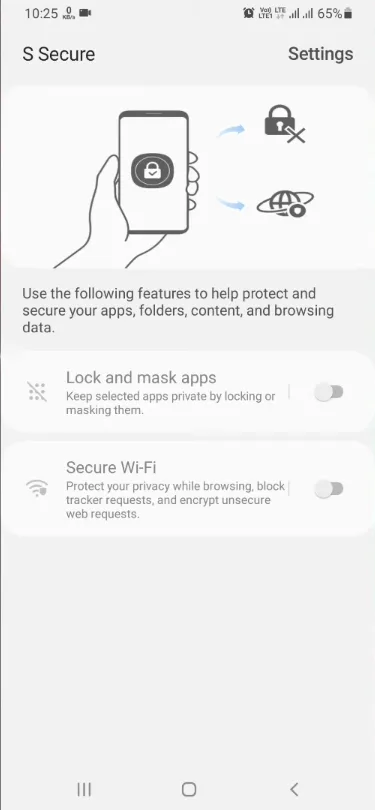
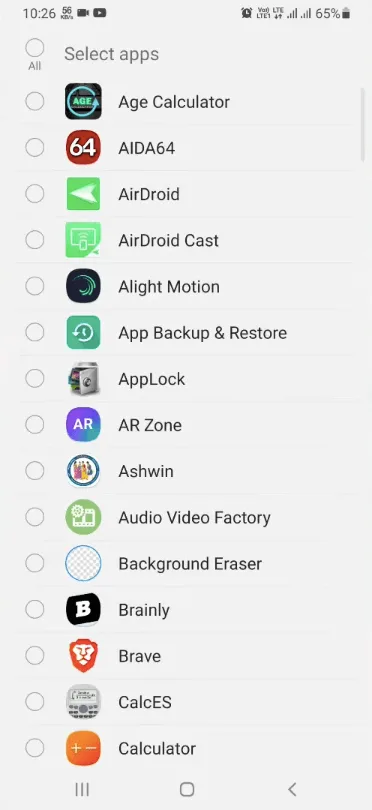
This utility primarily helps you protect your device from unauthorized access and ensure data security. It offers two main functions. The first is "Lock and Hide Apps," allowing you to lock specific apps using a PIN, password, or fingerprint pattern. Additionally, you can hide apps by disabling their notifications and hiding them, making them unviewable and inaccessible to anyone.
The second function is Secure Wi-Fi, which helps enhance the privacy and anonymity of your online browsing and usage experience. Using this feature, you can disable online tracking, encrypt untrusted websites, and hide your IP address. It's worth noting that this app is designed specifically for Samsung devices. Even so, not all models are supported.
Engaging Performance
Hide Your Most Sensitive Apps
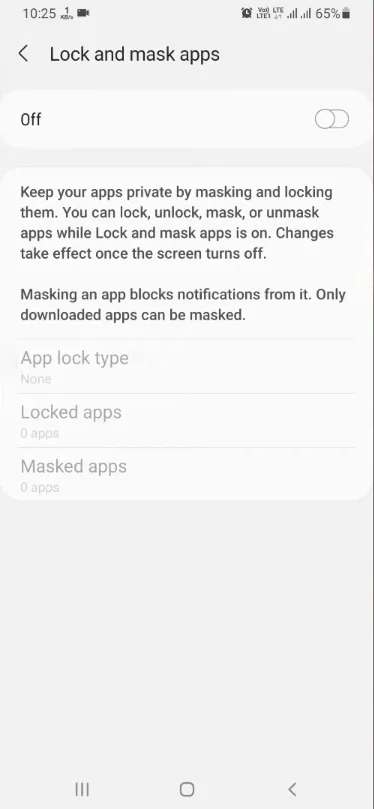
Many people have apps on their devices that contain sensitive content, or apps they don't want others to know about. If you have this need, S Secure can help you lock or hide apps. Locking an app requires a specific code each time you open it. Hiding an app prevents it from appearing in your regular app list, and you won't receive any notifications. With these two features, you don't need to worry about others seeing anything you don't want them to see while using your device.
Protect Your Wi-Fi Network
Another useful feature of S Secure is protecting your privacy when using Wi-Fi. The app blocks all tracker requests, hiding your internet service provider from countless websites and apps. This protects your IP address from being spied on by the vast majority of websites and apps. Note that the maximum duration of a protected session is approximately six hours.
Excellent Highlights
Comprehensive Protection: This app provides comprehensive protection. Its advanced features protect your apps, folders, browsing data, and other content.
App Lock and Hide: This feature allows you to lock and hide selected apps and their data. You have multiple options for locking and hiding apps and data.
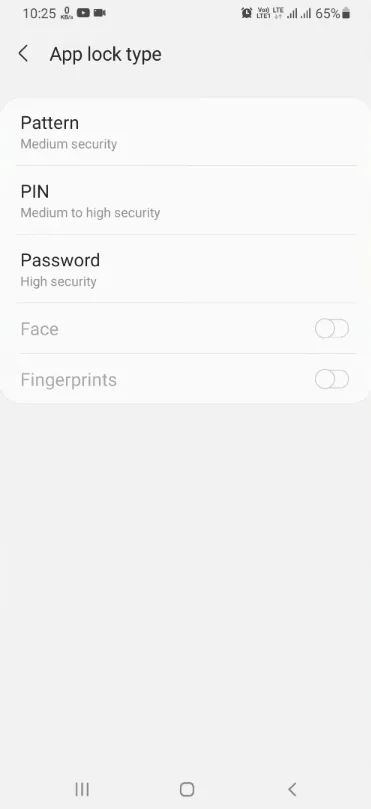
Choose Lock Type: You can use different lock types to lock and hide selected applications. You can use pattern, PIN, or fingerprint lock as needed.
Hide Notifications from Blocked Apps: In addition to locking and blocking apps, it also blocks notifications from blocked apps. Therefore, no one will know these apps exist.
Online Privacy Protection: This app protects your privacy when you browse the web. It hides domain names and app information from WiFi providers.
Tracker Request Blocking: This app uses a simple privacy list to prevent trackers from harassing you by blocking tracker requests.
Protect Your IP Address Privacy: Now you can browse the web securely with this app because it encrypts insecure network requests, thus protecting your IP address privacy.
Free to Use: Last but not least, this app is completely free. Users can download and use it without paying any subscription fees.
Frequently Asked Questions
Is the S Secure App safe?
This app is safe to use, and users can use it with confidence. It can also enhance the security of your device.
How to use the S Secure App?
You can open the app and enable the "Lock and Hide Apps" option to lock your apps and data. Simultaneously enable the "Secure Wi-Fi" option to browse the web while protecting your privacy.
How to change your S Secure password?
The app offers multiple login methods. If you forget your login password, go to the login page and click "Find ID." Then enter your alternative phone number or email address. Follow the prompts to set a new password.
Final Thoughts
These are the methods to enhance the security of your Samsung device. You can use fingerprint, PIN code, and pattern lock to lock or hide apps, and also hide apps to protect your data. Additionally, you can protect your Wi-Fi network for greater privacy and security while browsing the internet. To ensure the safety of your data and privacy, please download this application on your device now. You can download it securely and quickly from this website.








