NokoPrint - Mobile Printing is designed to help users remotely print various documents and images. Simply upload the relevant files through the software to print directly, easily meeting users' personalized needs. NokoPrint - Mobile Printing boasts extremely strong compatibility, running on most mobile phones and computers and compatible with various brands of printers. Users can complete the printing operation in just a few simple steps. Interested users can download the NokoPrint - Mobile Printing software from this site and start their easy remote printing journey!
Click to load YouTube / 点击加载视频
YouTube ↗Features:
Simple operation: To use this application in addition to downloading the application, you need to have a mini printer like the Canon MX920. With all the functions that the application possesses such as correcting the paper orientation, formatting the size, printing one-sided or two-sided, you can completely print any type of document or image you want. Just select the document or image you print, adjust the print size and press print immediately, you will immediately receive the product from your printer.
Work efficiently with PDF files: For PDF documents, you can completely use the application to print in the size you choose, the application will support printing documents continuously without having to wait for the next print. You just need to select the PDF file to print, select the single-sided or double-sided printing function and finally press the print button to be able to receive the document immediately after only 2 to 3 seconds of waiting.
Connect to the Internet: To use the functions of this application you need an Internet connection to experience the full printing function. In addition, the online connection also helps you share documents to be printed via other users’ gmail or can support backing up printed documents for the next time you want to print them again.
Experience printing as a sticky note: Do you always want to jot down the necessary information and paste it where you need it? The application will solve all difficulties for you with very simple operations. Select the note file you have saved on your phone and choose the paper mode to print as a note paper, finally click the print function and you have a set of information notes immediately.
Highlights:
Universal Access: Our application allows you to print directly from your phone or tablet without any other tools, providing convenience and speed when printing documents and images.
Broad Compatibility: Furthermore, our application is designed to be compatible with most types of printers from different manufacturers through connections such as WiFi, Bluetooth, or USB without having to operate on the printer.
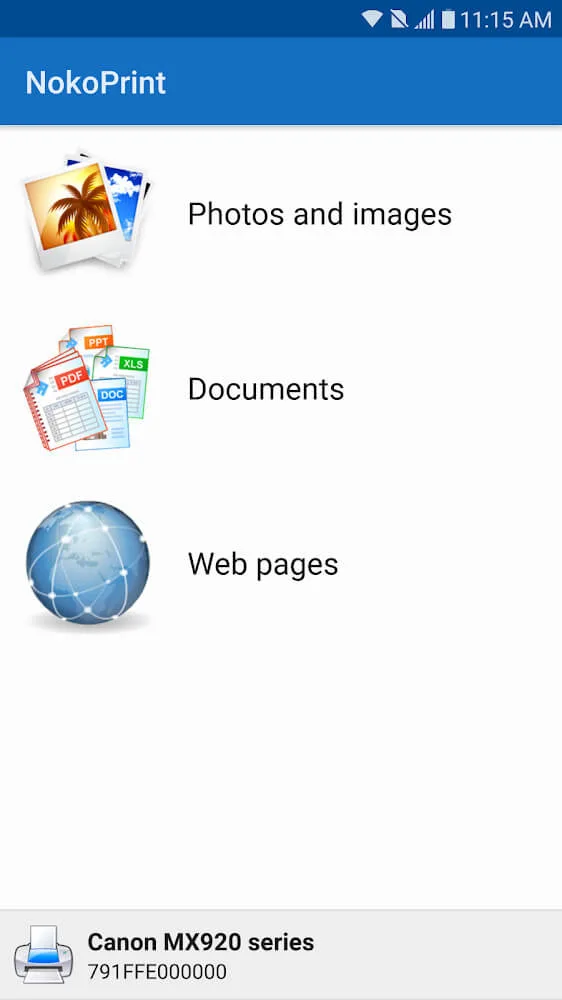
Multi-format Support: In addition, this application supports you with many different formats such as PDF, photos, web pages and documents, ensuring that your printing work is smooth and your work is completed quickly.
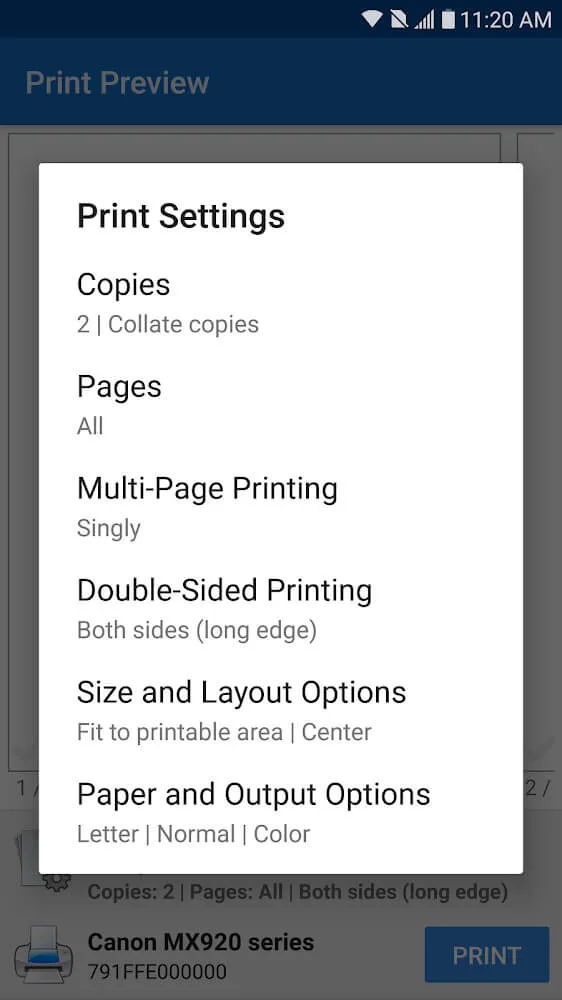
Custom Settings: You can customize printing settings such as color, paper size, double-sided printing, etc. without having to operate on other platforms, bringing convenience and efficiency when printing for you.
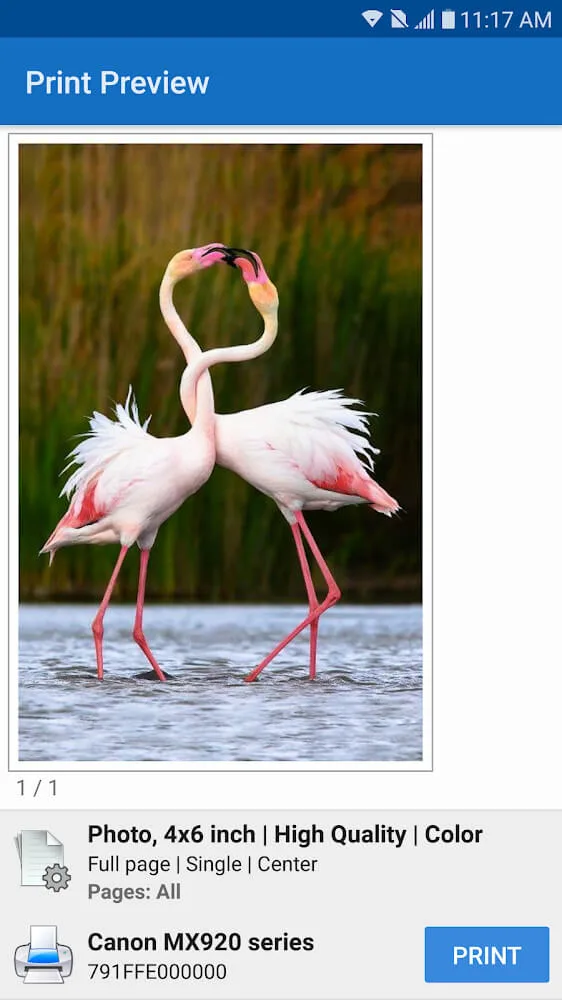
Advanced Features: Plus, you can use advanced features like borderless photo printing and document previews without having to use Microsoft apps to quickly print work documents.
Cloud & Email: The application allows you to print the documents you want directly from cloud storage or gmail without having to download, which helps you save memory on your mobile device.
Comparsion:
NokoPrint isn’t the only player in mobile printing, but it punches above its weight. Let’s compare it to popular alternatives like PrinterShare and Google Cloud Print (RIP—it’s discontinued, but folks still miss it).
Vs. PrinterShare: Both offer wide printer support, but NokoPrint’s interface feels more modern and less cluttered. PrinterShare has cloud printing, but NokoPrint edges it out with faster local WiFi speeds and better photo editing. If you’re all about local prints, NokoPrint wins.
Vs. HP Smart or Canon Print Inkjet: These are brand-specific and great for their ecosystems, but NokoPrint’s universal compatibility means one app for all your printers. No juggling multiple apps.
Original NokoPrint vs. MOD: The free original is solid for basics, but ads interrupt workflows, and premium features (like advanced previews) are locked. The MOD? It’s like upgrading from economy to first class—same flight, way better ride.
Overall, if versatility and ease are your jam, NokoPrint MOD takes the crown.
FAQs:
Which devices are compatible with NokoPrint?
NokoPrint is compatible with both Android and iOS devices.
How do I connect my printer to NokoPrint?
You can connect your printer to NokoPrint via Wi-Fi, Bluetooth, or USB depending on the printer's compatibility.
Is there a cost associated with using NokoPrint?
NokoPrint is free to download, but some advanced features may require in-app purchases.
What types of documents can I print using NokoPrint?
You can print various types of documents including PDFs, Word files, and images.
Does NokoPrint support multiple printer brands?
Yes, NokoPrint supports a wide range of printer brands and models.
Can I print from cloud services using NokoPrint?
Yes, NokoPrint allows you to print directly from cloud services such as Google Drive and Dropbox.
What is the maximum file size I can print using NokoPrint?
The maximum file size may vary depending on the printer, but generally, NokoPrint supports large files up to several MB.
Conclusion:
NokoPrint is a mobile utility app designed for Android devices that makes printing from your phone or tablet quick and straightforward. Instead of needing a computer or complicated setup, the app connects directly to printers through WiFi, Bluetooth, or USB. This turns your smartphone into a practical tool for handling printing tasks at home, in the office, or while traveling.The app is primarily used for printing documents and photos without extra software. Users can send PDF files, Microsoft Office documents, images, and even web pages straight to compatible printers. This makes it handy for both business-related tasks like invoices and receipts, as well as personal needs such as printing family photos or tickets.