
WiFi Pro FTP Server is designed to help users turn their devices into FTP servers, allowing them to freely transfer various files, software, pictures, and videos between different devices, meeting personalized user needs. WiFi Pro FTP Server supports personalized settings, allowing you to modify the server's username, password, etc., according to your preferences, and employs the latest protection technology to safeguard your server's security, ensuring users can confidently use all the software's functions. WiFi Pro FTP Server is also continuously being updated and optimized, adding more interesting features and iterating on its protection technology. Interested users can download this software from this site.
Click to load YouTube / 点击加载视频
YouTube ↗Features:
Turn your Android device into an FTP server: WiFi Pro FTP Server helps users turn their Android phone or tablet into a real FTP server. When the application is running, you can transfer files over WiFi at home or in the office without a USB cable. Data exchange takes place in the familiar way: you select the root folder to share, turn on the FTP server and use any FTP client software on your computer to connect.The entire process takes place on the internal network, so the file transfer speed is usually very stable, suitable for photos, videos, documents or daily work data. The application is especially suitable for people who often need to back up photos without wanting to plug in a cable, or who use their phone as a temporary storage device.Thanks to its lightweight and simple operation, WiFi Pro FTP Server makes data exchange more convenient, especially in cases where you want to avoid cloud services or do not want to depend on an internet connection.
Flexible configuration: One of the strong points that distinguish WiFi Pro FTP Server is the ability to deeply customize the FTP server settings. You can also choose the port number that the server will run on – typically using a port number over 1024 is best for compatibility with non-rooted devices. Next, the application allows you to set the root directory however you like, further restricting what data you could share to only wish to.Users can also choose to enable passwords or make login accounts for higher security; or they can choose anonymous mode if they want to share quickly and don’t care about the settings. In particular, the application also supports FTPS, or sending data in an encrypted connection, which can enhance the feeling of security when sending important documents back and forth.These customizations make the application suitable for both basic users who want to operate quickly and technical users who need better control over access rights and security when transferring files.
Works well on WiFi and hotspots: The app enables file transfers over WiFi, not only on a traditional network, but also in hotspot mode. This means you can enable your phone’s hotspot feature, connect your computer to that network and immediately transfer files as needed, saving complicated router or network set up. This is a super handy function when you are on-the-go, working at a coffee shop or on a work trip without a WiFi network.A lot of users have commented that the transfer speed over internal WiFi can sometimes be faster than a cable transfer, especially with large amounts of data, like long videos or many image files. However, be advised that the device’s IP address may change, based on your connection to the network. When the IP address changes, you will have to check again to ensure the FTP client text on the computer and the app are connecting to the correct address.
Highlights:
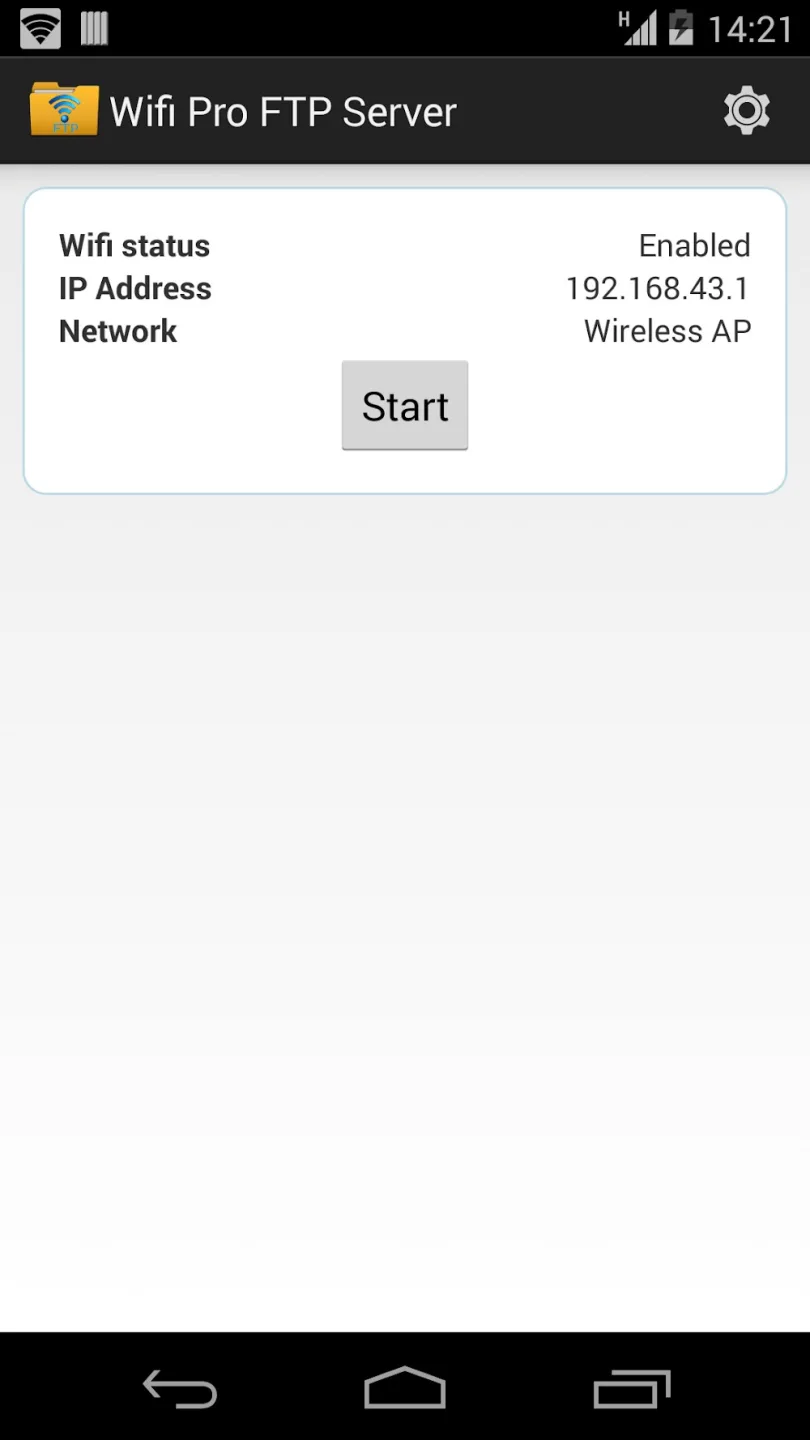
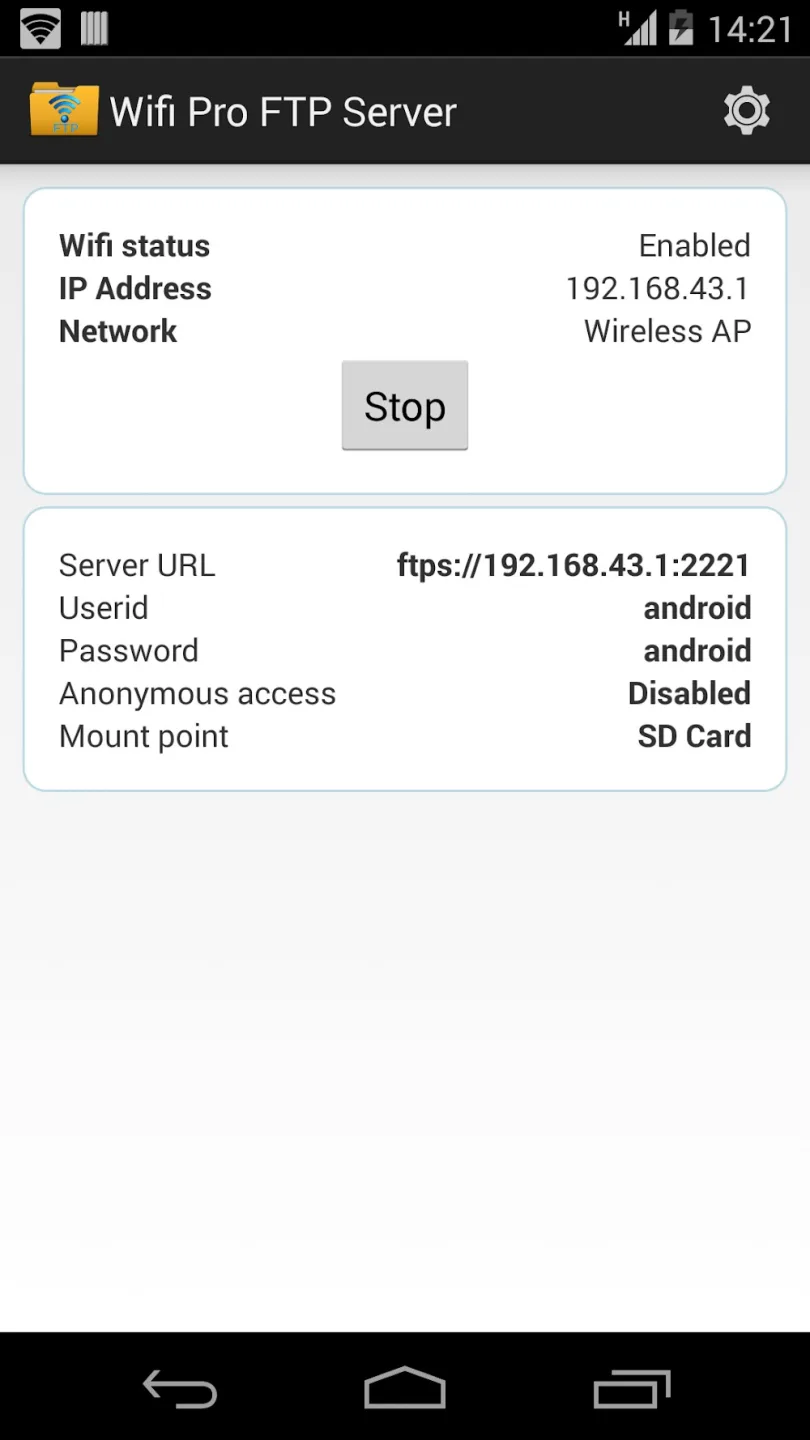
Customizable FTP Server: Set your own port number and manage how your server connects. It’s flexible, so you can tweak settings to fit your workflow.
Secure Transfers with FTPS: If you’re worried about privacy, you’ll appreciate support for FTP over TLS/SSL. Your files stay safe as they move between devices.
Pick Your Files’ Home: Set exactly where files should land by choosing a default folder (mount point) on your device.
Go Cable-Free: No more scrambling for that elusive USB cable. Just connect over WiFi (even in hotspot mode) and transfer files without the fues.
Test Before Committing: Want a risk-free trial? There’s a free, ad-supported version available for checking out the basics before you grab this full-featured version.
Pros and Cons:
Pros:
Easy to use for basic file transfers over WiFi.
Fast data transfer compared to USB cables.
Good user reviews praising its simplicity and reliability.
Free to download with basic functionality.
Useful for transferring data between phone and PC wirelessly.
Cons:
Limited access to internal storage or SD-card; cannot access both simultaneously.
Some users report difficulty in accessing both internal and SD storage at once.
May have compatibility issues depending on device or Android version.
Lack of advanced features such as encryption or multi-user support.
Dependence on WiFi network stability for transfer speed and reliability.
Final Thoughts:
If you already have root access to an Android device, you can use it as a file transfer protocol server. Because of the great technology at your disposal, you may run your FTP server right from the cell phone in your pocket. FileZilla is a File Transfer Protocol (FTP) client that allows you to transfer media to and from your Android device. FileZilla allows you to do either. This method allows you to send files in various forms, including music, films, and others.








