

Click Assistant - Auto Clicker is a popular lifestyle tool that provides a more convenient user experience in various software and games. Simple operations allow users to record actions, enabling them to do what they want in daily life and games, saving time and effort. Click Assistant - Auto Clicker is also constantly being updated and optimized, adding more practical features to bring users an even easier experience.
Click to load YouTube / 点击加载视频
YouTube ↗Features:
Multi-Touch Gestures: This app supports multi-touch gestures, allowing you to tap, swipe, pinch, or spread one or more fingers to perform various actions effortlessly.
Recording Gestures: With Auto Clicker, you can record your gestures, saving you time and effort in setting up complex actions repeatedly.
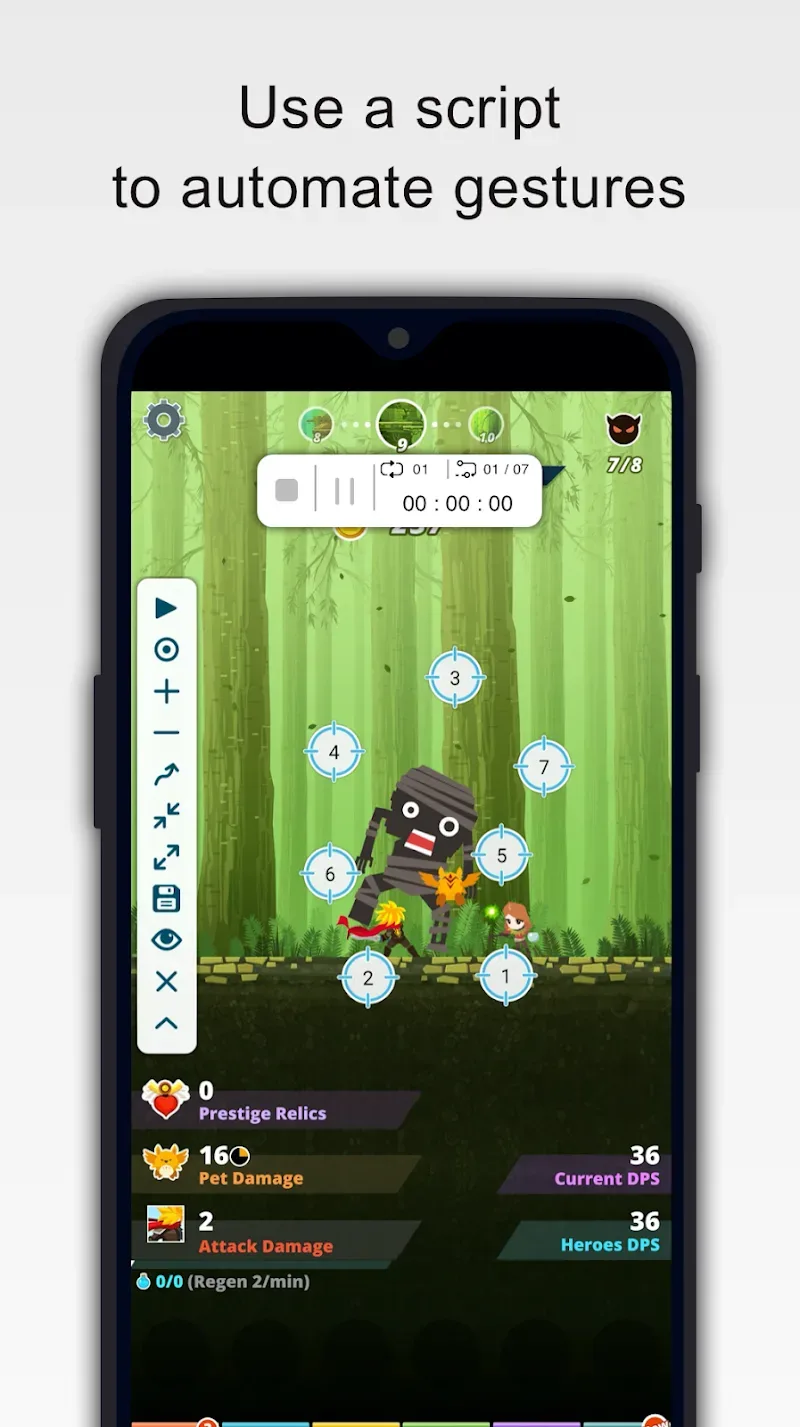
Script Control: The new interface provides script control features, enabling you to stop, pause, or resume your scripts at any moment, giving you complete flexibility and control.
Innovative Curve Swipes and Two-Finger Zoom Gestures: Auto Clicker introduces innovative curve swipes and two-finger zoom gestures, expanding your automation possibilities.
Personalization: You can personalize the operating interface by adjusting the size and opacity, making it fit your preferences perfectly.
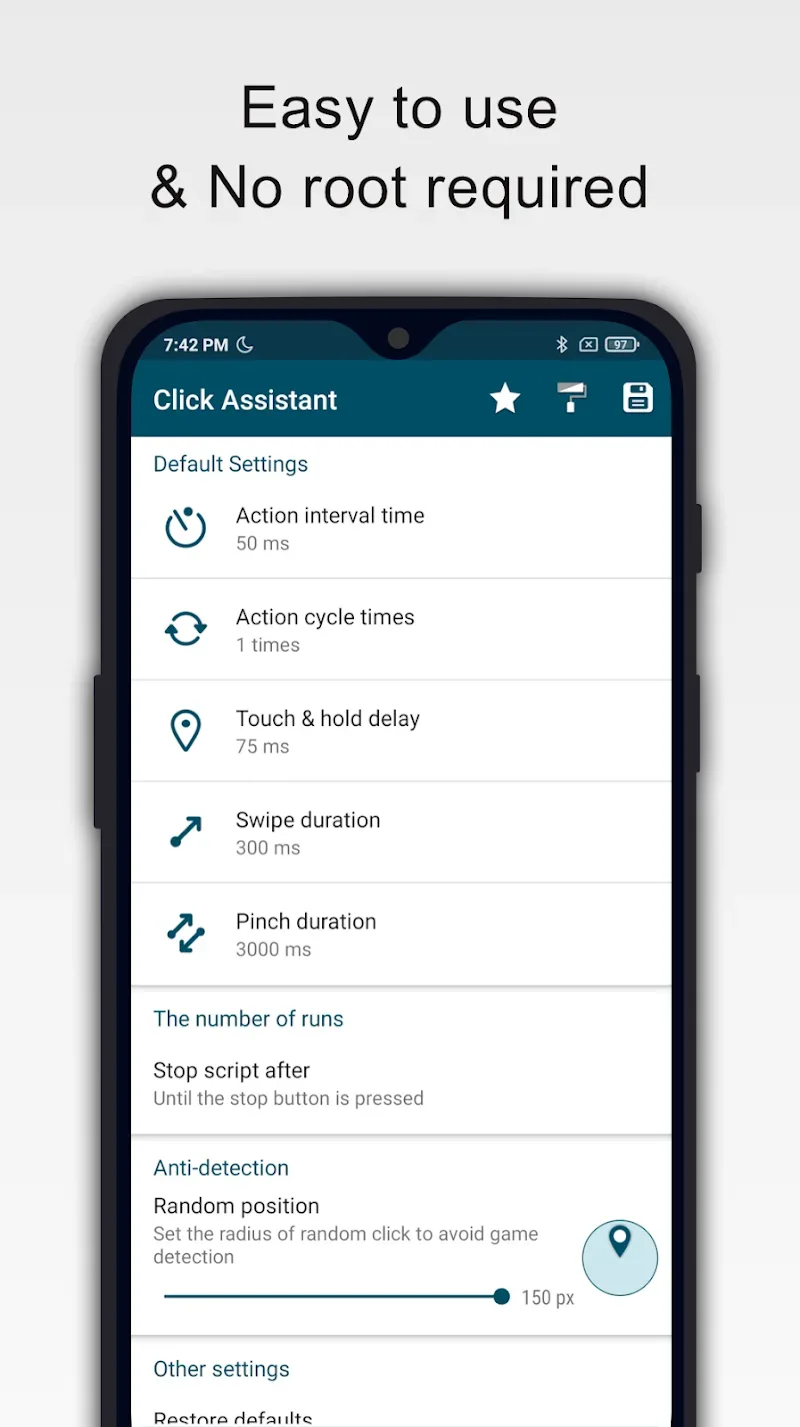
Parameter Customization: The app allows you to set parameters for clicks, such as delay, touch duration, and the number of repetitions, ensuring precision in your automated tasks.
Script Management: Auto Clicker can save and load scripts, making it easy to switch between different automated actions seamlessly.
Highlights:
Enable Anti-Detection for Games: It is common for many games to ban third-party apps, but this application is equipped with multiple protective detection suites. These features include automatically altering action trajectories and randomly adjusting the precision of taps. Users can introduce new configurations to enhance performance while enjoying the ultimate convenience that this Auto Clicker brings to various gaming experiences.
Create Custom Scripts for Automation: Scripts are sequences of actions recorded by the system to help users save time when performing repeated tasks across applications. Each script is designed with tailored settings, enabling a smoother and more stable user experience compared to manual clicking. They also allow for recording additional slides, swipes, and other on-screen gestures with varied accuracy.
Premeditated Activities: The application empowers you to schedule clicks according to the activities you engage in on your device. This feature facilitates quick access to those activities via drawing or double-tapping. Additionally, the app allows you to define a specific shape for an activity and execute it quickly by drawing that shape. It also offers options to choose from numerous activities and predefined methods to simplify tasks and conserve time effectively.
FAQs:
How does Auto Clicker - Click Assistant work?
Auto Clicker - Click Assistant works by allowing users to set up click points on their screen and specify the interval between each click. Once activated, the software will automatically click at those designated points at the specified intervals.
Is Auto Clicker - Click Assistant safe to use?
Auto Clicker - Click Assistant is safe to use as long as it is used responsibly and for legitimate purposes. It is important to use this software ethically and in accordance with the terms of service of the platform or application you are using.
Can I customize the clicking interval in Auto Clicker - Click Assistant?
Yes, you can customize the clicking interval in Auto Clicker - Click Assistant. Users have the ability to specify the time interval between clicks according to their requirements.
Is Auto Clicker - Click Assistant available for multiple platforms?
Yes, Auto Clicker - Click Assistant is available for multiple platforms including Windows and Mac operating systems.
Can I specify multiple click points in Auto Clicker - Click Assistant?
Yes, you can specify multiple click points in Auto Clicker - Click Assistant. Users can set up different locations on the screen where they want auto-clicking to occur.
Is there a trial version of Auto Clicker - Click Assistant available?
Yes, there is a trial version of Auto Clicker - Click Assistant available for users to try out before purchasing the full version.
Conclusion:
Click Assistant is a useful tool for assisting you in clicking and touching to perform operations on your smart device. This unique support application will solve your problems with a series of clicks or swipes. When you bring your hand to draw, the activity is immediately performed or opened if you select a smart click for those activities. You can customize the click patterns in the application to suit the nature of your work.








