

Zank Remote is a popular remote control software that allows users to control various media devices simply by pairing the software. Whether switching channels, playing games, or playing music on a large HD screen, it's all done with ease, meeting users' personalized needs. Zank Remote boasts strong compatibility, running on various mobile phone models and compatible with various TV models, allowing users to easily use all the software's functions. Furthermore, Zank Remote is continuously being updated, adding more interesting new features; users can look forward to future updates.
Click to load YouTube / 点击加载视频
YouTube ↗Features:
Compatible with many of your devices: With Zank Remote, Android users will have the fully-compatible controller app for any of your smart TVs. As mentioned, you can use the remote controller on any of your smart TVs without installing them. And upon installations, you can even make better uses of the mobile app on your Android TV box, Amazing Fire TV, and many others. Similar to CetusPlay and Remote Mouse, you’ll have no troubles using the app to handle your many on-screen experiences.
Enable mouse controls and D-pad navigation: For those of you who are interested, you can make use of Zank Remote to enable convenient mouse controls and D-pad navigations on your mobile devices. Have no troubles using the intuitive mobile app to easily interact with the smart TVs and D-pad navigations on the go.
Support virtual gamepad and air mouse: With the virtual gamepad being available, Zank Remote users can now make better uses of their mobile devices. Explore the convenient uses of air mouse so you can easily navigate on the smart TV screen. Unlock the useful keyboard so you’ll have no troubles inputting text and interacting with in-app elements. Make use of the convenient Game Pad so you can enjoy working with the app to the fullest. The list goes on.
Control directly using screen cast: For those of you who are interested, you can now cast your screen to the smart TVs and enjoy controlling your Android devices on the large screen with ease. Have fun using the feature to watch movies at better resolutions, high-quality images, and more. Also have access to the useful screencast feature so you can enjoy games or interact with apps at the amazing large-screen devices. The list goes on.
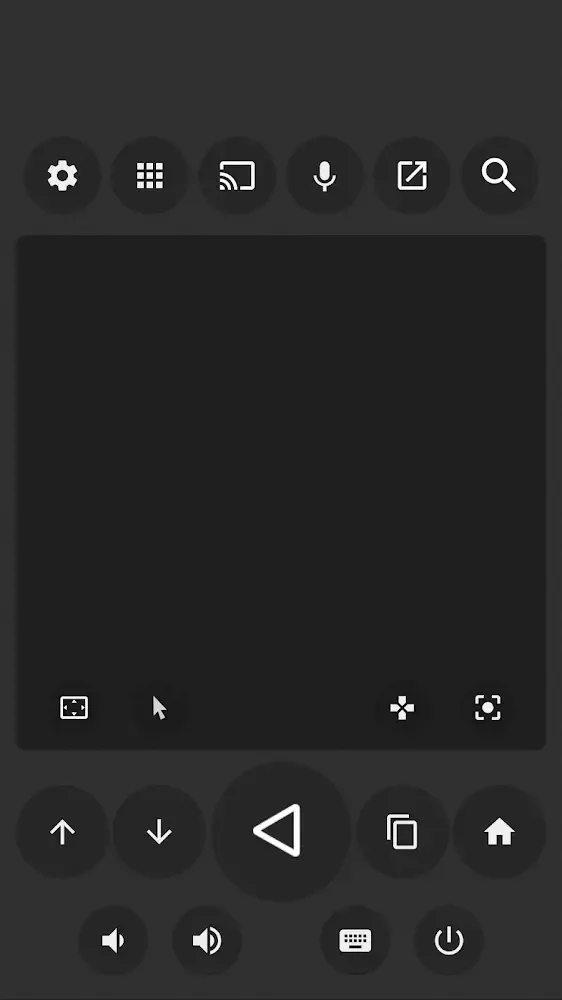
Highlights:
Comprehensive Control: Any user can completely manage Android TV or Fire TV easily. At the same time, you can make the most of the features to control with high precision.
Screen Casting Support: You are familiar with the experience of a smartphone and can confidently use the corresponding features. Specifically, you can open the keyboard at any time or use the mouse to select.
Game Pad Functionality: If you want to try an exciting experience with game titles, the device can become a console. You don’t need to have a corresponding device because your smartphone has done it all.
Ad-Free Experience: The system often prevents any troublesome elements from appearing and stops the entertainment. So everyone can enjoy all the most exciting moments.
Advanced Tools: After successfully connecting the application to the TV, you can see some features, such as floating control modes. With just one touch, the corresponding suggestions will appear and make the control easier.
Enhanced Navigation: Operations that cause you difficulty when using the traditional remote will often be eliminated. So you can quickly enter new information and make more precise selections.
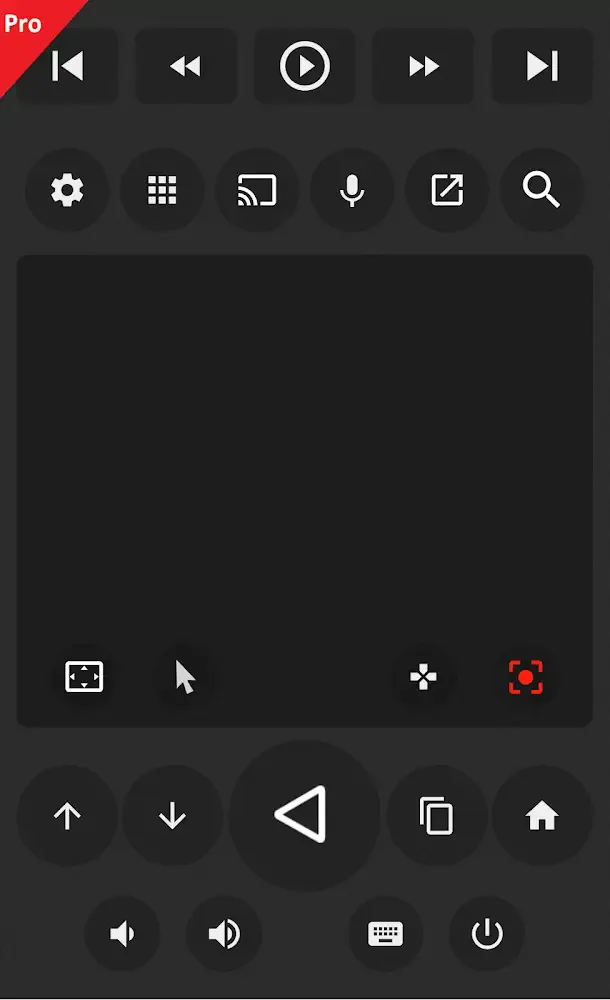
FAQs:
Does the Zank Remote require batteries?
Yes, the Zank Remote requires batteries to operate. Make sure to check the specifications for the type needed.
Is the Zank Remote easy to set up?
Yes, the Zank Remote is designed for simple setup and can connect to your device quickly.
Can I use the Zank Remote with a smart TV?
Yes, the Zank Remote is compatible with smart TVs that support Android or Fire TV applications.
Does the Zank Remote support voice commands?
Yes, the Zank Remote includes a microphone that allows for voice command functionality.
What is the range of the Zank Remote?
The Zank Remote has a wireless range of approximately 30 feet, depending on your environment.
Is there a warranty for the Zank Remote?
Yes, the Zank Remote typically comes with a manufacturer's warranty; please check the packaging for details.
Can I customize buttons on the Zank Remote?
Yes, you can customize certain buttons on the Zank Remote for quick access to your favorite apps.
Conclusion:
Enjoy a competent and highly convenient remote control tool, and you will experience countless attractive features and not too much time to useThe application supports users to use on many different devices, through which you only need to connect to wifi and start performing simple controls to experienceWith an uncomplicated design and beautiful interface, you will quickly get used to the unique features and take full advantage of the exciting functionsThis application will provide you with many different modes for users to flexibly change, mirror your phone screen on the TV to enjoy more comfortable programsControl volume with a few simple taps and try Pad games right away; if you are looking for an intelligent control tool, then this is definitely the perfect choice.








