

Is your device facing a memory shortage problem? Swapper is an excellent choice to increase storage space and improve your device's performance. Swapper uses new technology to help users have more virtual space and optimizes the space usage of software or games, thereby further improving device efficiency and meeting users' personalized needs. Swapper's interface is also very clean and simple, without any ads or pop-ups to interfere with the user experience. With corresponding tutorials, users can easily get started with all the functions.
Click to load YouTube / 点击加载视频
YouTube ↗Features:
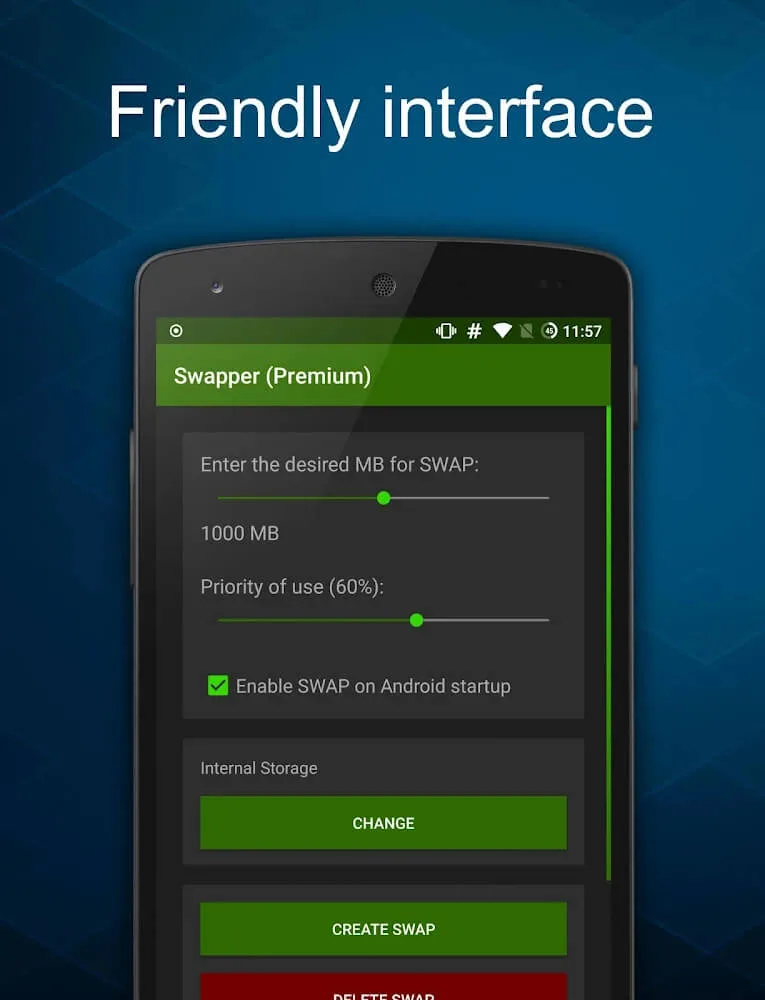
Create SWAP Memory for your Android: This app allows you to create SWAP memory on your Android device, which can improve its performance by providing additional virtual memory.
Easy-to-understand FAQs: The app provides a list of frequently asked questions, addressing common queries and concerns users may have about SWAP memory and its usage.
Notification for incompatible devices: If your device does not support changing the location of SWAP memory, the app will notify you and disable this function automatically.
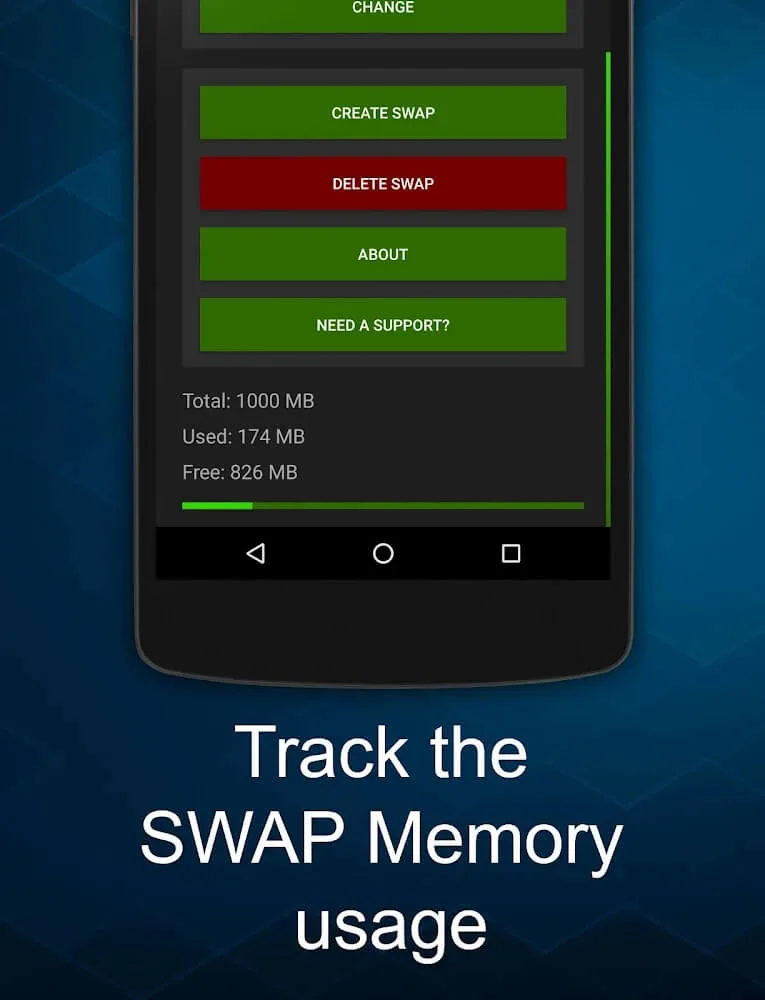
Usage indicator: The app displays a usage/used bar, showing the amount of SWAP memory being utilized. If it shows 0 MB, it means your device hasn't required SWAP memory yet.
Increase priority of use: You can increase the priority of SWAP memory usage, prompting Android to give it greater preference over physical RAM.
Uninstall and delete SWAP memory: Although SWAP memory depends on the app to be activated, you can uninstall the app after creating SWAP memory. However, it is important to delete SWAP memory before uninstalling the app to free up space on your device.
Highlights:
User-Friendly Interface: Despite the complexity of the operations it performs, SWAP No ROOT APK features a simple and intuitive interface. The settings are easy to navigate, and most features can be activated with a single tap, making it accessible for all user types—from tech enthusiasts to everyday smartphone users.
Boosts Old Devices: Older smartphones often become slow due to limited memory and outdated processing capabilities. SWAP - No ROOT APK for Android breathes new life into these devices by offering efficient memory optimization tools that match or even exceed the performance of newer devices.
Ideal for Gamers: With the rise of high-speed mobile games that demand more RAM and better performance, gamers find this tool incredibly useful. It allows games to run more smoothly, with faster loading times and no lag—even during intensive gameplay sessions.
No Root Required: Most apps that offer similar functions require root access, which can void warranties and potentially harm your device. SWAP No ROOT APK Latest Version works perfectly on unrooted devices, offering all the premium functions without compromising your device’s integrity.
Reduced App Crashes and Bugs: By managing background processes and optimizing compatibility, the app reduces the frequency of crashes, freezing, or bugs caused by app conflicts or insufficient memory. This creates a more stable and reliable user experience.
FAQs:
Why can't I change the location of the SWAP memory to the External SD Card?
Due to limitations on certain devices, not all devices support changing the SWAP memory location. If your device is unable to support this function, the application will notify you and disable it.
I created the SWAP memory, but the usage/used bar remains at 0 MB. What does this mean?
If your device has not yet required the use of SWAP Memory, the usage bar will show 0 MB. To increase the likelihood of SWAP Memory being utilized, you can adjust the "Priority of use" setting. This will give Android a higher preference for using SWAP memory.
Why doesn't my RAM settings increase in my device settings?
The memory displayed in your device's settings refers to Physical RAM. Since SWAP is an emulated RAM memory, it will not be reflected in this setting.
Can I uninstall the application after creating SWAP memory?
No, it is not recommended to uninstall the application after creating SWAP Memory. The SWAP memory feature is dependent on the application for activation and usage.
I created the SWAP memory, but I am unable to delete it. What should I do?
If you are unable to delete the SWAP memory, it is likely that your Android device is preventing its removal. To resolve this issue, uncheck the "Enable SWAP when starting Android" option, restart your device, open the application, and attempt to delete the SWAP memory again.
Final words:
Increase your device storage to the most optimal way according to your device.The application is designed in the most optimal way not to take up much space when downloading.Your phone performance will also be better optimized when using the application.Files created while using this application will also be well managed by the user.The interface is well designed, friendly, easy to get used to for new users.








