
MiXplorer Silver is a top-tier file management utility that deserves applause. Download the latest Android version for free and enjoy powerful file management features instantly. MiXplorer Silver presents users with a lightweight, fast, and efficient file manager, allowing you to try advanced features such as advanced search, categorization, online preview, and cloud storage. Use MiXplorer Silver now and let this feature-rich and beautifully designed application bring you convenient and smooth file management services!
Click to load YouTube / 点击加载视频
YouTube ↗Fantastic Functions
A comprehensive file management tool that helps you easily manage all files and folders on your Android device. In addition, it boasts a clean, well-designed, and fully customizable interface.
MiXplorer offers a wealth of features. It has some basic functions, such as copying, moving, cutting, and pasting files or folders, changing the layout of individual folders, and using advanced search tools. More advanced features include extracting and creating compressed files in various formats: 7z, ZIP, TAR, GZIP, RAR, CAB, ISO, ARJ, and more.
You can also link MiXplorer to your cloud storage service account. The app is compatible with cloud storage services such as Mega, Dropbox, Box, Yandex, HiDrive, Baidu, Mediafire, KuaiPan, 4Sync, and Google Drive. You can even use the built-in FTP/HTTP server.
Another great feature is the multimedia content previewer. With this app, you can listen to any audio file stored on your device or view any image. You can even preview animated GIFs.
MiXplorer is an excellent file manager, offering a wealth of features on ordinary devices, but even more if you have a rooted device.
Excellent Performance
Customizable
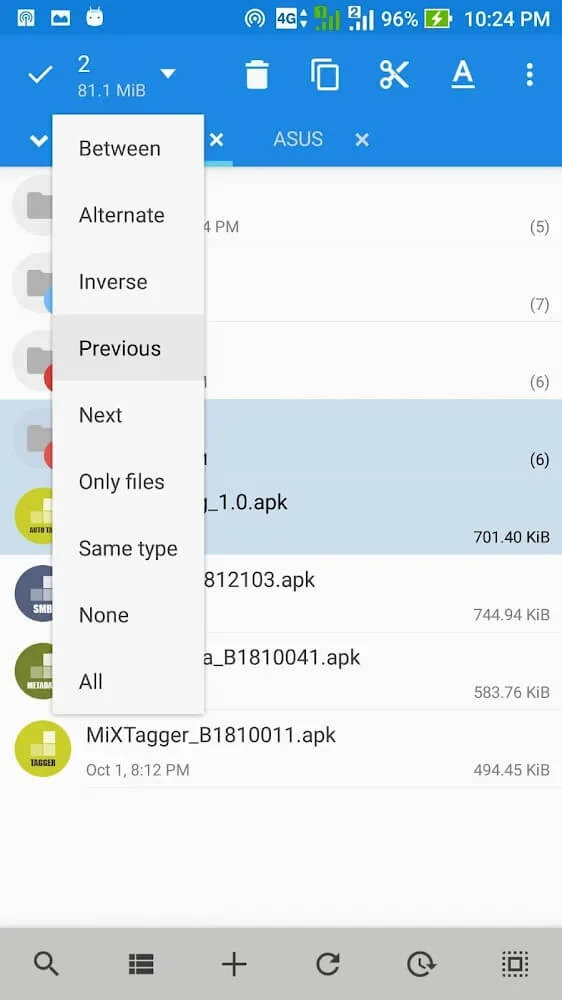
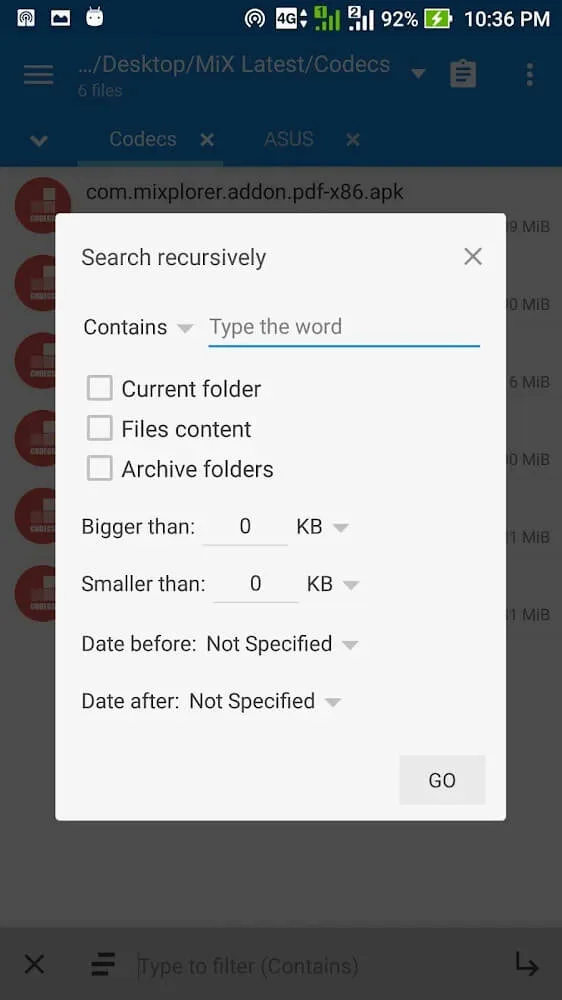
MiXplorer Silver File Manager supports extremely convenient search functions that you can use anytime. These functions not only allow keyword searches but also utilize file information as features for faster file identification. For example, sometimes you can simply enter the file size in the application, and a series of files matching the size will appear; you can simply select the appropriate file. Also, if you remember the date the file appeared, the appearance time is a useful reference factor.
Changing the appearance is simple: just change the colors and themes, and your viewing experience will be both convenient and aesthetically pleasing.
Customizable menus: You can filter items in the list using corresponding buttons.
Mark important items: Prioritize the application, and accessing it becomes much simpler.
Dual-panel view
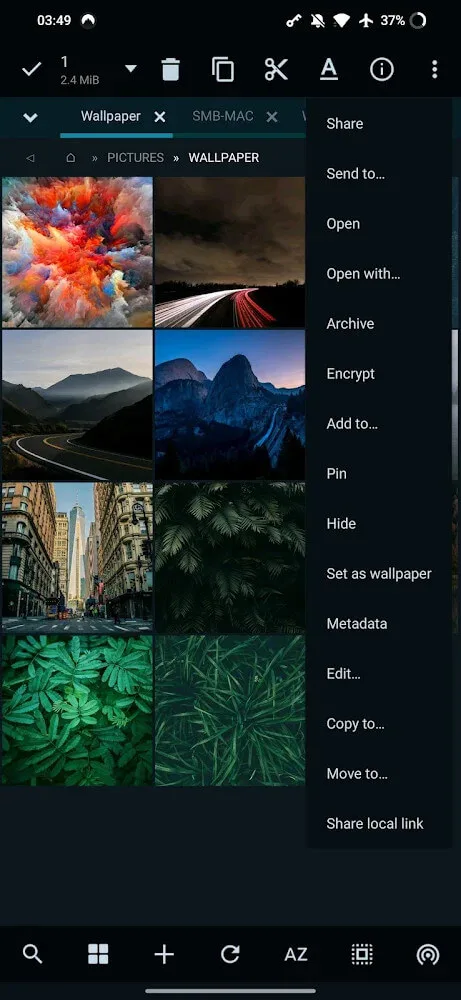
After the search is complete, the desired file will immediately appear before you, allowing you to manipulate it freely. These effects often vary depending on the file, designed for user convenience. For example, if you are looking for images with similar wallpaper properties, you can select a pair of images and easily set them using the "Set as Wallpaper" function. In other words, users don't need to switch between different platforms or feel confused by numerous operations.
Operation in landscape mode: You can easily drag and drop from one tab to another and expand it into a panel.
Viewing style can be changed: If you find viewing difficult, try the application's recommended mode.
Wonderful Features
Extensive file type support: Support for multiple file types is its core advantage. The bundled plugins support compression/decompression of various formats, including various versions of 7z, Zip, RAR, TAR, and ISO, making it a one-stop solution for compressed files. The image viewer supports GIF, SVG, and RAW images, while the dedicated media player supports multiple audio and video codecs.
The built-in viewer allows users to easily browse documents (PDF, ePub, Mobi), inspect HTML files, and even edit code directly within the application. The ability to view, select, and manipulate multiple files in both the image and text viewers fully demonstrates its thoughtful feature integration.
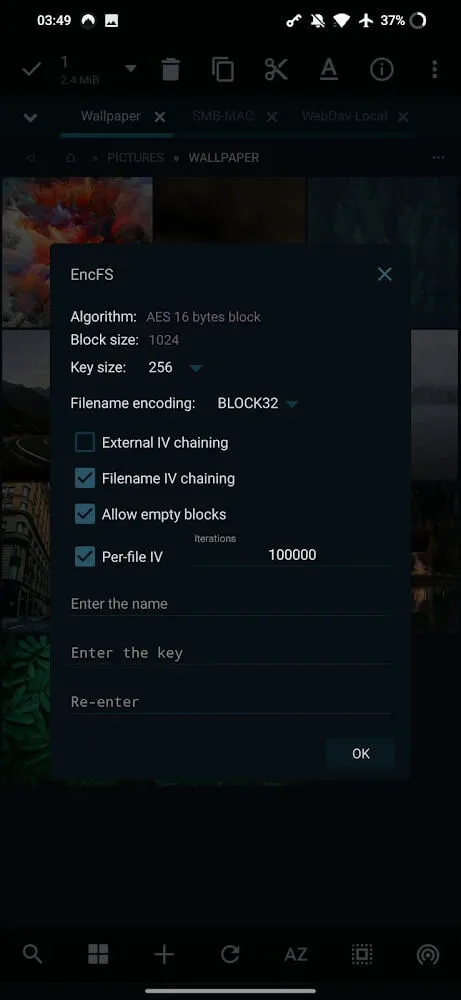
Customization and Automation: Almost all features of MiXplorer Silver are customizable. Users can customize the appearance with skins and icons, assign specific applications or built-in viewers to different file types, and export/import preferences and bookmarks for easy migration. Automation features support queue management and multitasking for file operations, improving workflow efficiency for advanced tasks.
Performance and Stability: MiXplorer Silver is extremely responsive, rarely experiencing lag even during batch operations or processing large archive files. The network and cloud integration is stable and reliable, with high connection security. Despite its rich features, the application remains lightweight and consumes minimal system resources.
Advantages and Disadvantages
Advantages
Full support for local, network, and cloud storage
Rich file types, compression, and archiving options
Highly customizable interface and workflow
Tab-based browsing and dual-pane support
Integrated viewer, editor, and advanced search functionality
Disadvantages
The interface may be somewhat complex for beginners or average users.
Limited guided introductory training or tutorials
Paid application, no free trial
Summarize
Free download of MiXplorer Silver - File Manager Pro MOD unlocked version for Android phones and tablets, ad-free. It is an advanced file manager and file compression tool. This is a paid application that includes MiXplorer file manager and archiver, SMB2, image, tagger, metadata, and PDF plugins, designed to support the development of MiXplorer.