

ArmSX2 will take players back to their childhood memories, allowing them to easily enjoy a variety of fun and classic games on their mobile devices. It not only enhances game graphics but also optimizes gameplay for smoother performance, providing the most comfortable gaming experience. ARMSX2 boasts excellent compatibility, running on most mobile phone models, and comes with tutorials to help users easily enjoy various games. Download the software now and relive those heartwarming memories!
Click to load YouTube / 点击加载视频
YouTube ↗Features:
Blazing Fast Performance: Thanks to its reworked OpenGL and Vulkan rendering pipelines, ArmSX2 delivers 15–40% faster frame rates than legacy emulators. Games like Onimusha: Warlords can hit a smooth 60 FPS on compatible devices.
ARM64 Optimization: Built for modern Android chipsets, ArmSX2 eliminates the inefficiencies of older x86-to-ARM translation, making it ideal for high-end devices.
Open-Source and Ad-Free: Licensed under GPL, ArmSX2 is transparent, community-driven, and free from intrusive ads or premium paywalls.
Broad Game Compatibility: From Metal Gear Solid 3 to Pro Evolution Soccer 6, ArmSX2 supports a wide range of PS2 titles, with ongoing compatibility improvements.
Save States and Quick Resume: Save your progress at any moment and pick up right where you left off, perfect for mobile gaming on the go.
Controller and Touch Customization: Supports Bluetooth controllers and customizable on-screen controls, though touchpad customization is still a work in progress.
Frequent Updates: The ArmSX2 team pushes regular test builds via Discord, with plans for GitHub source code release after version 1.0.
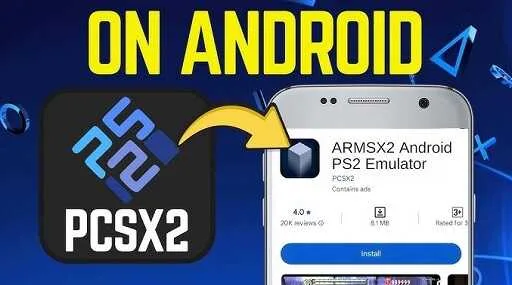
Highlights:
ARM64 Compatibility: This PS2 emulator is built for ARM64 framework processors. This processor type is what powers the most modern Android devices. As the focus is on this aspect, the tool automatically becomes better suited for phones and tablets. This means no matter what brand of Android device you are using, the experience will be the same due to a similar underlying processor structure.
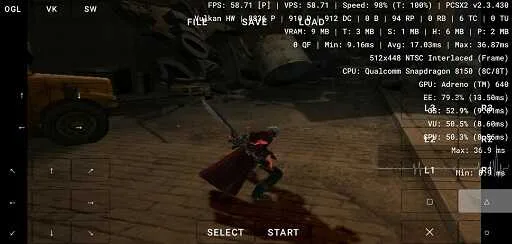
OpenGL Renderer: Forget about facing any glitches in animations and graphics when using the ARMSX2 Android version. This emulator includes an updated version of the OpenGL graphics renderer. This helps control frame drops and enhances visual stability. This is important during gameplay. You will enjoy classics with a smooth rendering on the mobile hardware.
Wide Range Game Compatibility: We tested many games after an ARMSX2 download and installation. All of them booted correctly, and we were able to play them without any problem. The games can easily reach 60 frames per second. There is a minimal drop in performance during texture or shader loading, but the future updates of this Android emulator will fix these issues. The best part, more and more games are coming to the platform, and thus, the players always have a choice in picking the titles.
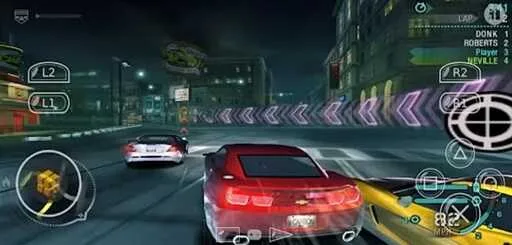
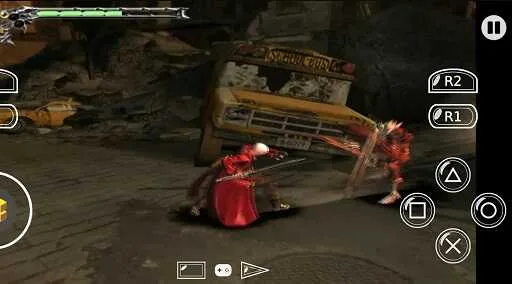
Simple User Interface and Controls: This emulator app comes with an easy-to-navigate and use interface. All the essential controls that totally mimic the PS2 controller are on the screen. At the same time, you have the choice to connect external gamepads for a better experience. The overall UI is simple, and both casual and regular players can make changes as per their needs.
Useful Tips:
For new users, setting up and optimizing an emulator can sometimes feel overwhelming. Here are some practical tips to get started smoothly with Armsx2:
Check Device Compatibility: ensure your Android phone supports ARM64 architecture for the best experience.
Adjust Settings for Performance: tweak resolution and frame rate settings to balance visuals with smooth gameplay.
Use External Storage: since PS2 games can be large, keep them on an SD card or cloud storage to save internal space.
Enable Save States: make use of save/load functions to manage progress in long sessions.
Experiment with Controls: customize on-screen buttons or connect a controller for comfort.
Keep the App Updated: always use the latest version for bug fixes and improved compatibility.
By following these tips, you can maximize both performance and enjoyment.
Alternatives:
While ArmSX2 stands at the forefront of PS2 emulation on Android, some users may still explore alternatives depending on their preferences, device limitations, or specific use cases. Here are the best options worth considering:
AetherSX2: Once the most popular Android PS2 emulator, AetherSX2 was discontinued in 2023. Although older builds remain available, the lack of active updates means compatibility issues and bugs will remain unresolved. Still, it paved the way for ArmSX2’s existence.
NetherSX2: A fork created by the community after AetherSX2 ended. NetherSX2 focuses on lightweight performance and simple on-screen controls. While it doesn’t receive the same frequent updates as ArmSX2, it’s a decent choice for users with mid-range devices.
DamonPS2: A commercial emulator known for its wide compatibility (around 90%) and premium features like HD rendering and overclocking. However, it is closed-source, includes paywalls, and has faced criticism for questionable code practices. For gamers who prefer transparency, it’s less appealing.
RetroArch: A multi-system emulator hub that supports dozens of consoles, including PS2 through its Libretro PCSX2 core. RetroArch shines in customization, shaders, and advanced features like rewind or netplay. The downside? It requires more setup and is less user-friendly for beginners.
Play! Emulator: Unlike other PS2 emulators, Play! does not require a BIOS file. Its simple setup makes it beginner-friendly. However, performance lags behind ArmSX2, and demanding titles often run poorly. It’s best for users who want ease of use over full accuracy.
While these alternatives serve different niches, ArmSX2 APK remains the strongest all-round choice: free, actively updated, transparent, and fast.
FAQs:
What platforms are supported?
Android, iOS, and other ARM platforms such as ARM Linux and Windows on ARM
Is this the same as PCSX2?
In a way yes, as this project is based off of PCSX2 code
What about performance?
Performance continues to improve with each and every update, when compared to other ARM64 PCSX2 forks, ours is the best
Is this open source?
The project is 100% open source
Conclusion:
If you’ve been searching for a way to relive your favorite PlayStation 2 games on your smartphone, ArmSX2 is a name you’ll want to remember. As one of the most promising PS2 emulators available for Android, ArmSX2 makes it possible to carry your classic gaming library right in your pocket. With smooth performance, advanced features, and a user-friendly design, it’s quickly gaining attention among retro gaming fans.








