Magicplan is a graphic design application designed specifically for Android devices. This app boasts a wealth of practical features and is completely free, allowing users to complete their designs on their mobile devices. With Magicplan, you'll no longer be limited by your device; you can project your creative inspirations onto your mobile device anytime, anywhere. Users can create highly detailed sketches with just a tap, and receive on-site reports and estimates after completion. Click to download and experience it now!
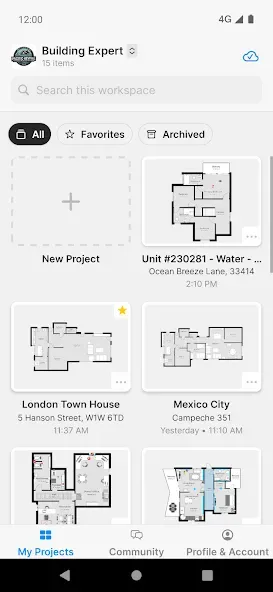
Highlights:
Real-time Floor Plans
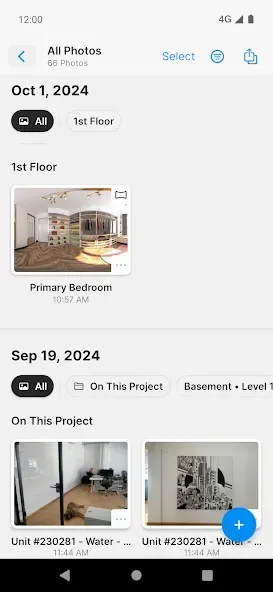
Photos
Notes
Objects & Equipment
Forms & Checklists
360° Panoramas
Reports
Price Lists & Estimates
Features:
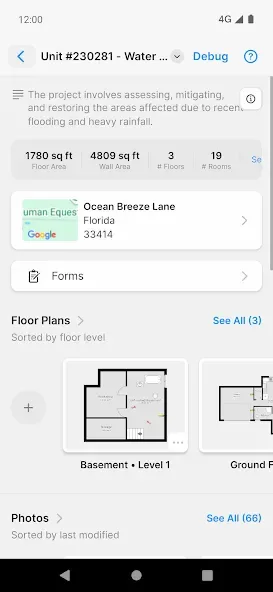
Calculate and estimate the costs
And speaking of which, magicplan will allow Android users to work with the useful tools for calculating costs for your constructions and remodeling jobs. The app offers automatic calculations for all your well-drawn floor plans, using the provided tools and features. And you can also make further changes to enable the most accurate reports.
Generate branded PDFs and other documents
For those of you who are interested, you can now import your floorplans into branded PDFs for sharing with your colleagues and clients. Also have access to other types of documents, including JPG, PNG, SVG, XLS, DXF, and more. Simply export your floor plans to save on your storages or share them with others.
Create your account to sync between multiple devices
To make sure that all your data is secured, magicplan users will need to create their accounts and have themselves a powerful password. Make use of the sign-in option to easily save and have all your data synchronized between devices. Enable the Smart Lock so you can seamlessly sign in between your devices and easily return to where you left off.
Optimized for different Android devices
For those of you who are interested, you can now easily work with both your phones and tablet devices, since the app is optimized for both. Feel free to switch between the different devices and their orientations to get the most accurate measurements.
Unlock the full app for more features
And if you don’t want to have the limited projects and team collaborations, you can now choose to go for the different subscription plans in magicplan, which will provide more features that you can unlock. Here, magicplan offers 3 different plans with their own unique perks. And you can choose to unlock all to have more features in the app.
Enjoy the free and unlocked app with our mod
But if you don’t wish to pay extra to make the most of the mobile application, it’s always better for Android users to go for the free and unlocked app on our website instead. Here we offer the modded application with unlocked premium features and removed ads. Thus, allowing you to enjoy its functions to the fullest. All it takes is for you to download the Magicplan Mod APK, follow the given instructions, and you’re good to go.
Benefits:
Customize interior size and color
With Planner 5D, you have the ability to customize every detail in the design. Accordingly, the application allows you to adjust the size, shape and color of every interior item as desired. This helps you create a space that is unique and reflects your personality.
For example, if you want to know what your bedroom would look like if the walls were blue, you can experiment by changing the wall color right in the app. Or imagine with a masculine pink wall, if you put a red cabinet in the corner of the room, would it be too hot? Just try it and you’ll know, don’t waste your imagination anymore.
Preview the 3D design of the house
To get the most general view of what the house will look like after design, Planner 5D has developed a house frame preview feature after the design has been completed. Once you complete your design, you can easily switch to the 3D preview mode to see what it will look like in real life. This helps you better understand how your space will appear and find areas that need tweaking or optimization.
Integrating AR tool
Planner 5D also integrates AR features that allow you to experience interior design in virtual reality space. Using your mobile device’s camera, you can place 3D furniture items in your real space and see what they look like in a real environment.
This helps you decide whether something is right for your space, helping you make an informed decision before ordering something. You can even enter specific data about the height, width, and length of objects and project it on the screen to see if they really fit in the space you have.
Final verdicts:
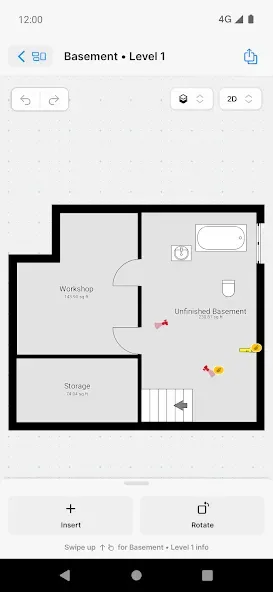
MagicPlan is a floor plan design app. If you are designing a space, such as a house or a company, this app will help you to do it quickly from your Android device. For example, if you are looking to create a multiple-floor house, the app will allow you to design all the spaces you want. Not only can you size them as you like, but you can also create spaces based on camera images using augmented reality. You can also add notes for each floor or space. If you want to make even more precise measurements, it is worth mentioning that the app supports laser meters from brands such as Bosch or DeWalt.