

PrinterShare Mobile Print is designed to help users quickly print various documents, pictures, and information, improving efficiency in work and life. PrinterShare Mobile Print requires no connection; simply log in to your account, upload or copy the document you want to print, and you can start printing. PrinterShare Mobile Print boasts strong compatibility, running on numerous brands and mobile devices, including HP, Samsung, and Kodak, meeting user needs. Users who want a fast and simple printing process can download PrinterShare Mobile Print from this site.
Click to load YouTube / 点击加载视频
YouTube ↗Features:
Quickly connect to your devices using different means: In addition, thanks to the useful connection methods, you can easily link the printer to your devices using different means. Make uses of the useful wireless settings to match with the printer via Wi-Fi or Bluetooth. Or you can use a certain USB OTG to connect directly with the printers. PrinterShare Mobile Print will support most of the device’s features and allow you to quickly complete your prints.
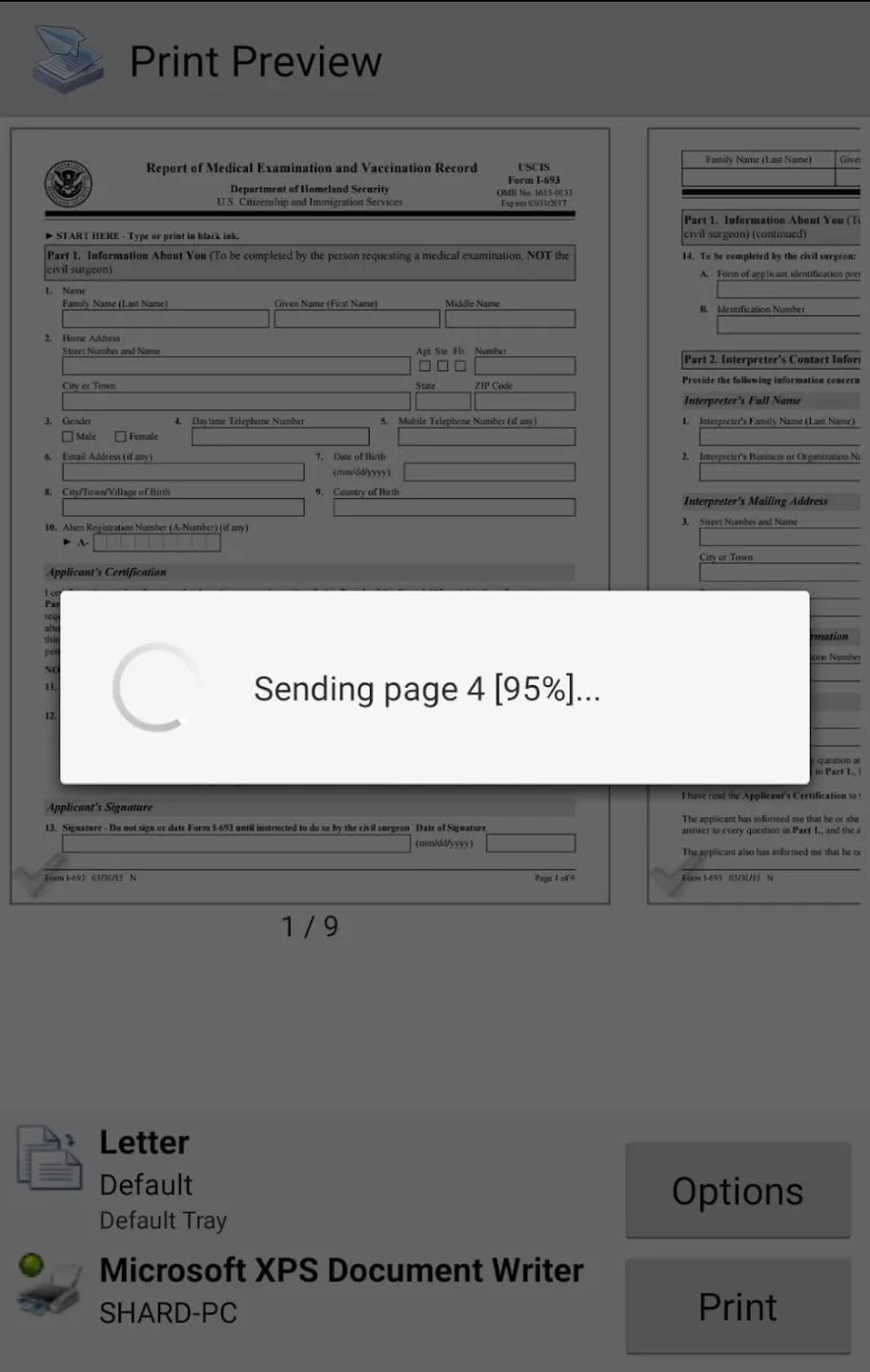
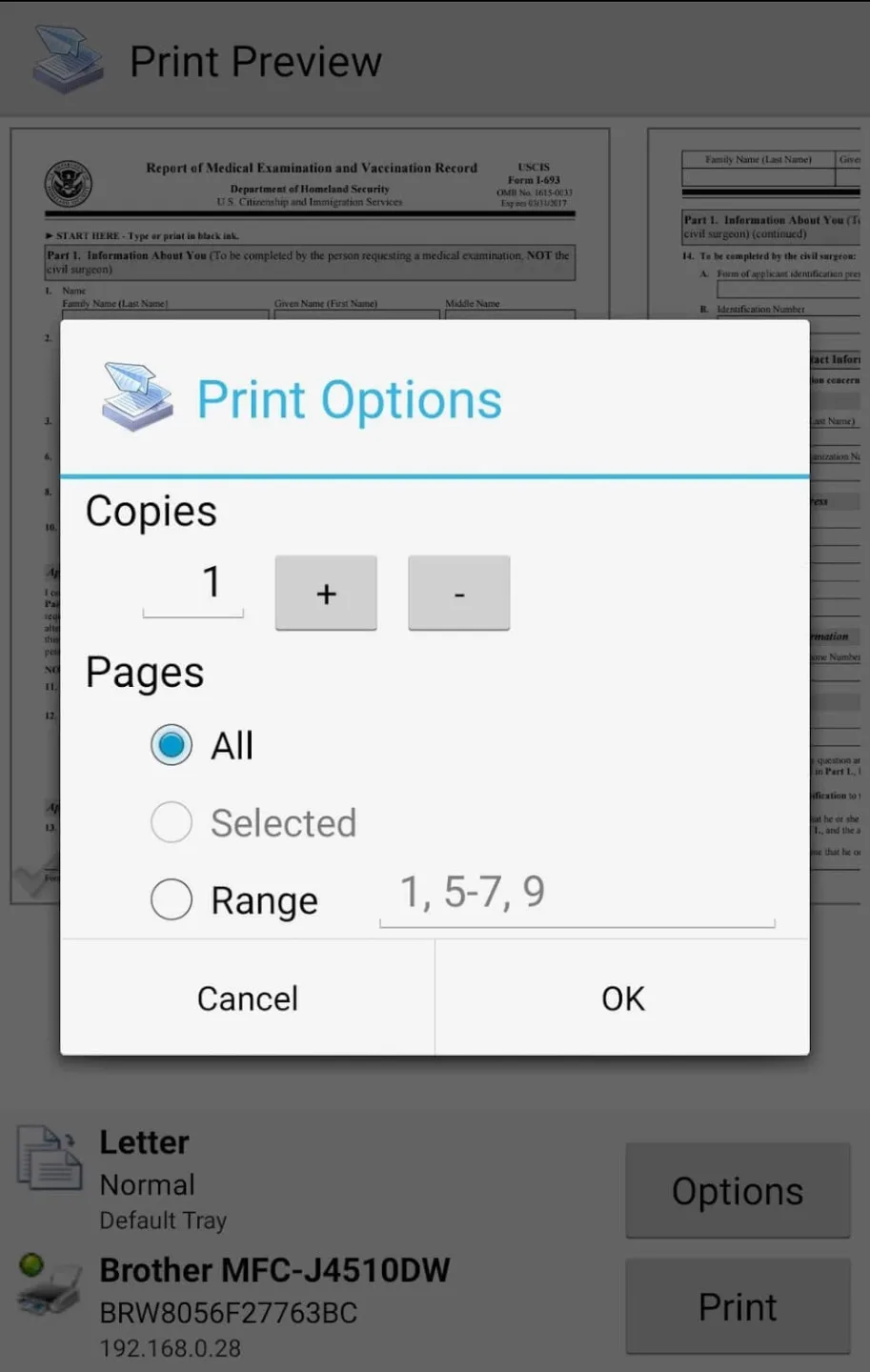
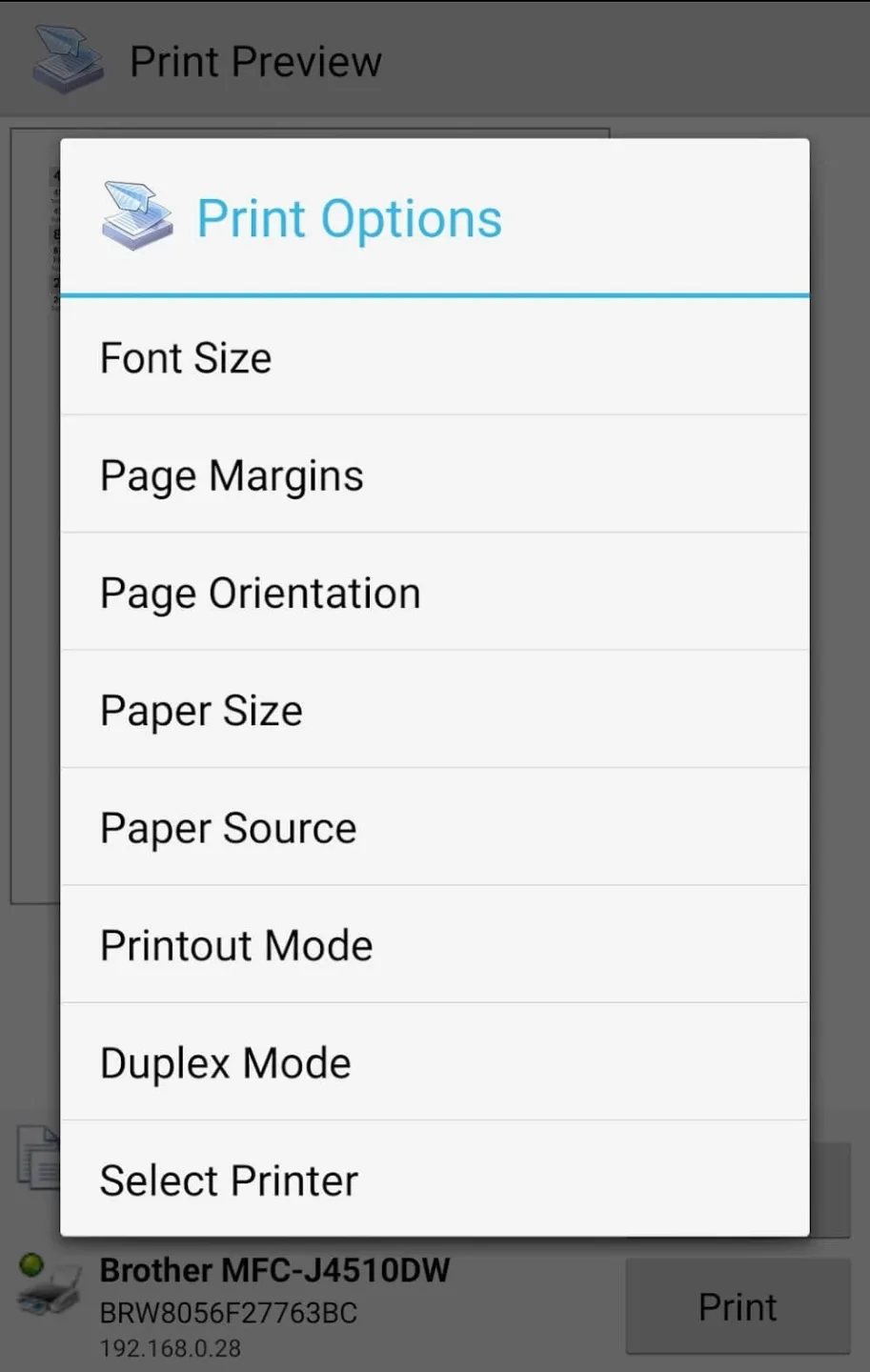
Useful settings and options to work with: At the preview menu, users are allowed to make multiple settings, which will allow them to customize their works in many ways. Feel free to adjust the paper size, page orientations, number of copes, page sizes, printing styles, printing quality, and many others. Advanced or proprietary settings will be available if your certain devices can support them. Thus, allowing Android users to have uses of the mobile app.
Simple and interactive UI to get started: To start with, Android users can immediately get themselves comfortable in the app, thanks to its simple and interactive UI. Here, you can easily navigate between the organized menus in PrinterShare Mobile Print to look for the exact printing options. You’ll then be transferred to the intuitive printing review interface with quick and easy editing options to make. All of which will make sure that you won’t have any problems exploring the mobile app.
Highlights:
Compatibility With a Range of Printers: this application supports a wide range of printers including Epson, Kyocera, HP, OKI, Canon, Lexmark, Samsung, Kodak, Brother, Ricoh, Dell, etc. The application allows the user to connect to any brand series of these printers. You can now print numerous things with ease. Note that you don’t have to install the drivers of any of these printers to use them with the PrinterShare Mobile Print app.
Unlimited Printing: with the PrinterShare Mobile Print application, you can print all sorts of documents. You can easily print photos and images (JPEG, PNG, JPG GIF), Web pages (HTML), email attachments (PDF, MS Word, MS Excel, PowerPoint Presentations etc), Content shared from other apps, contacts, agenda, etc. You can also print text messages from the device you have installed the application.
Print Documents from Various Sources: after downloading and installing the PrinterShare Mobile Print application, you can print from a number of storage locations. For instance, you can print from google cloud store, Airprint (on devices with macOS and iOS operating systems), or local storage sources on your device. Additionally, you can print via Wi-Fi (using a Wi-Fi Direct printer), Bluetooth, or from a USB storage device using an OTG cable.
High-Quality Printing: printing using the application is no different from using the computer. The quality of the printout is not negatively affected. Documents printed via the application come out just as expected! Before printing, you can even preview your document to ensure that the right properties are maintained. If need be, the application allows you to make adjustments on the documents including page layout, enhancing resolution, and making other changes on the document. Print documents with the properties you want!
Hoe to Use:
Printing to WiFi Printers
Requirements: Your Android device and WiFi printer must be on the same network.
Steps:
Open PrinterShare app
Select the document or photo you want to print
Tap "Select Printer"
Choose "WiFi Printers"
PrinterShare will scan for available printers
Select your printer from the list
Configure print settings and tap Print
Note: Most modern WiFi printers support direct printing. If your printer isn't detected, ensure it's powered on and connected to the same WiFi network.
Printing to Bluetooth Printers
Requirements: Bluetooth-enabled printer and Android device with Bluetooth.
Steps:
Enable Bluetooth on your Android device
Pair your device with the Bluetooth printer (Settings → Bluetooth)
Open PrinterShare app
Select your document
Tap "Select Printer" → "Bluetooth"
Choose your paired printer
Print your document
Supported: Most Bluetooth thermal printers, label printers, and mobile printers are supported.
Printing via USB (OTG)
Requirements: Android device with USB OTG support and a USB OTG cable.
Steps:
Connect your Android device to the printer using a USB OTG cable
Open PrinterShare app
Select your document
Tap "Select Printer" → "USB"
The app will detect the connected printer
Select the printer and print
Note: Most USB printers are supported. Some printers may require specific drivers.
Printing via Intermediate PC (LAN)
Print to any printer connected to a Windows or Mac computer on your local network.
Requirements:
PrinterShare installed on the computer with the printer
Android device and computer on the same local network
Steps:
Install and run PrinterShare on your Windows/Mac computer
Share your printer through PrinterShare software
On your Android device, open PrinterShare app
Select "Nearby Printers"
Your shared printer will appear in the list
Select it and print
User Reviews:
The PrinterShare has been the best printing app l have ever found. For years l have triedso many printing app so l could print from either my phone or my iPad. Every one of theother apps, and there were many, either wanted monthly payment or asked for one timedonations that came up intermittently and if you didn't contribute the app stoppedworking. Some apps just stopped working all together. l have used PrinterShare now forat least 3 years and it is very reliable. lt may sound silly but it makes me so happy when luse this app, and it works every time l fell so happy. Thank you PrinterShare. Terri.
I have been looking forever for an app to print to my non air wireless printer. Came on thisone. Downloaded and it connected first time to my printer. l did jot read all about it andwas a bit surprised that l had to have the premium to print to my printer, but that was myfault fir not reading.l bought the key$4.99, and printed a 4 page email receipt directlyfrom my phone. No issues at all. So far this is what l have been looking for. The four starsare only because l have just git it. l never give perfect scores on first impressions. Maybeafter I have had my $5 worth,l will upgrade it.
I have older printer (HP PSC 1410v) that l hooked via USB to Airport Extreme Router. lhad paid for and tried other print apps that costed me a lot of money, only to find out thatthe apps wouldn't work with my printer AFTER I had already spent my money. This freeapp printed the test page to my printer perfectly, so l can verify that the app would workwith my printer before l spend my money. l don't understand why our culture ofentitlement expects sooo much and degrade free apps when this company allows you totest for free if printer would work before you spend the money.
Summary:
Previously, when we wanted to print a document or photo, email, invoices, messages, web pages, etc., we had to operate on the computer or operate directly on the printer. But now you can order to print documents, documents, emails, invoices, messages, or web pages remotely without having to operate on your computer or printer through our application you can connect to. Connect to a printer near you or any printer around the world in the most convenient and easy way.








