

iScanner is a practical utility application. This powerful app, designed specifically for Android devices, allows users to scan any paper document using their Android device's camera, enjoying a convenient office experience. With iScanner, you'll no longer need to manually add paper documents to your device. Users only need an Android device, open the camera, scan to get satisfactory results, and save the final electronic document as a .PDF or other format. Furthermore, iScanner can add OCR functionality to any document. Click to download and experience it now!
Benefits:
Edit documents easily
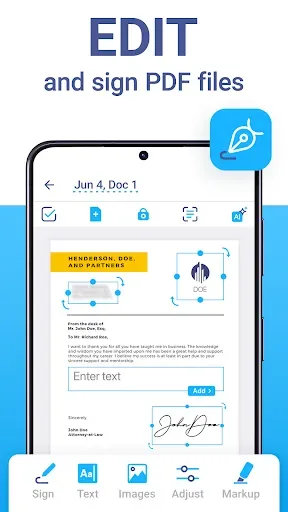
Not only supports converting hard document formats into PDF, but iScanner also provides useful editing features for users to feel more convenient. Of course, you won’t be able to expect the editor of this application to have all the outstanding features like other document editors. Accordingly, it only supports color correction, removing black spots, redundant details, and more. Besides, you can also add a handwritten signature to the scan easily to mark the document’s copyright.
Absolute storage and security
iScanner understands that documents after scanning need to be kept confidential to avoid revealing important information. Therefore, it provides users with several effective security methods to ensure their documents are always safe. For example, you can conveniently set up a personal password for your archive folder. The special thing is that you can easily review documents anywhere and do not need an internet connection. Just provide the correct password and you can access the document immediately.
Share across different platforms
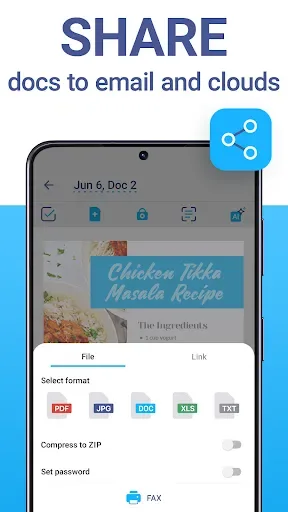
With iScanner, you can quickly scan any document into a PDF and share it easily with a few clicks. Basically, the interface of this application is quite simple to approach, you just need to touch the appropriate feature icons to be able to use it as you like. After successfully scanning documents, this application also supports users to share files across many different platforms with a simple one-touch operation. It could be Facebook, Gmail, SMS, Drive, and more. In the future, more new platforms will be supported by this app.
Features:
Scan documents with ease
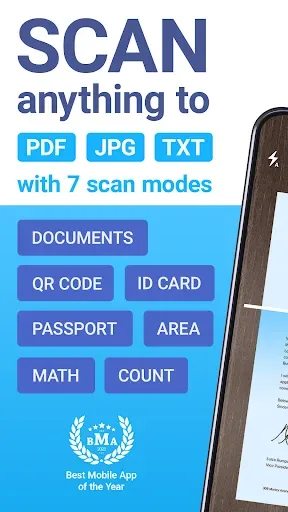
Simply provide the app with access permissions to your camera and you can have the smart scanner enabled. Use the camera to scan and in-app features to digitize all your documents with ease. Here, iScanner lets you work with contracts, tax forms, tickets, receipts, handwritten notes, assignments, and more. All it takes is to capture the images with your camera or use the live scanner. Quickly turn these physical documents into PDFs, JPGs, or TXT files.
Work with cloud storage
Feel free to connect to the cloud storage using iScanner, as the app lets you synchronize items from your local storage in real-time. Enable this feature to protect important documents and enable easy online access. Connect to your cloud items, which you can easily open, transfer, and view on the go. Use both your mobile devices or the web browser to access the iScanner cloud files.
Tools of artificial intelligence
The inbuilt AI feature allows iScanner users to scan their documents quickly and effectively. Feel free to use the app to auto-enhance the documents with smart border detections and auto-adjustments. Also, the intelligent AI can recognize texts from any of your documents and in many different languages.
Built-in PDF editor and file manager
The built-in PDF editor in iScanner allows you to edit all your digital documents with ease. Use the color correction templates to fix and edit any selected scans with ease. Sign your scans manually or add images to the documents as your new signatures or watermarks.
Highlights:
Scans On The Go: The application allows you to scan many different types of documents, such as records, paperwork, diplomas, invoices, etc.
Digitize To PDFs: The application allows you to export scanned documents to PDF files to make the information storage process faster and more effective.
Auto-Detects Borders: The application will have a border adjustment frame so that the scanning process is simple and the results after scanning will satisfy all the information.
Exports Various Formats: After scanning, the application allows you to export at the same time into many different files with many formats such as PDF, JPG, PNG,…
Conclusion:
iScanner is an effective support tool for users who scan documents and convert them to different formats. This is a smart application capable of storing huge sources of documents; you can compress them or leave them intact. The application not only supports computers but also supports smartphones, so the scanning process takes place quickly. A variety of other smart features are provided, and you can search quickly.








