
Termius is a powerful emulation tool. This application, with its robust built-in features, allows users to manage various UNIX and Linux systems on mobile devices, experiencing convenient remote access. With Termius, you can easily enable it on any mobile device, fully utilizing its beautiful design and powerful features anytime, anywhere. Furthermore, this application offers multi-session support and customization options, providing administrators and engineers with an efficient and enjoyable remote access experience. Click to download and experience it now!
Click to load YouTube / 点击加载视频
YouTube ↗Features:
Enjoy your cross-device experiences
With Termius, Android users can have themselves the cross-device uses of the client manager. Here, the app lets you install the desktop version of the app for Windows, Mac, and Linux, which you can then enjoy along with your mobile version. Have the cross-device synchronizations enabled on the connect devices so you can have the seamless experiences between your systems. All of which will greatly improve your in-app experiences.
Inbuilt key generators for all users
Here in the mobile app, Termius users can now enjoy their inbuilt key generators, which are capable of generating RSA, DSA, ECDSA, and other keys for the system. Plus, the Putty keys importer is also enabled in the app for better uses of the two platforms.
Feel free to connect your external keyboard
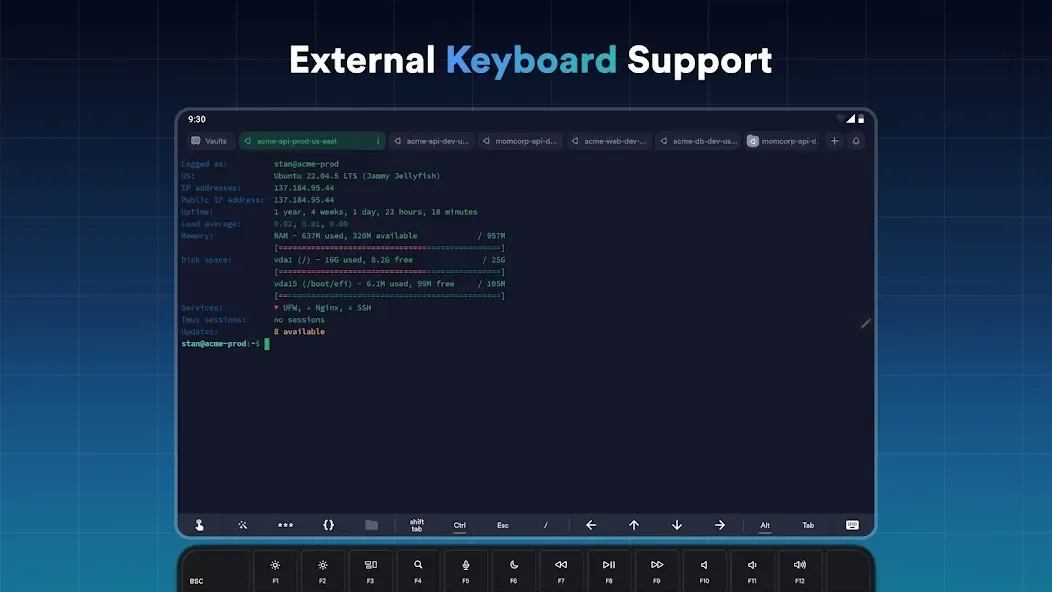
For those of you who are interested, you can now freely enjoy the connected external keyboards to your mobile devices to enable better uses of Termius. Here, the keyboard controls will provide you with greater and more convenient functionality of the app on all your systems.
Have the convenient port forwarding feature
With Termius, Android users also have access to the most convenient and useful port forwarding operations on their mobile devices. Enjoy using the intuitive forward features on your Local, Remote, and Dynamic. Which will allow you to always make the most of your application.
Feel free to customize the theme
Here in Termius, Android users will have the fully customizable theme settings, which will allow them to enjoy better in-app experiences. Feel free to use the Dark and Light modes for your personal preferences when using the app. And enjoy working with the 12 amazing color schemes for better in-app experiences. The list goes on.
Always enjoy the ad-free app
For those of you who are interested, you can now enjoy the ad-free application of Termius without any banners or ads, even with the free version. Thus, making the mobile app extremely easy and comfortable to work with.
Enable passwords and fingerprint protections
To protect your privacy when using the app, Termius users will need to enable passwords and fingerprint protections, which are all supported in the app. Feel free to choose between password, key, and 2FA authentications for your system. And enjoy using the Fingerprint protections for more convenient uses of the devices’ authentications.
Have your convenient home screen widgets
With the home screen widget being available in Termius, Android users will have no troubles working with many of its features without having to turn on the mobile app. Have access to many standard in-app features, including the Env variables, HTTP/SOCKS proxy, and many others whenever and wherever you want.
Enjoy the free and unlocked app on our website
For those of you who are interested in the free version of Termius without paying for your premium features and to remove ads, then you’ll find our modded app a lot more exciting. Here, we offer the Premium Unlocked application with removed ads and unlimited features, which you can easily get for free. All it takes is for you to download the Termius Mod APK, follow the given instructions, and you’re ready to go.
Highlights:
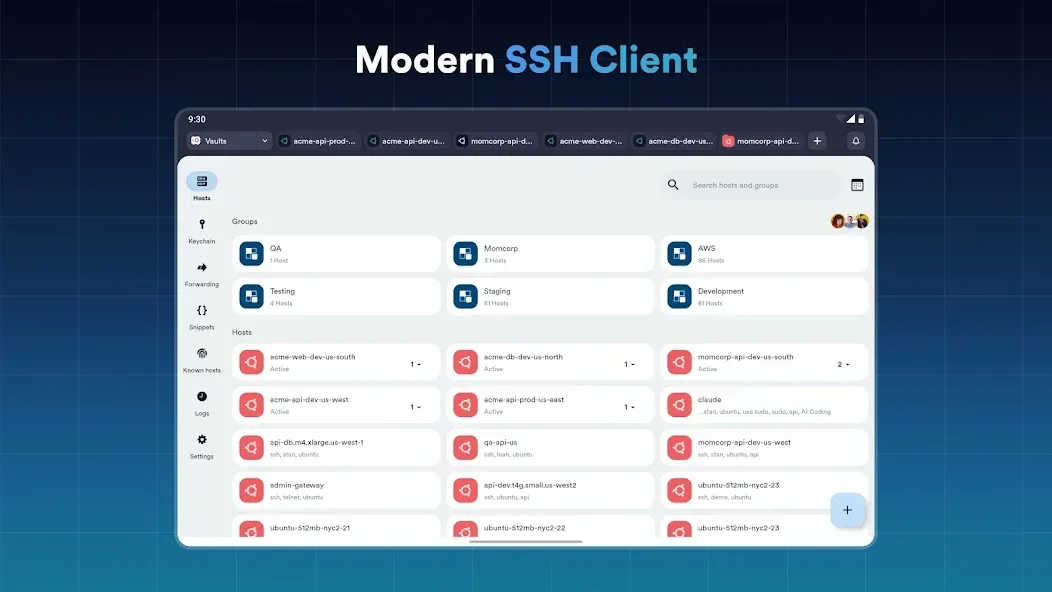
Connect from your mobile and desktop device with SSH, Mosh, Telnet, Port Forwarding, and SFTP.
Get a desktop-grade terminal experience with a virtual keyboard covering all the special keys required, or connect your Bluetooth keyboard.
Use gestures or shake the device while in the terminal to emulate stroking of Tab, arrows, PgUp/Down, Home, and End, etc.
Work in several sessions simultaneously with a multi-tab interface and split-view support.
Customize your terminal themes and fonts for each connection.
Save your favorite and frequently used commands and shell scripts to execute them with a tap instead of typing.
Quickly access the unified history of your terminal commands.
FAQs:
Is Termius free to use? Do I need an account?
Termius is free to use with the Starter plan, which includes core SSH features. A paid subscription account allows you to benefit from secure sync across devices, AI features, and team collaboration.
Is it safe to store passwords and SSH keys in Termius?
Absolutely. All data saved in your vaults, such as passwords, SSH keys, and host info, is encrypted locally on your device using X25519, XSalsa20, and Poly1305 MAC. Each vault is encrypted with a unique encryption key and protected by your encryption password. Your encryption password is never stored alongside your data and never leaves your device. This ensures that only you and your team can access the information.
Can I use Termius offline?
Yes. Termius is built with an offline-first approach. All your data is stored locally and fully accessible without the internet. You can connect to your servers securely, even when you're offline or on restricted networks.
Does Termius support file transfer and port forwarding?
Yes. Termius includes built-in SFTP for transferring files to and from servers via a simple UI. It also supports SSH port forwarding (local, remote, and dynamic) so you can securely route traffic through your connections, no extra tools needed.
Changelog:
Introducing SSH.id — device-bound, biometric-protected SSH keys you can provision anywhere using your SSH.id handle
Added host icons for Rocky, Alma, Alpine, and Amazon Linux
Added ability to edit files in SFTP using a file editor in the terminal
Fixed a bug with missing path separator when copying an SFTP item path to the clipboard
Fixed a bug with handling of ssh:// links
Stability improvements
Final verdicts:
Termius is a powerful SSH and SFTP client app that offers easy and convenient connectivity, enhanced terminal experience, and intuitive gestures. With its multi-session support and customization options, it provides a productive and enjoyable remote access experience for admins and engineers. Download now to simplify your remote access tasks and streamline your workflow.








