
Tasker is a practical utility application. This powerful app helps users complete various automated tasks and enjoy a range of convenient features. With Tasker, you can create custom task patterns, and most functions do not require root access, allowing users to quickly and easily control their devices. Furthermore, this app boasts a user-friendly interface, allowing you to quickly get started without much practice, and experience various automated operations. Click to download and try it now!
Click to load YouTube / 点击加载视频
YouTube ↗Highlights:
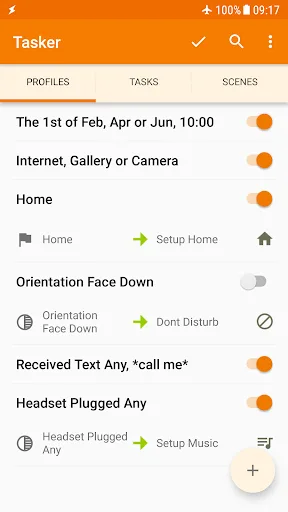
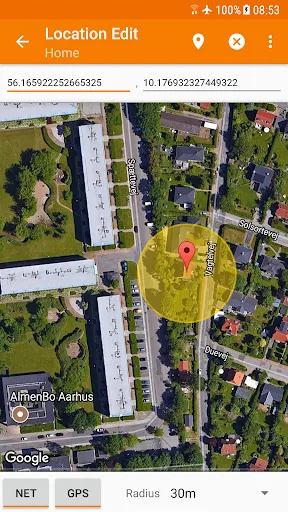
At the core of Tasker is robust automation based on contexts like time, location, apps, and events. Build customized rules like “At home WiFi, enable Do Not Disturb”. Your phone seamlessly adapts to situations, no input required. Automation eliminates tedious repetition.
Apply over 350 actions to tailor device functionality just so. Send SMS, alter settings, control media, manipulate files, and much more. If you can imagine a phone task, Tasker likely offers an action for it. No root required for most features. Tap into Android’s capabilities.
Schedule Tasker to regularly back up photos, files, or app data to cloud or local storage. Never lose valuable phone content again. Customize backup location, timing, and extent as needed. Stay protected effortlessly.
Tasker can check websites for app updates, fetch latest APK files, then cleanly install them. Keep apps refreshed automatically instead of manual market checks. Streamline your Android experience.
Trigger tasks from paired devices, home assistants, widgets, or Tasker’s Join app. Set a voice command on your watch to start music playback. Control your phone remotely.
Features:
Different profiles to work on your settings
And to make sure that all users can enjoy working on their Tasker with personalized experiences, the app also enables different profiles for you to work on your settings. Now, you can easily switch between different user profiles to enable different automations, UI settings, and other useful setups that have made for many specific experiences.
Explore the useful and convenient Remote Tasker
Here in Tasker, users can also add the awesome application of Join or Remote Tasker, which will allow you to trigger tasks from other Android devices or PC. Thus, making the remote controls of your Tasker profiles extremely easy and convenient.
Create your own standalone apps
Also, for enthusiasts, you can now enjoy working with the awesome App Creation tool from Tasker App Factory. Try out many interesting features within the app and make the most of its features, as you allow Android users to enjoy better uses of their features.
Work well with 3rd party app integration
Here in Tasker, Android users can enjoy working with the awesome 3rd party app integrations. Not only for the stock Android apps and settings, Tasker can now work well with all available app on your system, as it allows you to freely customize the app settings and features.
Easily backup all your tasker data
To make sure that you can have all your data saved, Tasker will allow users to easily back up their projects, profiles, tasks, variables, settings, and other important data from their application. Feel free to sync your data on any other devices whenever you want and never lose them.
FAQs:
What is Tasker?
Tasker is a mobile app that automates tasks on Android devices, allowing users to set triggers based on conditions like time, location, or app activity.
How does Tasker work?
Tasker works by creating profiles that trigger specific actions when certain conditions are met, such as changing settings or launching apps automatically.
Is Tasker easy to use?
Tasker can be complex for beginners, but with practice and the help of tutorials, users can master its features to create highly customized automation.
Do I need to root my device to use Tasker?
No, Tasker works on most devices without root access, though some advanced features may require root permissions.
Final Verdicts:
With its fast processing, high efficiency, and compatibility with most Android devices, the app is a handy tool for users to simplify operations and enhance their mobile experience. Whether you want to automate tasks, control settings, or personalize your device, Tasker provides an intuitive and efficient solution. Don't miss out on the benefits that the app brings; download it today and unlock the full potential of your device.








