

Genius Scan Enterprise is an impressive document scanning utility designed to help users efficiently export paper documents as PDF files, freeing you from the hassle of tedious workflows. Genius Scan Enterprise offers a convenient, powerful, and easy-to-use tool for a wide range of users, supporting document detection, batch scanning, advanced filters, PDF editing, and other intelligent options. Genius Scan Enterprise is a versatile and powerful assistant for your flexible document processing tasks.
Click to load YouTube / 点击加载视频
YouTube ↗Awesome Features
Recognize and Convert Handwritten Documents
Genius Scan has added Optical Character Recognition (OCR) functionality, allowing Android users to easily and quickly scan any object and extract text information. This method makes digitizing documents easy without the need for extensive repetitive typing as in other applications. Therefore, using electronic documents can save you time.
Easily Manage and Organize Your Documents
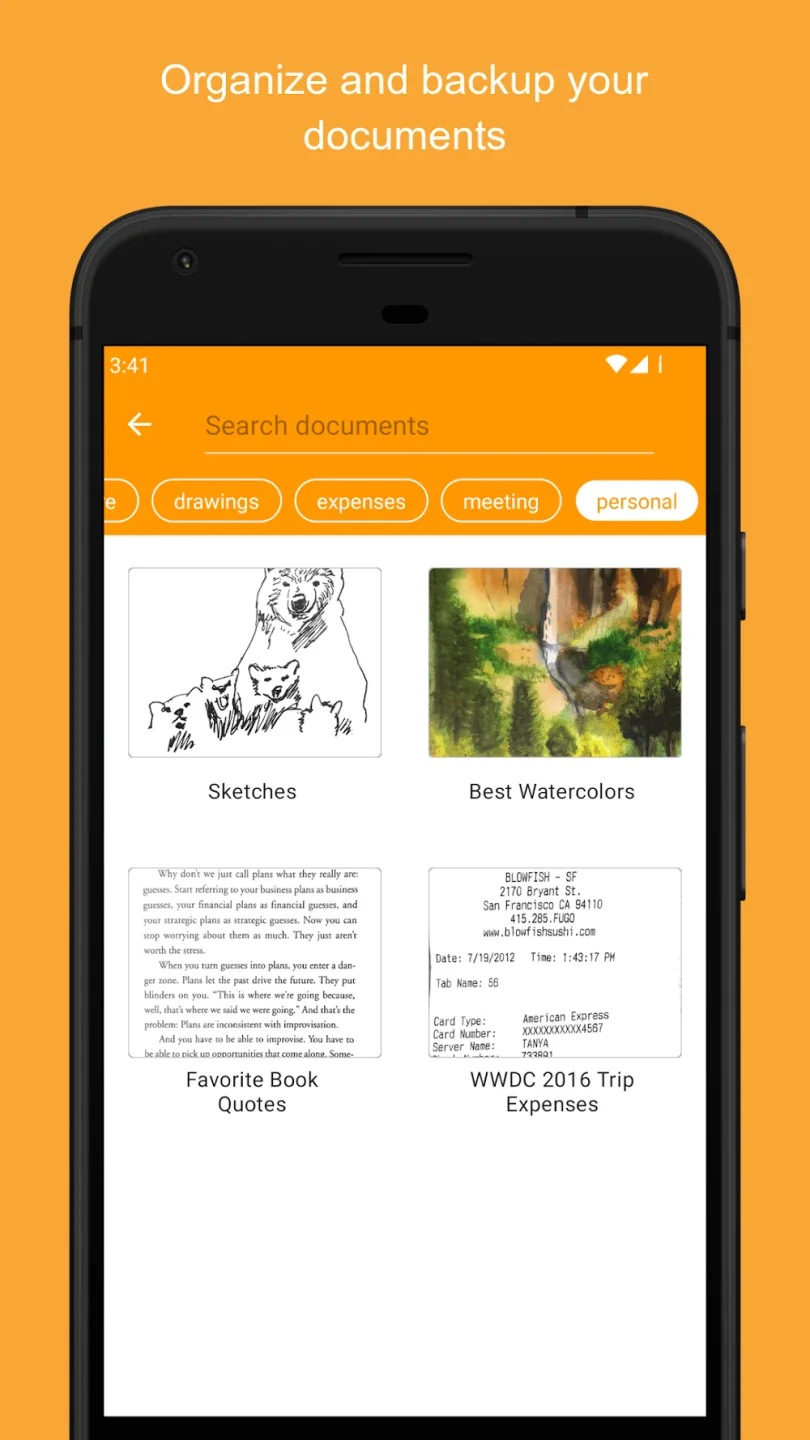
In addition, Genius Scan has a built-in document browser that lists all scanned and saved documents on your device, making organization and management easy. Enabling the tagging feature in this section greatly simplifies file cataloging and organization. Metadata search and content search features will help you find files more easily. Furthermore, the smart document naming feature allows users to customize naming rules.
Connect and Sync with Numerous Cloud Storage Services
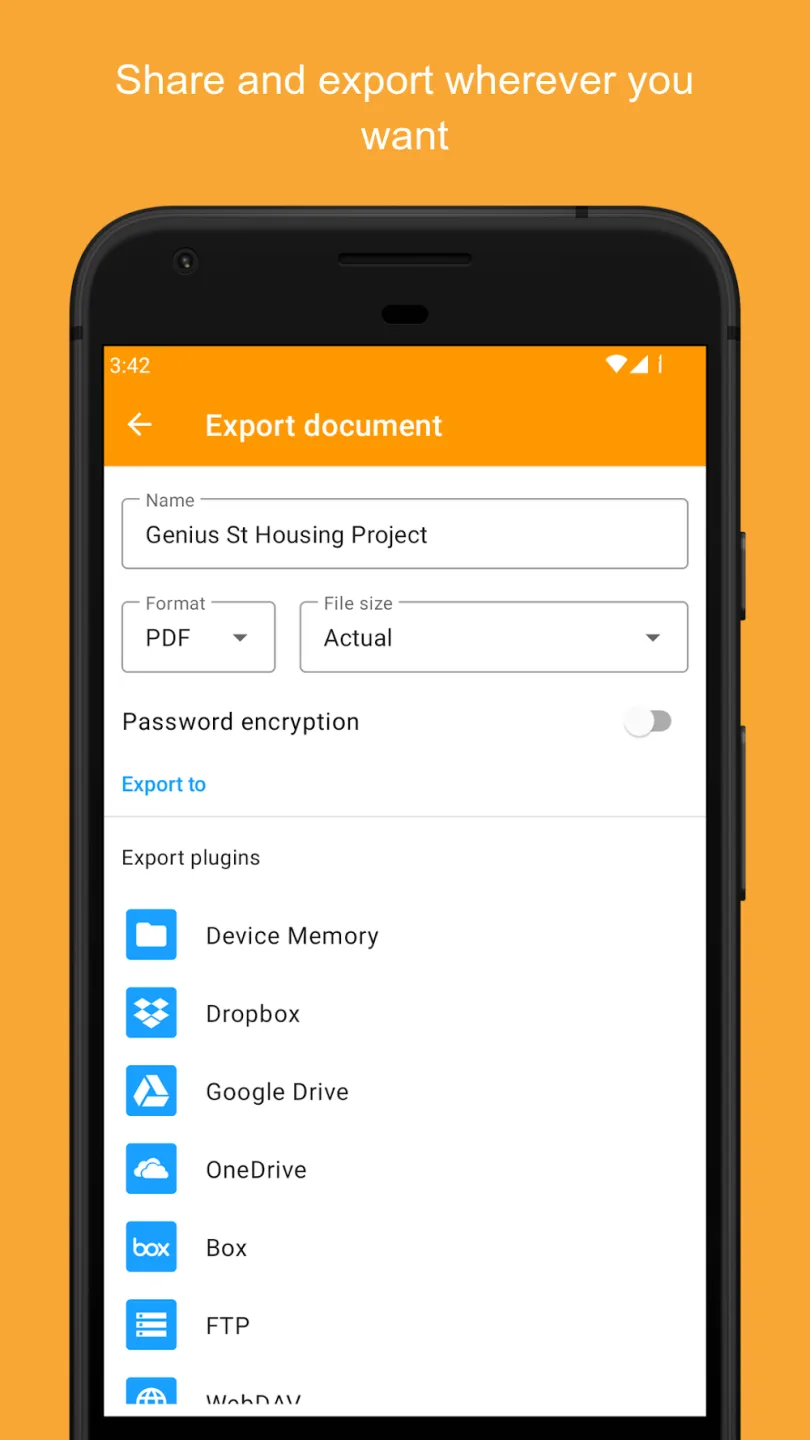
Now you can save all your documents online and sync them across all your devices, ensuring your data is never lost. You can easily sync files by connecting Genius Scan with Genius Cloud. Alternatively, you can manually sync using Google Drive, OneDrive, Dropbox, or any other cloud storage service.
Attractive Highlights
Document Detection: The application features a modern scanning mode that helps quickly detect documents, eliminate backgrounds, and remove a range of imperfections from the paper, thus improving scan quality.
Batch Scanning: The scanning process is smooth and convenient, allowing you to scan multi-page documents in just seconds. This feature saves users time and effort.
Advanced Filters: The app also provides users with high-quality filters, primarily in black and white, photo, or whiteboard effects. In addition, you can freely adjust distortion effects to improve clarity.
PDF Conversion: The process of converting scanned documents directly into PDF documents is very fast and can be easily merged or separated automatically without complex installation.
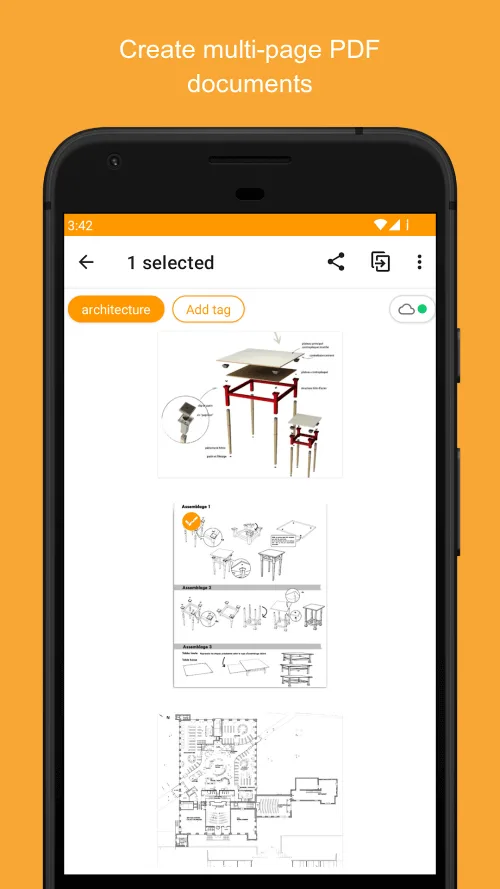
Multi-page PDF: The application also supports modern PDF creation, allowing you to import images or multiple individual pages into a single complete file to consolidate information and store it specifically. Workflow Flexibility: This application offers a range of intuitive customization features to ensure flexibility and compatibility with professional workflows.
User's Comments
I use this app. I did my refinance papers via this app. I used Genius Fax app for faxes. I am able to scan my music charts and send them to my students. Very handy. I would like to see the ability to have folders. Tags are ok, however, folders are easier to use. edit: 11/25 I am still using this app, much improved over time. I would recommend it to anyone who needs a portable scanner.
This scanner works great for documents, pictures. Easy to use. Simple. I'm not very tech-savvy. Easy to label and file and share. I used the free version until I saw how much I could use it so I got the Plus. I've been using it for years. Yes. I highly recommend it. Make sure you store correctly what is important for you to preserve so you don't lose it if you lose your phone.
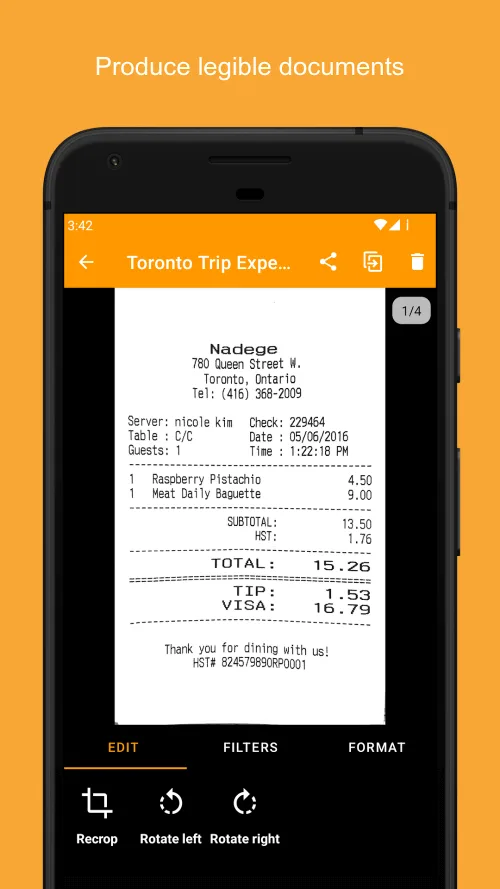
I originally got this app for taking receipt images for expense reimbursements at work, which it was great for. But I've found it comes in handy for way more than I expected. It's very easy to use, and gives you a lot of options for storing, sharing, and exporting files. I use it for all of my scanning needs and also for helping keep track of important things I might need to access a copy of (like my driver's license or insurance card).
Excellent Highlights
You can scan any document anytime, anywhere, from invoices and receipts to handwritten notes, and carry your documents with you.
The biggest highlight of Genius Scan is its powerful scanning quality. This app is equipped with image enhancement technology that automatically detects document edges, corrects perspective, and improves document clarity and contrast. Therefore, the scanned documents are clear and easy to read, comparable to traditional desktop scanners. In addition, the tool can remove unwanted backgrounds and shadows, making it ideal for scanning documents containing text.
Genius Scan is not limited to scanning; it also offers a range of document management features. You can organize files into folders for easy access and rename files for easier identification. Genius Scan also provides a search function to help you quickly find specific documents. In addition, with just a few taps, you can share files via email, save them to the cloud, or export them to other applications.
In short, Genius Scan is a complete solution for digitizing and managing documents.
Final Thoughts
The Genius Scan scanning app will replace your desktop scanner, and you'll never want to go back to using a desktop scanner again. The Genius Scan app includes all the features you need to create excellent scans. It can scan not only images but also complete PDF documents.








