

Graphics Driver is a mobile tool designed for game enthusiasts, aiming to help users have a more comfortable gaming experience. Graphics Driver uses a brand-new image driver to improve game graphics quality and frame rate, and can also customize image settings according to user preferences to better suit their devices, thereby optimizing the gaming experience. Graphics Driver will be continuously updated, releasing more popular image optimization tools, so users can stay tuned!
Click to load YouTube / 点击加载视频
YouTube ↗Features:
Graphics Driver Mod offers several standout features that make it an essential tool for optimizing your Android device’s graphics performance:
Improved Game Performance: By switching to a game-optimized driver, apps and games that require more graphical power can run smoother, with reduced lag and better overall performance.
Battery Efficiency: The app helps in managing the power consumption of the GPU, ensuring that the device doesn’t overwork during non-intensive tasks, potentially extending battery life.
Compatibility with Android 10 and Higher: The app works efficiently on devices running Android 10 or higher, making it compatible with a wide range of modern Android smartphones.
User Customization: For users who want a more personalized experience, the app allows customization based on the specific needs of their device and usage preferences.
These features collectively ensure that users can significantly improve the graphical performance of their Android devices while maintaining battery efficiency.
Highlights:
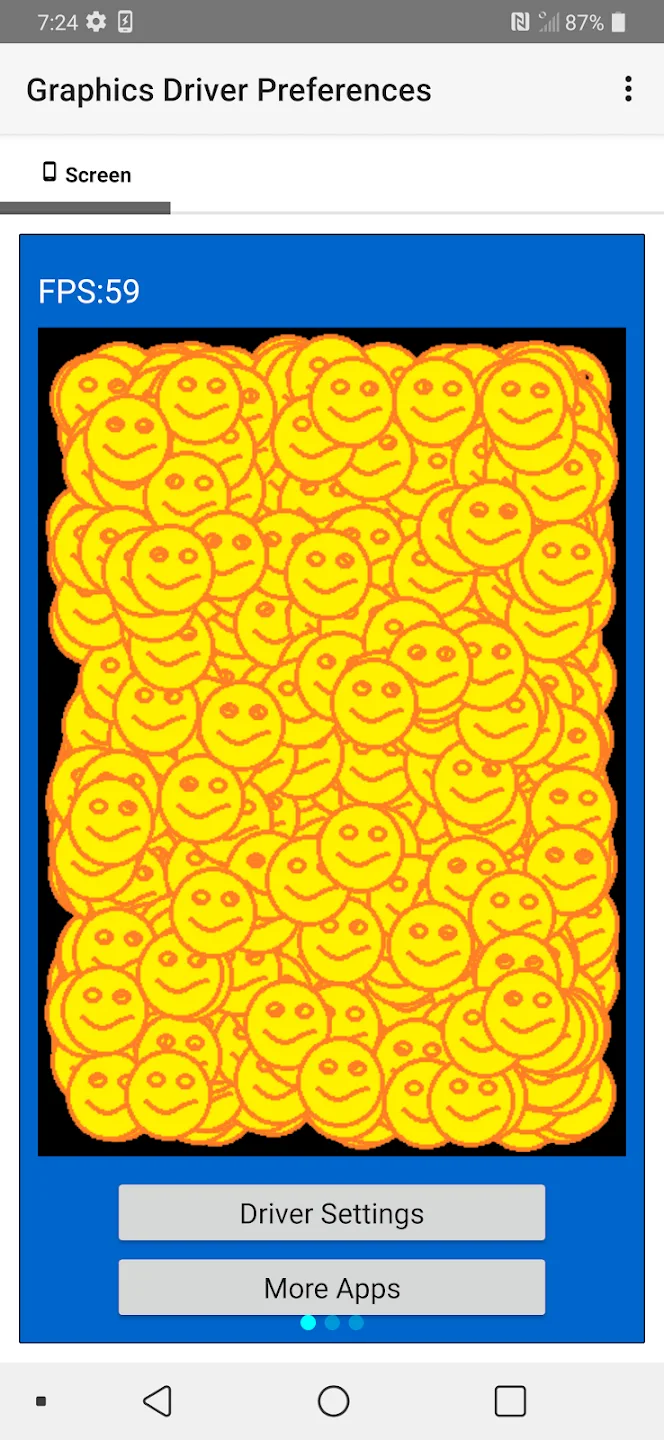
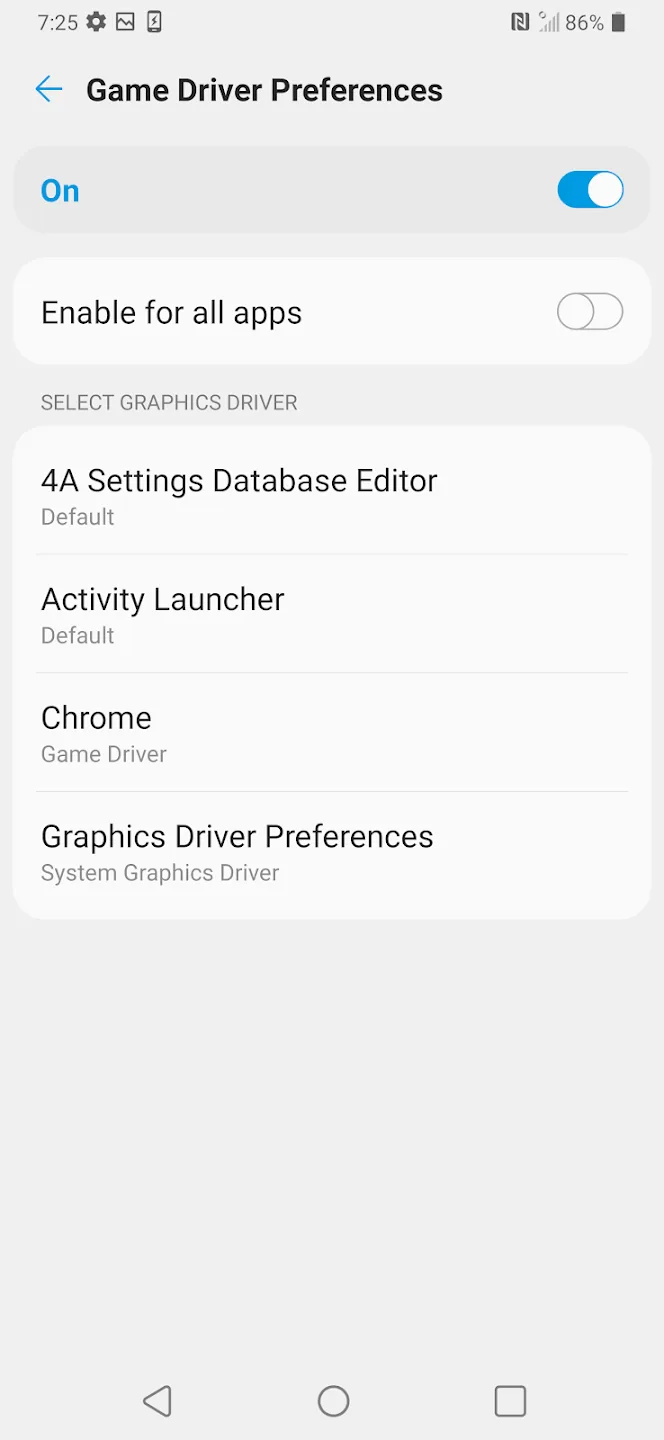
App-Based Driver Control: Graphics Driver Mod allows users to force alternate driver behavior for the games of their choosing. Rather than mess up system settings, it does the same thing on a per-app basis: helping beef up performance in areas that need help while trying to maintain greater stability across the phone.
Performance-Focused Rendering: Graphics Driver Mode APK allows compatible games to use a performance-oriented driver profile. Enhancing frame consistency can also help reduce stutter during especially heavy scenes, such as action or effects-laden sequences in games that support the feature.
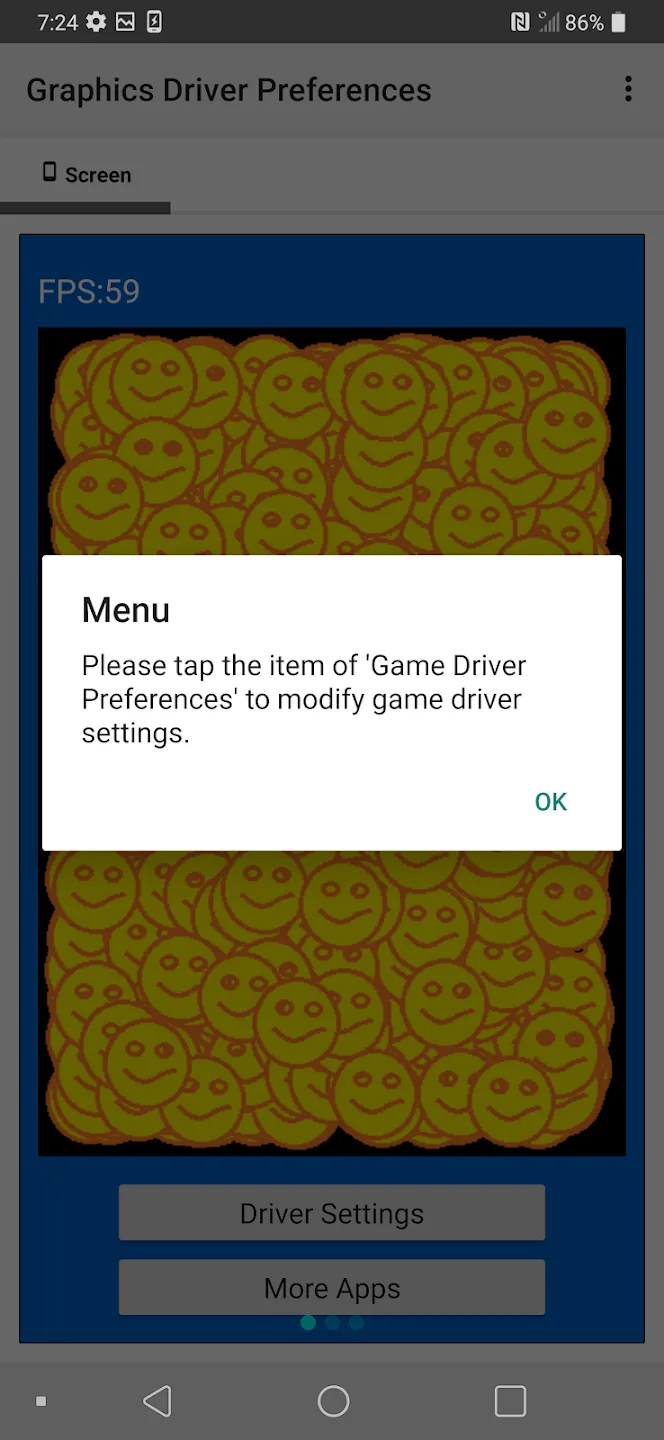
Easy Access: Advanced driver settings are made more accessible in the Graphics Driver App, which directs you to the correct system menus. Avoids the confusion of Users having to deal with Developer Options and quickly switching driver modes safely.
Balanced Stability and Control: Graphics Driver offers flexibility by allowing easy switching between performance and system drivers. If a game causes heat or battery drain, users can revert instantly, maintaining device safety while testing performance improvements.
User Tips:
Test both drivers in your favorite game to see which feels better.
Switch to System Driver when not gaming to save battery.
Restart games after changing settings for changes to apply.
Check Apkbros.com for updates if a new Android version drops.
Use on a secondary profile first if you’re worried about stability.
FAQs:
What is Graphics Driver Mod APK used for?
Graphics Driver Mod APK is used to control which graphics driver an app or game uses on Android. It helps users switch between a system focused driver and a performance focused game driver to better match their needs.
Does Graphics Driver Mod APK really improve gaming performance?
It can improve performance on some devices and games. The results depend on the GPU, Android version, and how well the game supports the game driver. Some users notice smoother gameplay and better frame stability, while others may see little change.
Is Graphics Driver Mod APK safe to use?
Yes, it is considered safe because it is based on an official Android feature. It does not require rooting or deep system modifications. However, users should test changes carefully since performance and battery impact can vary.
Can Graphics Driver Mod APK damage my phone?
No, it does not damage hardware. At most, using the game driver may increase battery usage or heat during long gaming sessions. Switching back to the system graphics driver restores default behavior.
Final words:
Android devices continue to evolve in power and capability, but many users still find themselves limited by built-in graphical settings. Graphics Driver Mode APK enters this space as a utility designed to optimize, enhance, and fine-tune GPU performance at a deeper level than typical system tools allow. Built for users who want smoother gameplay, better rendering quality, and greater control over device graphics, this app has become increasingly popular among mobile gamers, streamers, and users with older devices who want improved performance without hardware upgrades.








