
E2PDF is a useful mobile phone backup tool that allows users to save their phone's contact list and SMS messages as PDF files and import or export them to different devices, making it convenient to back up important information and files. E2PDF is also very easy to use; simply take a screenshot of the important information and upload it to E2PDF. A single backup permanently protects your contact information. Don't miss out on E2PDF if you need it!
Click to load YouTube / 点击加载视频
YouTube ↗Features:
Legal documentation ready: The application will help create legal SMS records with full chat history, perfect for business disputes or legal proceedings.
Cloud storage integration: The system performs one-click direct backup to Google Drive, Dropbox, or email for safe storage anywhere.
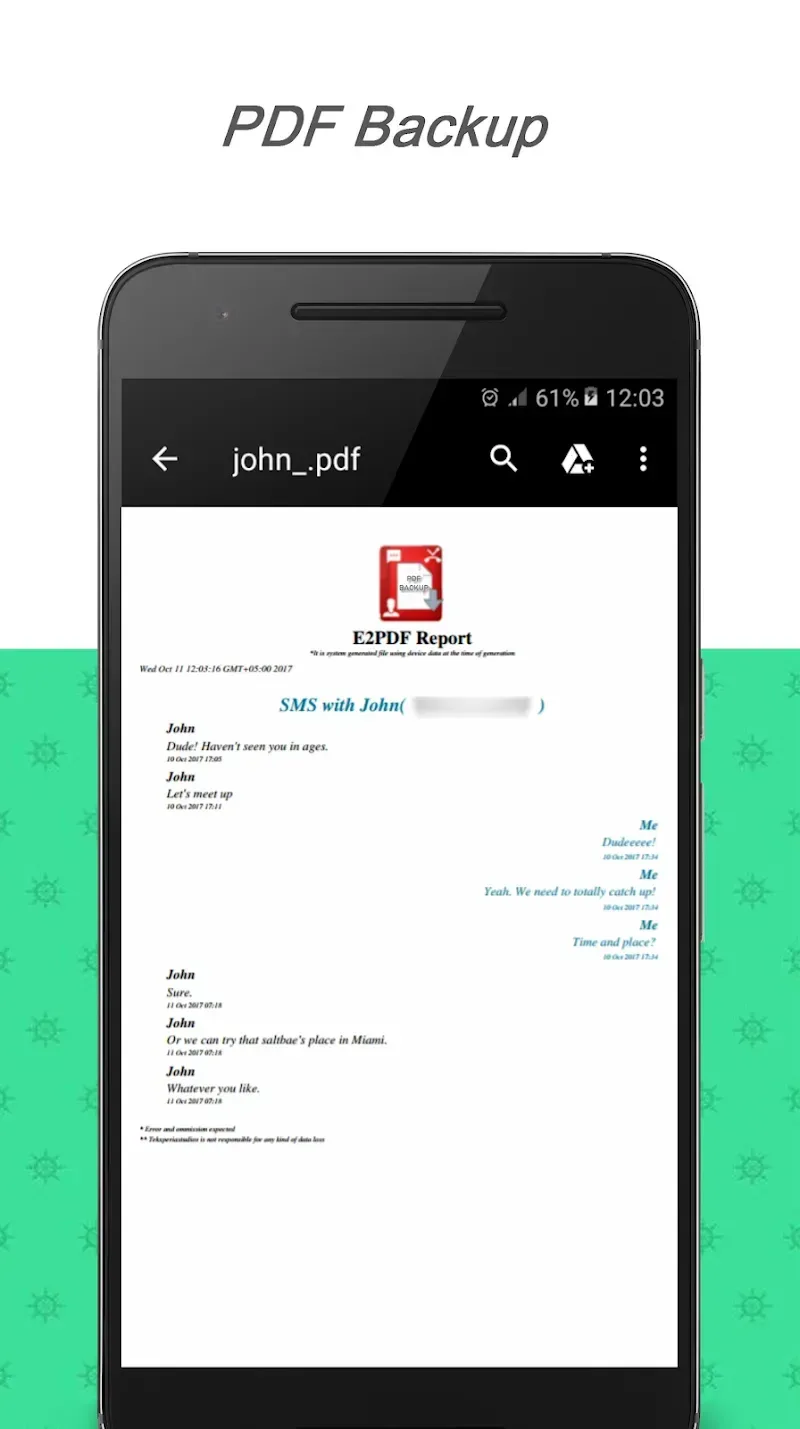
Complete contact history: The system can extract all SMS messages and call history from any contact into a well-organized PDF report.
Free advanced features: The app accesses advanced contact backup features without any additional cost or subscription through Truecaller integration.
Customizable export options: Users can choose SMS only, call only, or both for customized backup files.
Preserve conversations permanently: Users will never lose precious conversations – permanently store meaningful messages from loved ones, business partners, or family in PDF format for future reference.
Highlights:
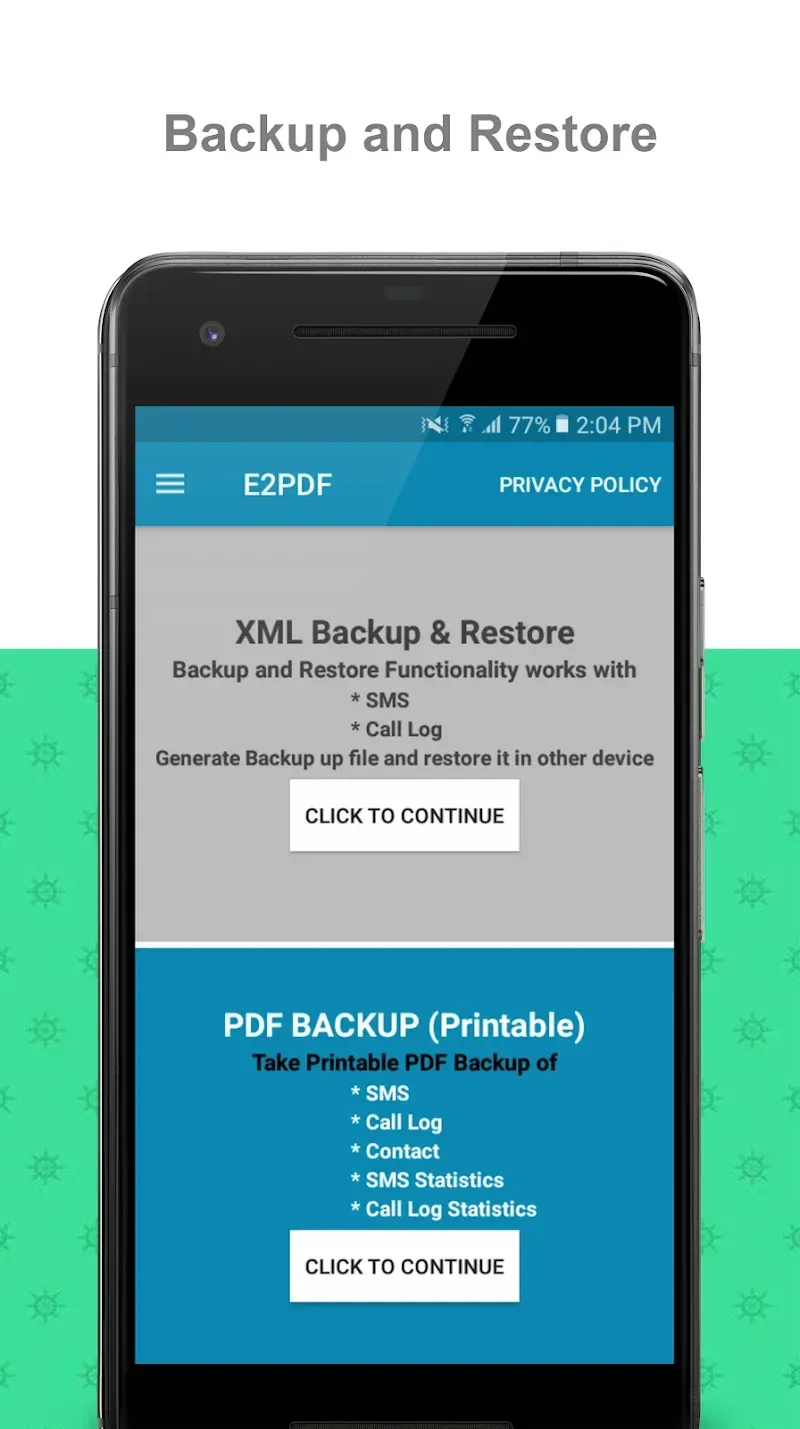
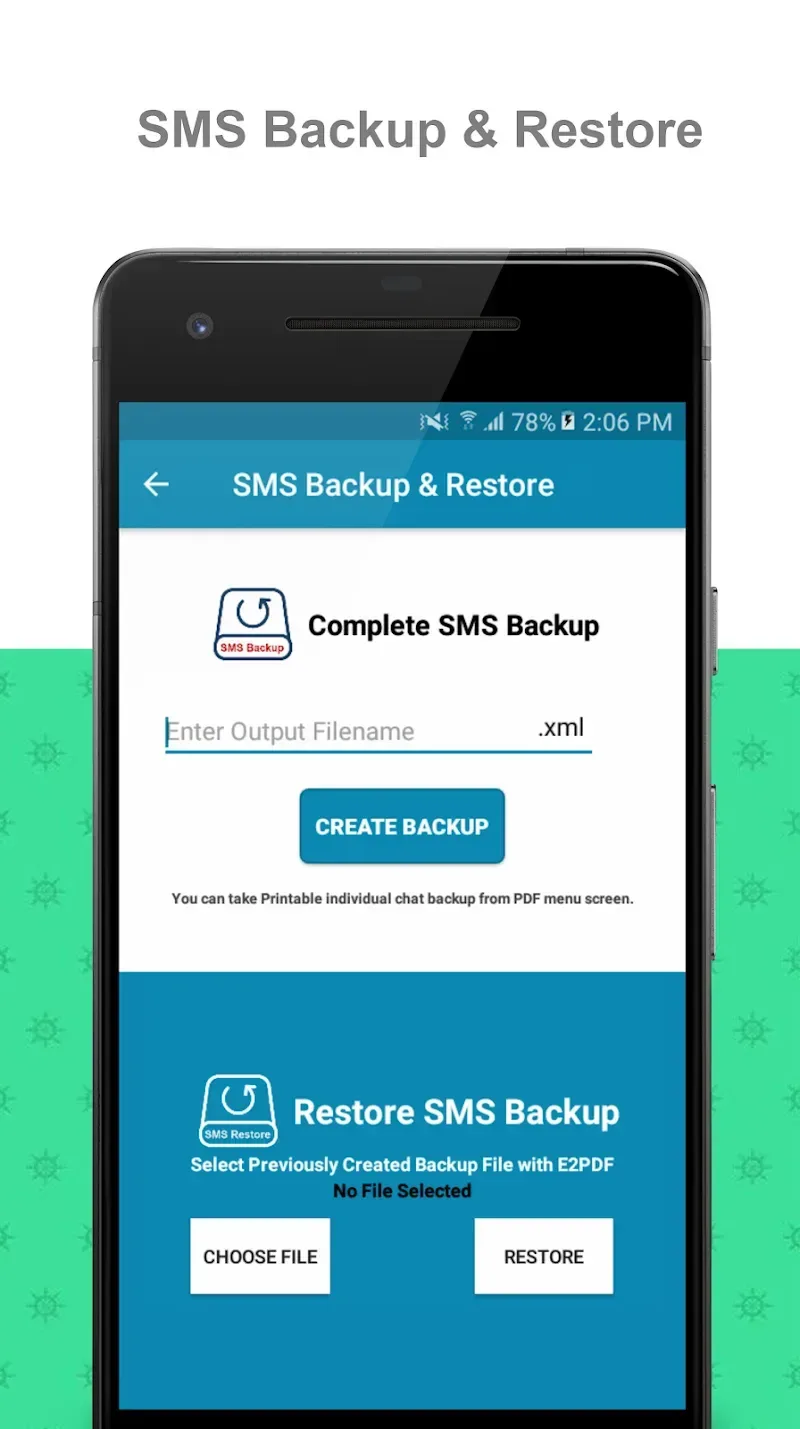
Easy SMS Backup and Restore Feature: You can use the E2PDF download iPhone/ Android to back up all your SMSs on your Android device. As such, you will never have to worry about losing them again.Moreover, restoring data is just as easy as backing it up. Just tap on the restore button, and handpicked data is hand-delivered into your hands.Select your conversation, confirm that it is your convo of interest, and enter the output name. Once you complete this, you are all set to restore your data.With this option, you can back up your SMSs to access them on any device. This is also ideal for business conversations.You can also present PDF conversations as evidence in any court. However, some courts will require a stamp from your mobile service provider.
Easy Call Log and Caller ID Restore Feature: You can back up call logs and contacts easily, and restore them whenever required. You can use the data to prove your innocence or file a case against someone who has falsely implicated you in any way.You can also sync the app with your phone book so that you do not have to add or update contacts manually. E2PDF comes in handy when you want to back up contacts into a new device because it has all the saved data and details about them already.
Back-Up Specific Contact Log: This application allows you to back up specific calls. You can select any contact in your call log and use it to save their number. Moreover, you can save any number without worrying about the contact associated with it.In most cases, this feature is linked to Truecaller App. As such, you must have it installed before using this app. It is free of charge to install one.You can also back up your call stats such as time, date, and duration.
Create an Automatic Backup Schedule: The E2PDF APK download for Android allows you to set a regular backup schedule so that your data is saved regularly rather than just when you remember to do so. Moreover, your data will be protected against power outages or Internet connection issues.You can also create multiple schedules with the app, but it is only available if you use Google Cloud to store your data. It is an inexpensive way of backing up important information at regular intervals.
Useful Tips:
Set Up Regular Backups: Schedule regular backups to automatically backup your data. This ensures you never lose important data if your phone encounters an issue.
Share Backup Files: When you create a backup, share it with one or more of your loved ones. This ensures that someone else can also access your data if needed.
Manage Data Efficiently: Review old backups and remove unnecessary ones to free up storage space on your device.
Name Backup Files Clearly: When creating a backup, name the backup file clearly and descriptively to easily identify its contents later on.
Check Before Restoring: Before restoring data from a backup, double-check that you've selected the correct backup file to avoid losing important data.
Secure Backup Files: If you share backup files with others, ensure they are secured with a password to protect your personal data.
FAQs:
Q: How do I back up my SMS messages using E2PDF?
A: Open the app, select the SMS backup option, and choose whether to save the backup as XML or PDF.
Q: Can I restore my call logs on a new phone?
A: Using the app's restore feature, you can restore your call logs on any Android device.
Q: Is my data safe when using cloud backup?
A: Yes, E2PDF allows you to securely store your backups on Google Drive, DropBox, or any cloud service of your choice.
Q: Can I print my SMS messages directly from the app?
A: The app has a PDF print option to print your messages and logs directly.
Q: Does the app support backup of truecaller data?
A: You can back up and restore accurate caller data using E2PDF.
Final words:
E2PDF - SMS BackupContact TrueCallerWish Backup is an efficient utility tool to have for smartphones especially if you have tons of important text or call conversations on your phone—work, business, or personal—that you can hardly take on being removed accidentally or intentionally. This lightweight app has a powerful backup and restores capability that will be able to easily save, share, or recover any of the fundamental conversations you have.








