
Floating Apps is a utility tool designed for mobile devices, providing users with a variety of tools to facilitate multitasking, theme customization, and vocabulary translation, thereby improving efficiency in work and daily life. Floating Apps also allows users to import and export files and images in various formats, record their ideas and notes, and share them with friends or on other platforms. Floating Apps is continuously updated, constantly introducing new features to keep users engaged and excited about the app.
Click to load YouTube / 点击加载视频
YouTube ↗Features:
The application offers a collection of over 41 floating mini apps, catering to a wide range of tasks and needs. These floating apps include a browser, note-taking tool, document viewer, calendar, social media access (such as Facebook and Twitter), calculator, contacts manager, file manager, music and video players, image viewer, audio recorder, translator, paint tool, Google Maps access, Wi-Fi manager, and games, among others. This extensive selection allows users to choose the specific tools they need for their day-to-day tasks.
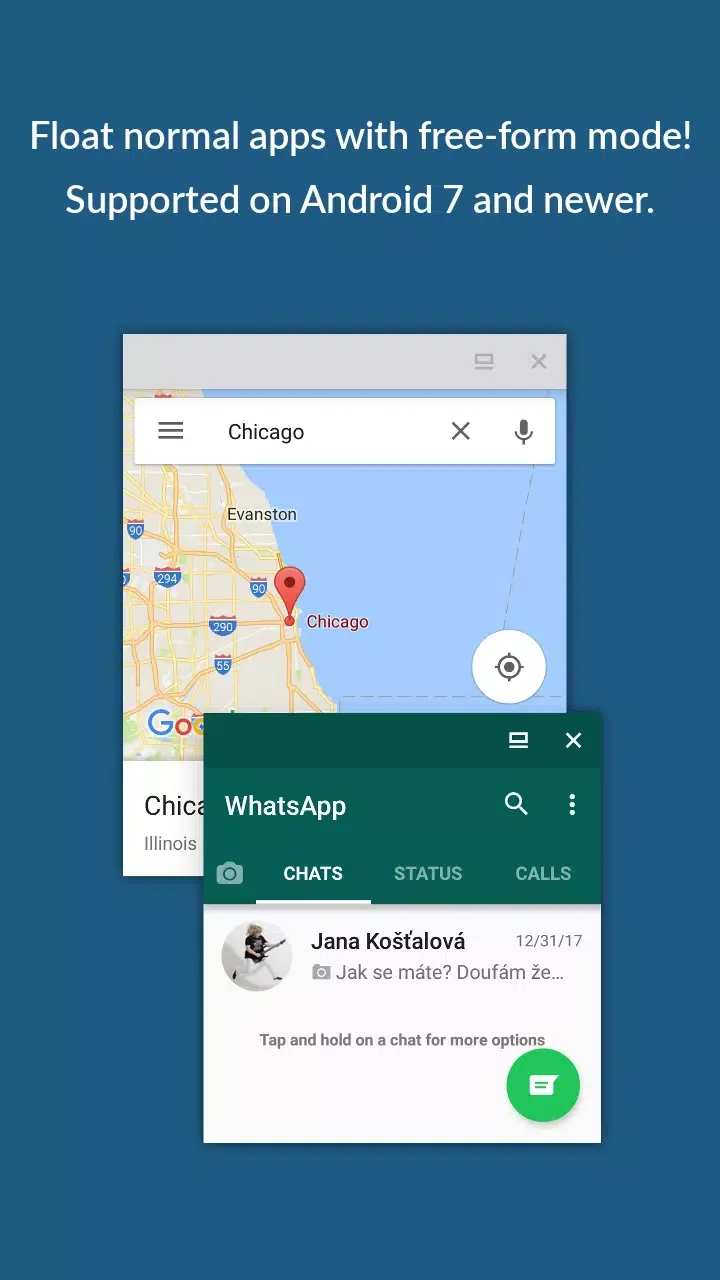
Floating Apps stands out with its interface that supports real multitasking. Users can open and use floating windows for different apps, such as viewing email attachments while composing a new email, translating text without leaving the current app, or taking notes while watching videos. The flexibility of positioning and resizing these floating windows makes it easy for users to arrange their workspace to suit their preferences.
The app's floating menu and quick launch features provide convenient access to the floating apps. Users can access the floating apps with a single tap via a movable and resizable quick launch icon that remains on top of other applications. This functionality ensures that the tools are readily available when needed, thereby improving accessibility and efficiency.
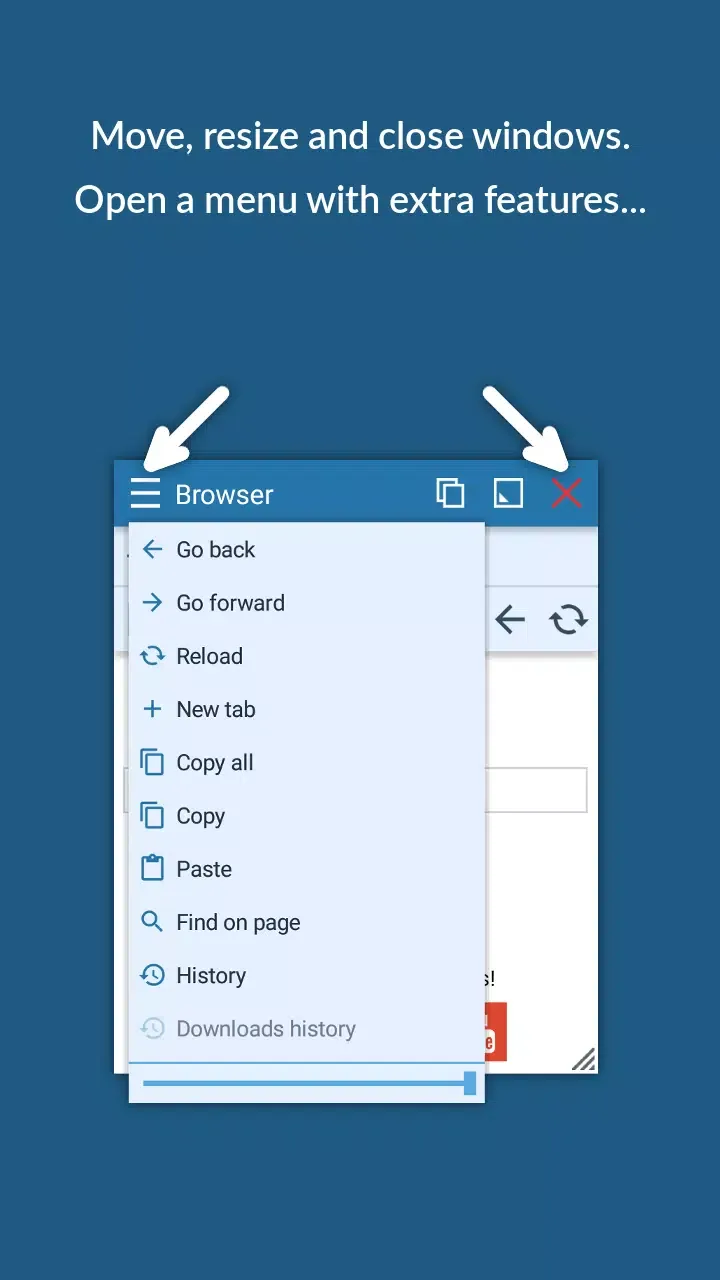
Another practical feature is the ability to maximize floating apps to use the entire screen or minimize them when they are not needed. This allows users to focus on a single task when necessary while still keeping other tools available for quick access. The freedom to move windows by dragging their titles and resizing them by adjusting their bottom bars further enhances user control over their multitasking experience.
Users can create their own floating apps by turning home screen widgets and URLs into floating windows. This customization option allows individuals to tailor the app’s functionality to better fit their specific needs, making Floating Apps adaptable to various workflows. The ability to access both normal and recent apps alongside floating apps from the advanced floating menu adds to the overall versatility of the application.
Highlights:
Stop switching from one app to another and experience real multitasking with floating mini apps that make your life easier!
Do not find the right floating app for you? Turn homescreen widgets and URLs into your very own floating apps.
Access floating apps anywhere and anytime without leaving what you are just doing with Floating Menu and Quick Launch.
Extremely powerful floating menu allows you to access not only floating apps, but also normal and recent apps and shortcuts!
Access floating apps with one tap via movable & resizable quick launch icon that stays always on top of other apps.
Move windows by simply dragging their title, resize them by dragging their bottom bar. Arrange windows your way!
Maximize the floating app to utilize the whole screen. Minimize it if you don't need it now and restore it later.
Open links, videos or images using floating apps the same way as you do with normal apps. Use shortcuts, notifications and more.
FAQs:
Can I use Floating Apps on any Android device?
Floating Apps is compatible with most Android devices; however, it may require Android 5.0 or higher for optimal performance.
How do I create a floating window with Floating Apps?
To create a floating window, simply tap on the app icon from the Floating Apps menu, and it will pop up as a floating window that you can move around.
Can I resize the floating windows?
Yes, you can resize the floating windows by dragging the edges or corners of the window to your desired size.
Does Floating Apps consume a lot of battery?
Floating Apps is designed to be efficient, but running multiple apps at once may consume more battery than usual depending on app activity.
Can I customize the appearance of floating windows?
Yes, users can customize the appearance of floating windows by adjusting transparency, size, and position options in the app settings.
Conclusion:
Download Floating Apps and turn your Android into a multitasking machine, capable of managing a number of apps simultaneously. An app that can greatly improve your productivity. Or, if productivity isn't a priority, at least it will make using several apps at the same time on your Android much easier and more comfortable.








