

Nothing Launcher is a launcher app designed specifically for Android users. Users can customize the app bar, desktop layout, and widgets, freely adding, moving, and deleting various icons and widgets to create a unique and cool desktop experience. Nothing Launcher allows users to quickly find apps like the Google Play Store, Photos, Phone, and Camera, saving them time and effort. Don't miss out on Nothing Launcher if you need it!
Click to load YouTube / 点击加载视频
YouTube ↗Features:
Nothing Launcher APK is packed with unique features. Here are some of its outstanding characteristics:
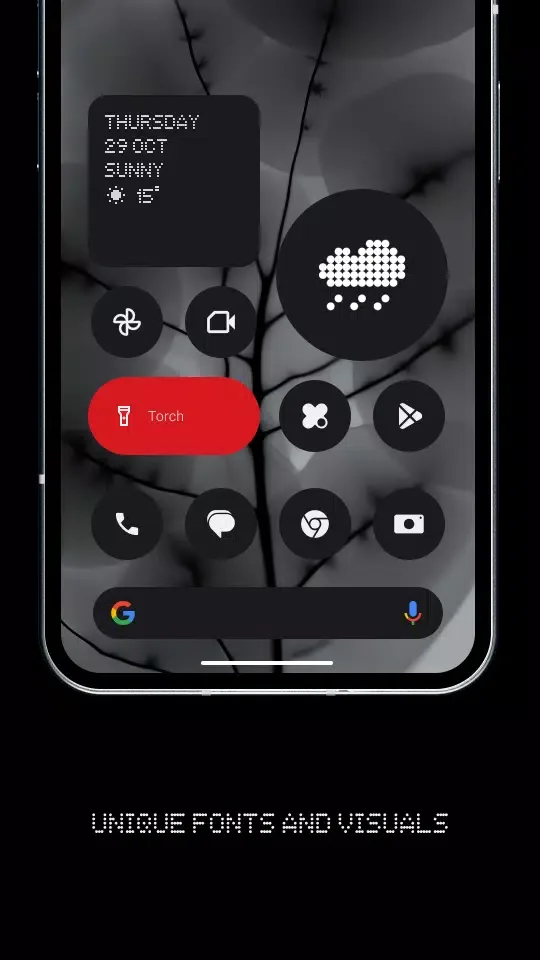
Iconic Design Language: This application is designed with an imaginative, dynamic design language that not only good but also intuitive to use. You will have numerous options at your disposal, making it perfect for everyone.
Highly Customizable Widgets: You can easily personalize how your widgets look and function within the app. This includes altering their size, shape, color schema, and position on your screen.
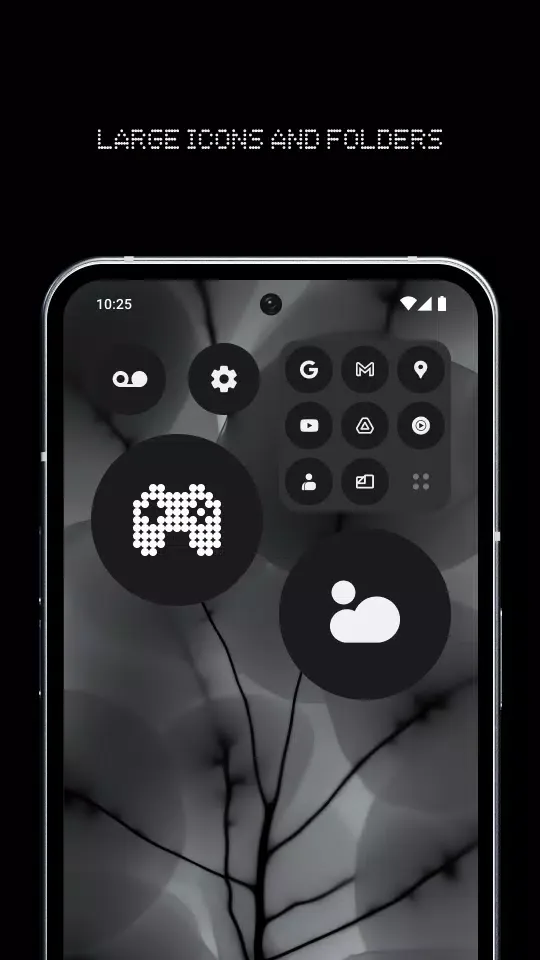
Max Folders & Max Icons: You can also increase the number of folders and icons on your screen by simply following a few easy steps. This will give you access to more features and apps within seconds! It is also a plus feature for people with sight impairments.
Bespoke Weather & Clock Widgets: With this app, you can access detailed information on the weather and time without visiting different websites or applications. This is a convenient feature that most users will love.
Free to Use: You will not be required to pay anything to download or use this app. It is 100% free for everyone!
Additionally, this app comes with a simple user interface, ensuring that using it is a breeze! You do not require prior experience or any advanced technical knowledge to personalize your device and enjoy a fresh new look.
Installation Tutorial:
If you’ve used launchers on your Android smartphone before, this will be relatively easy for you. Even if you haven’t used any launchers, Nothing has made the process fairly easy to follow. So, let’s take a look at the steps:
Go to the Google Play Store. Type “Nothing Launcher” in the Search bar. The Launcher should pop up.
Install the launcher onto your Android smartphone.
After the installation is complete, you’ll have to activate the launcher.
Go to the Settings app on your phone.
Navigate to the Apps section in the Settings tab.
Open the Default apps setting, and tap on the Home app option.
Select the Nothing Launcher option. This will change your phone’s launcher to the Nothing OS-based launcher.
FAQs:
Is Nothing Launcher customizable?
Yes, users can customize app icons, change wallpaper, organize apps in folders, and adjust various settings to personalize their launcher experience.
Does Nothing Launcher consume a lot of battery?
No, Nothing Launcher is designed to be lightweight and power-efficient, so it should not significantly impact battery life.
Can I use widgets with Nothing Launcher?
Yes, Nothing Launcher supports widgets, allowing users to add and customize widgets on their home screen.
Is Nothing Launcher compatible with all Android devices?
Nothing Launcher is compatible with most Android devices running Android 5.0 and above. However, compatibility may vary depending on device specifications.
Does Nothing Launcher collect personal data?
Nothing Launcher respects user privacy and does not collect any personal data. It only collects non-personal usage data to improve the app performance.
Final Verdict:
The primary appeal of Nothing Launcher is its stripped-back interface. The layout focuses on providing clean lines, smooth transitions, and an easy-to-read aesthetic, creating a distraction-free environment. Users are introduced to unique custom widgets, including a weather widget and an analog clock, reinforcing the launcher’s bold, simple visual theme.








