

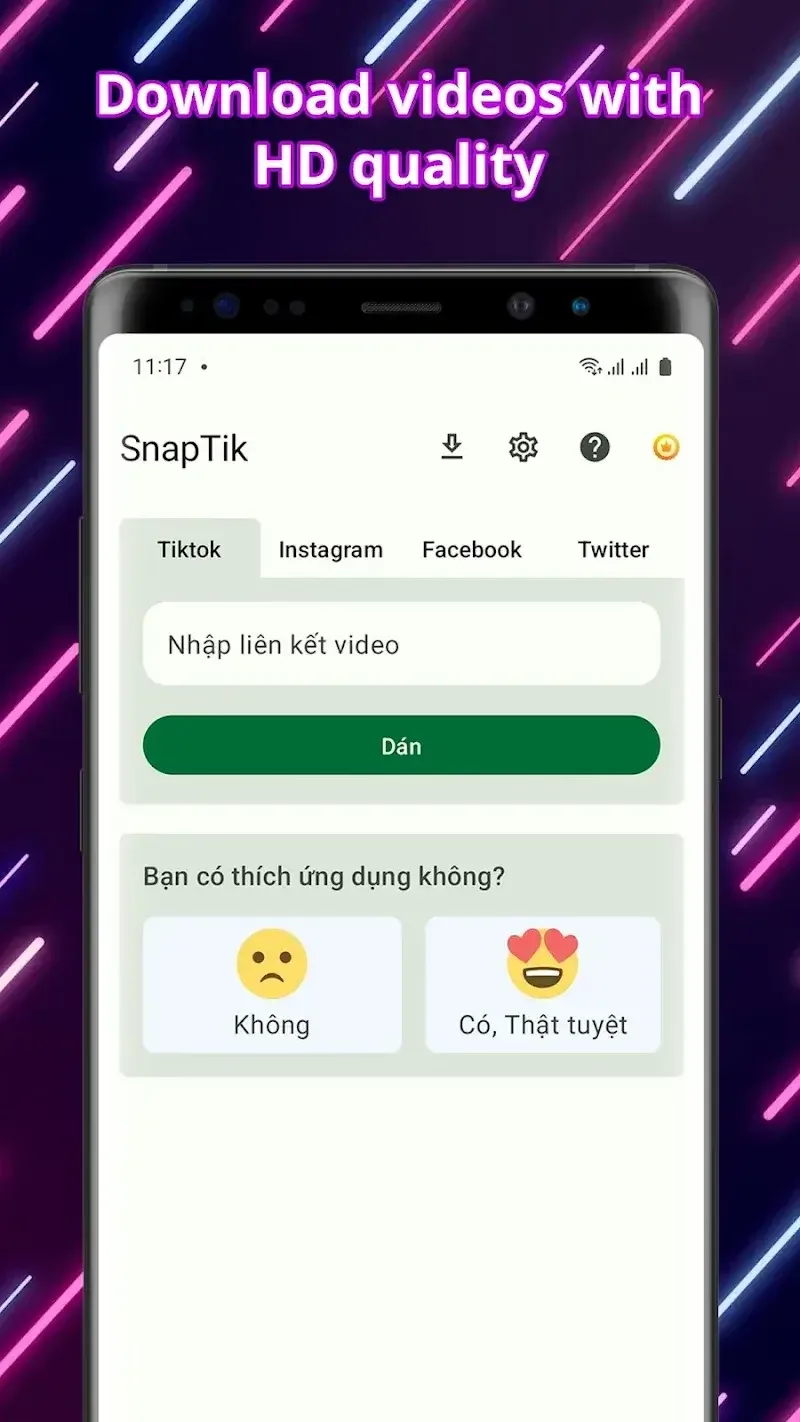
SnapTick is a free video downloader that helps users download their favorite videos from major social media platforms and short video apps. The software is incredibly easy to use; simply copy the video's URL into the app, and you can download videos in different resolutions to your device for convenient viewing anytime. What are you waiting for? Start watching videos for free anytime, anywhere with SnapTick now!
Click to load YouTube / 点击加载视频
YouTube ↗Features of SnapTick:
High-Quality Downloads Made Simple: SnapTick ensures that all videos you download are in sharp HD quality, giving you crisp visuals and smooth playback. Even large video files are handled with ease, thanks to the app’s optimized download manager. Whether you are watching offline or saving content for later, SnapTick guarantees a fast and stable download experience. Its simple interface allows anyone, from beginners to advanced users, to navigate the app without confusion.
Support for Multiple Platforms: One of SnapTick’s most valuable features is its versatility. You can download videos not only from TT but also from Facebook, Instagram, Twitter, and other popular social platforms. This makes it an all-in-one solution for anyone looking to save content from multiple networks. Multi-language support ensures that users worldwide can enjoy the app comfortably and efficiently.
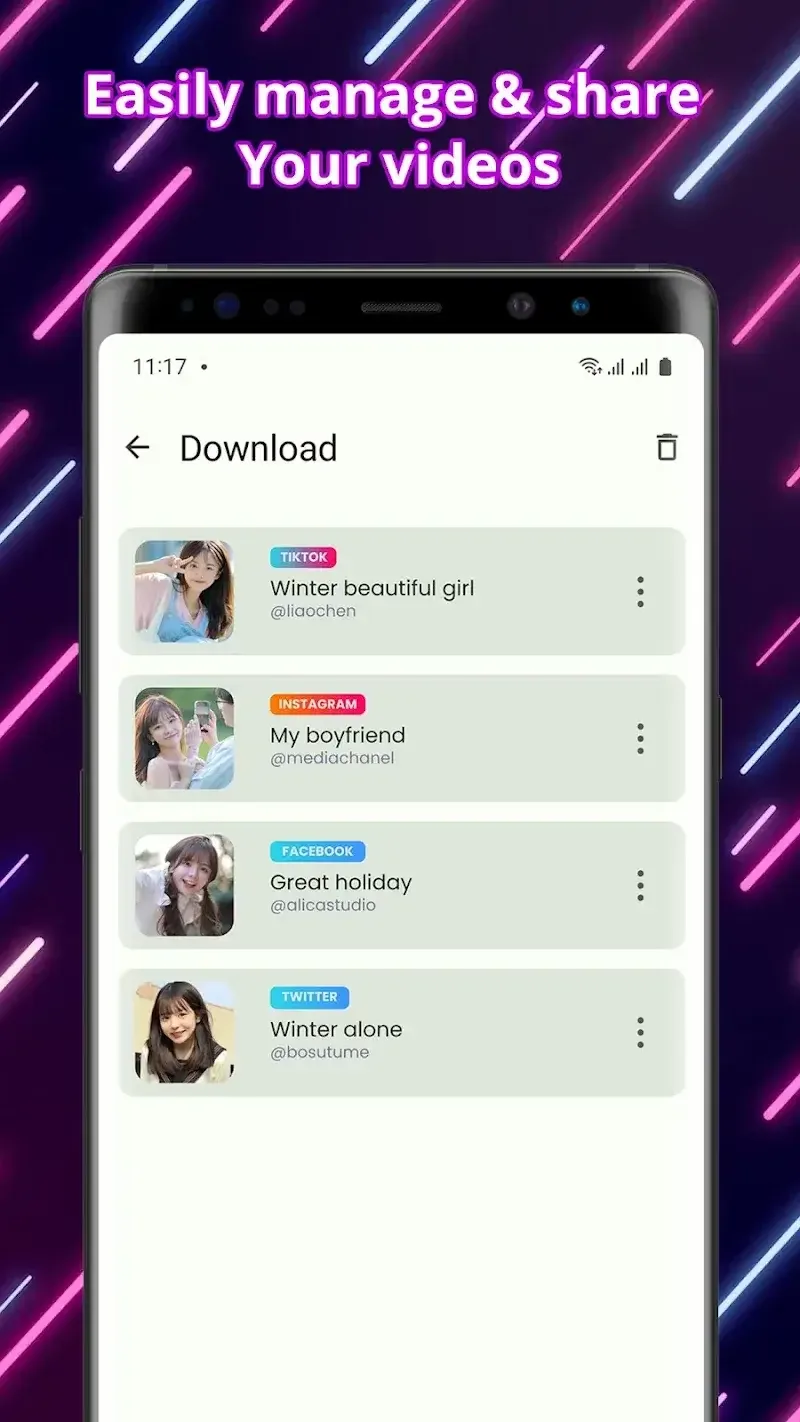
Watch Videos Offline Anytime: SnapTick gives you the freedom to watch your favorite content anytime, even without an internet connection. This feature is perfect for users who travel frequently or have limited data plans. Simply download the videos you want and enjoy uninterrupted playback on your device. Whether it’s trending clips, educational content, or entertaining videos, SnapTick makes offline viewing simple and enjoyable.
Easy Sharing and Flexible Use: Sharing videos with friends and family is quick and convenient. SnapTick allows you to share your downloaded content through multiple apps or social platforms. This flexibility makes it easy to spread entertainment or useful content without any hassle. The app’s lightweight design ensures smooth performance even when managing multiple downloads or large video files.
Highlights of SnapTick:
In a world where time is at a premium, SnapTik offers a solution faster than a cheetah chasing its lunch. With just a few simple steps, users can speed up downloads and save watermark-free TikTok videos. No need to go through a tedious login process – just share or copy the video link and it will automatically download. With SnapTik, you can watch your downloaded videos offline, anytime, anywhere, without any watermark.
SnapTik presents two beautiful methods for your downloading tasks. The first requires you to open TikTok, select “Copy Link” of your selected video, and then open SnapTik. And just like magic, your download will begin! The second method of sharing links is equally simple. Select “Share” on your favorite TikTok video, choose our app, download it, and get started! In both cases, the result is the same – a successful download will allow you to use it offline.
While SnapTik excels at downloading videos from TikTok, it’s worth noting that the app itself works. It is not affiliated with TikTok Inc., Musically, or ByteDance, Ltd. Unauthorized downloading, re-uploading, or infringement of intellectual property rights of the content is the sole responsibility of the user.
If you think SnapTik meets your video downloading needs and adds a little sunshine to your day, please support the developers with 5 stars. After all, they designed this amazing tool to make your life a little easier and more fun. We invite you to dive into the world of SnapTik and experience the power of downloading videos without any hassle. We look forward to having you join the SnapTik family!
How to Use SnapTick:
Start the TikTok app and select the video you want to download: Everyone loves watching TikTok videos, however at times we want to save them to view later or share with friends. One of the easiest ways to do this is to use Snaptik. Once you have your favorite content saved onto your device, the first step is to open the TikTok app on your phone and find the video you want to download.Once you've found the video, tap the Share button, which is typically on the right side of the screen. You will see some options, the first being Copy Link. This is a very important step before we start downloading. Don't worry, the process is quick and simple, and anyone can do it.
Open the Snaptik website or application: After you've copied the link to the TikTok video you want to save, you will be on to your next step. Depending on what you plan to do with the saved video, you can open a web browser on your phone or PC to either navigate to the official Snaptik website, or the Snaptik app if you already downloaded it.The design of the site is simple and straight forward, you shouldn't have any issues figuring out where to paste the link. This is the primary entry for the download process, and I'm pleased to say you'll be met with a simple interface with no intrusive ads. Just make a mental note to make sure you've landed on the genuine website to eliminate any possible scams. When the site comes up, you'll be ready to begin.
Paste the video URL of your choice in the box: The next step in saving a TikTok video using Snaptik is to paste the link of the video you want. This is a simple, but important step. Once you find an enjoyable video on TikTok and head over to Snaptik.com, you’ll find an input section on the front page and here is where you will copy your link.Paste that copied link to the box. Now once you have pasted the link, Snaptik will quickly process it. Then you will be able to download videos quickly and securely, to be able to download without watermarks, making Snaptik one of the easiest ways to download your favorite videos.
Push the download button: Once you have pasted your favorite TikTok video link into the input box on the Snaptik site, the next important step is to download it. Click on the download button that appears immediately, then click the download button, which usually appears at the bottom.Be sure to click the right download button. Within seconds, Snaptik will give you a choice of different download formats. Choose one, like MP4, and the video will be ready to save to your device. This process is easy, fast, and does not require any additional apps.
Choose the video format and quality: While you are usually given the choice of format and quality before the download starts, Snaptik usually has multiple options for you to choose from. Additionally, you can choose between HD resolution and regular quality, want to make sure you think about the size of the final file too, the better the quality, the bigger the file size. You can really make these choices based on all your needs, personal use, sharing with friends or re-uploading it to another platform. Picking the correct one will help you have a better download.
Save the video on your device: The next step is the most important step in making sure you have a copy of your favorite TikTok video. As soon as the download is complete, Snaptik will immediately give you the option to download the video. You can click on the Download button that’s right on the screen right away. The video will download immediately to your phone’s gallery, or your computer’s automatic downloads folder.This is usually a quick process, depending on the size of the video and your internet speed. Downloading the video to your personal device will allow you to watch it anytime you like without the internet and is without the watermark. This is the last step in ensuring that the video is held on to safely.
Conclusion:
If you actively use social media platforms, then you can download some of your favorite videos and share them with your friends and loved ones. Also, you should also share it in your story with ease. Therefore, today we came up with SnapTik , which is an all-arounder application that lets you download all kinds of videos to your device. It supports almost all different platforms for a seamless downloading experience. Save your favorite videos from social media platforms on your device and enjoy watching them anytime and anywhere you want.








