Screen Recorder Video Recorder is a highly praised screen recording utility that helps users efficiently record video content during screen activities, allowing you to freely create, edit, export, and manage original videos. Screen Recorder Video Recorder presents users with a user-friendly and high-performance media file editor. Users can try its powerful video recording functions, achieving excellent results whether recording internal audio or face data. Screen Recorder Video Recorder boasts a rich selection of editing filters and sticker effects, allowing you to easily create creative and aesthetically pleasing video content.
Fantastic Performance of Screen Recorder Video Recorder
Enhance Your Recording Quality
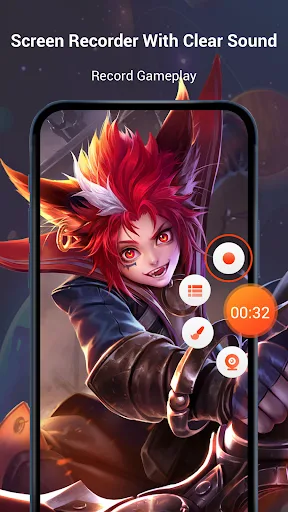
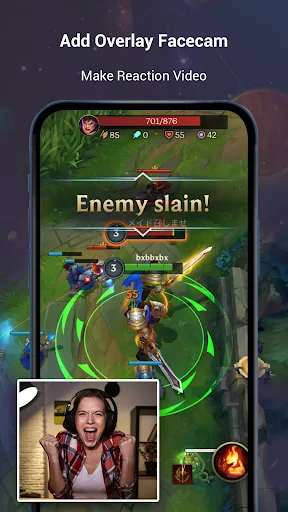
A major highlight of the screen recorder is its support for face camera recording, allowing you to record your on-screen reactions in sync with your facial expressions. This is especially useful for creating highly interactive video content, such as reaction videos or personalized tutorials. The application also supports drawing or doodling on the screen, enhancing presentations and instructional videos. Built-in editing tools, including video and photo editors, allow you to trim, crop, and add music or stickers to ensure your video content is as beautiful and engaging as possible.
User-Friendly Interface
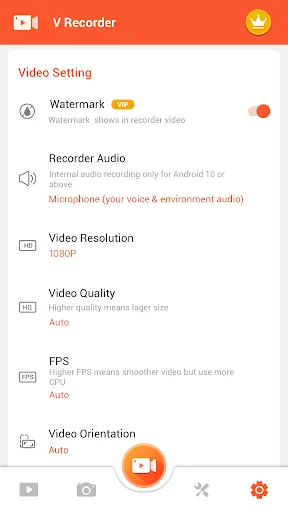
Screen Recorder boasts a clean and intuitive interface and convenient tools, such as a floating ball, allowing you to quickly start or stop recording. You can also capture screenshots or select specific areas of the screen for recording, providing great flexibility. Screen Recorder supports video quality up to 1080p and 120FPS, ensuring your content is clear and smooth. Furthermore, you can directly upload videos to platforms like YouTube and TikTok to easily share your creations.
Comprehensive Recording Solution
Screen Recorder's comprehensive features make it a one-stop solution for screen recording tasks on Android devices. Whether you want to create efficient tutorials, record memorable gaming moments, or produce professional video content, this app offers powerful features and a user-friendly experience. It focuses on high-quality output, intuitive editing functions, and smooth sharing options, designed to easily meet various recording needs.
Wonderful Features of Screen Recorder Video Recorder
Trendy Filters: We offer popular filters to make your videos unique.
Cute Stickers: Includes fun stickers and a GIF maker.
Themes: We offer stylish themes suitable for various occasions.
Fully Licensed Music: You can download music from the internet or add local songs from your device. You can also add voiceovers, record your own voice, and use various sound effects to enhance the appeal of your videos.
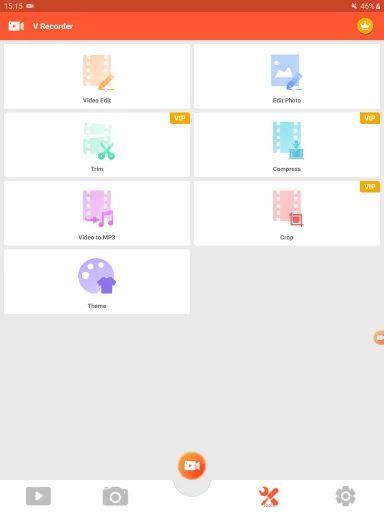
Powerful Video Editor: Reverse/rotate/crop recorded videos, compress them without loss of quality, and easily speed up or slow down recording clips.
Speed Control: Easily adjust video playback speed.
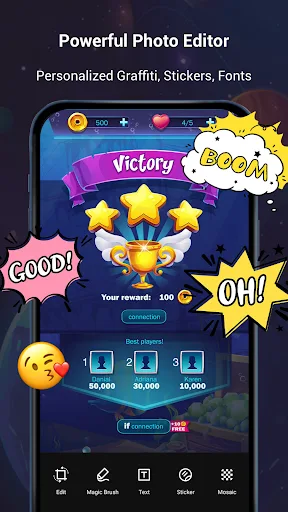
Text Editing: Freely add custom fonts to screenshots.
Rotate and Crop: Rotate screenshots to the perfect angle. Crop photos to fit social media proportions.
Magic Brush: Draw and doodle with a touch of the screen to create original videos as you wish. You can even blur images and add mosaics to cover areas you don't want to show.
Amazing Characteristics of Screen Recorder Video Recorder
For users who like to take screenshots, the screen recorder/video recorder has a built-in screenshot function that captures screen content instantly. This feature is especially useful when live streaming or when you want to save specific segments of a video. The screenshot button features a floating design for easy access without interrupting user operations.
The app integrates video editing functions, allowing users to directly cut and crop videos after recording. This feature enables users to quickly optimize content, ensuring only the desired segments are retained. The screenshot cropping tool is also designed for ease of use, allowing users to easily extract the desired image portion.
The built-in video player makes it easy to view recorded video clips, facilitating review of previously recorded videos. Users can also directly share videos and screenshots to social media platforms such as Facebook, YouTube, and Messenger, easily sharing content with friends and followers.
User's Comments of Screen Recorder Video Recorder
i love this app so much! its great if you phone doesnt have a recording button built in. its so easy to use and saves right to your camra roll! one issue i do have though is when im recording it doesnt just pick up the audio from the video but also the audio from around me i cant record and have a tv on in the backgroud or it will pick it up i cant make any noise if i want my audio to be clean. i use it for edits so its great just if this could be fixed i would love that, thanks!
This app's so good. My phone doesn't have an inbuilt option for recording screen so I installed this app, and to my surprise this can be used to edit and draw while the screen is still recording. I just love this app!
amazing and so easy to use. can't find any screen recorder better than this. at first u have to watch adds but after u use it like 2 or 3 times there is a shortcut.
Final Words
Screen recorders/video recorders essentially encompass a wide range of functions for screen recording and video editing. Known for its ease of use and comprehensive feature set, it's an invaluable tool for anyone looking to capture and share screen activity. Users looking to enhance their recording experience can easily download a screen recorder/video recorder and start using its powerful features immediately.