
CPU Throttling Test is a testing tool specifically designed for mobile devices. It aims to provide corresponding icons and improvement suggestions through comprehensive analysis of device performance, making devices smoother and smarter. The software monitors the device's CPU performance, temperature changes, and battery usage in real time, allowing users to manage their devices according to their preferences. The software also provides comparative data for different devices; simply enter the model number to find detailed data for the desired device, assisting users who want to upgrade.
Features of CPU Throttling Test:
Accurate Results: With this application, you will have extremely accurate data down to the dot. Bringing you extremely attractive and convenient experiences.
Real-Time Monitoring: The application will always monitor your device every second. With this feature, you can quickly control and manage your device in the easiest and most effective way.
Thermal Detection: The application will also detect the device’s abnormally high temperature. When the device becomes hot or reaches an abnormal temperature, the application will immediately notify you. Helping you to quickly handle the problem that is happening.
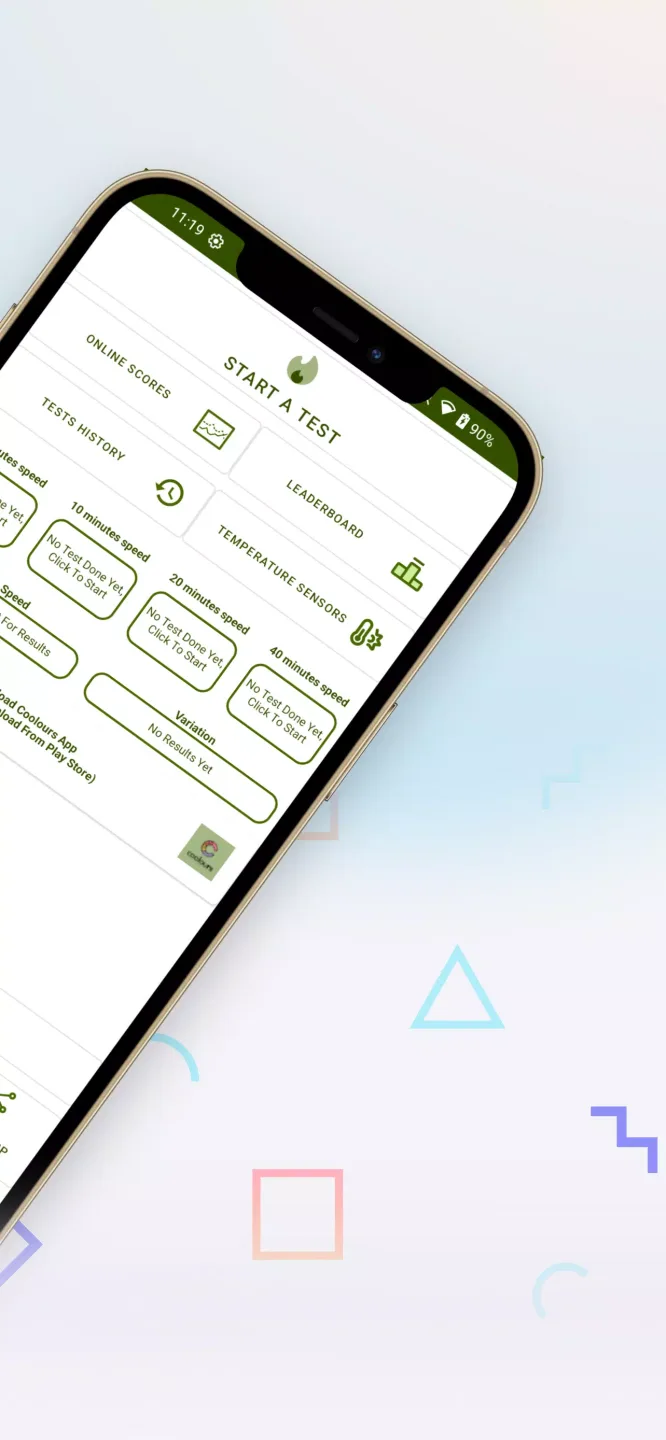
Multiple Durations: In this application, you can customize the test time for yourself. You can choose the most suitable time for you to test. Bringing you the perfect and most suitable test moments for yourself.
Pro-Level Insight: The application also provides you with extremely in-depth and advanced information. With this information, you will quickly be able to manage your device well and optimally.
Highlights of CPU Throttling Test:
Putting your CPU to the test: The main feature here is a stress test that bombards the central processing unit with up to 100 threads at once. This forces the chip to work at maximum capacity, naturally generating the heat that causes slowdowns. It simulates the kind of intense demand you might see during a long video render or a high-end gaming session.Users can set a specific duration to see if the device holds up or crumbles after ten minutes. For the best results, CPU Throttling Test suggests closing all background programs before hitting start so nothing interferes with the reading. Just keep in mind that running this test puts a heavy strain on your battery.
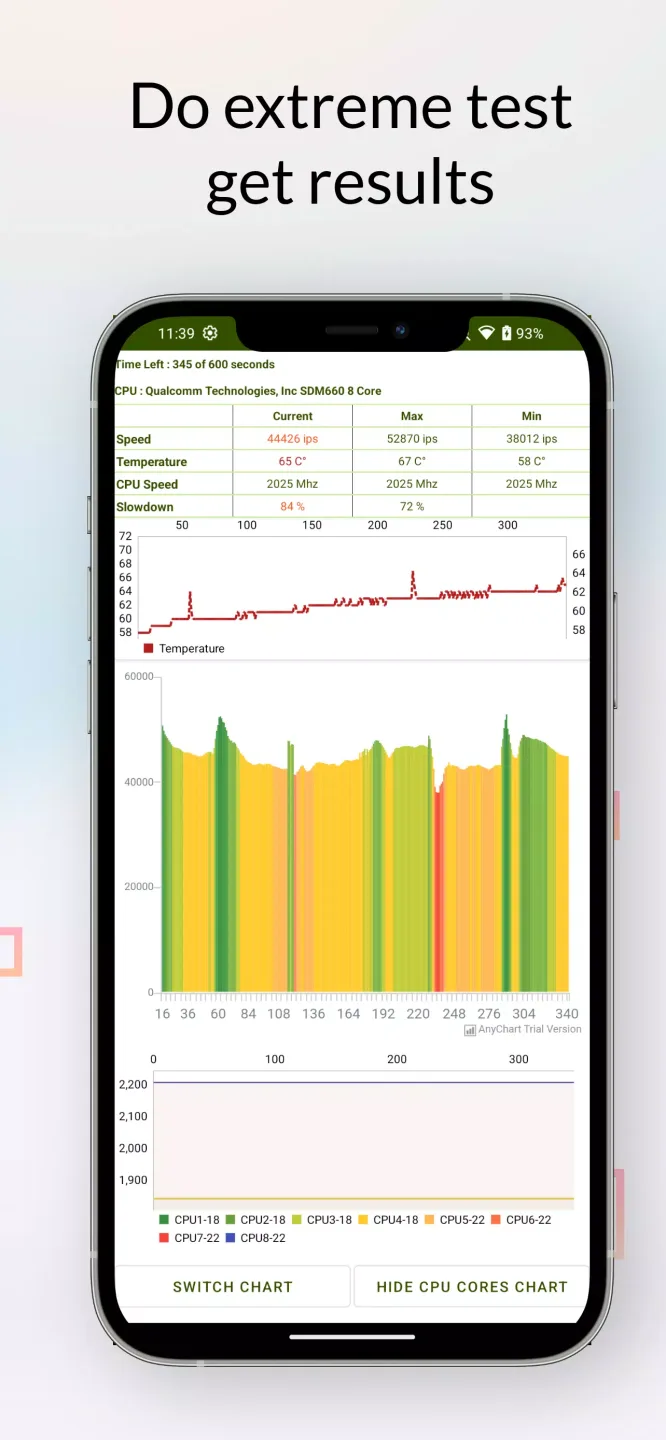
Visualizing performance in real time: Instead of boring text logs, CPU Throttling Test plots your CPU performance on a live graph measured in Giga Instructions Per Second (GIPS). You can watch the line fluctuate second by second, giving you immediate feedback on internal stability. It turns invisible hardware struggles into something you can actually watch.A flat, high line means everything is running perfectly. If that line dips and turns yellow or red, it means the processor is slowing down to save itself from overheating. While the graph is clear, seeing your expensive phone throttle within minutes can be a bit disappointing.
Understanding your results: Once the countdown completes, you will be presented with a summary with solid figures of thermal throttling. The CPU Throttling Test records peak, minimum and average performance statistics captured over the complete session. This analysis helps to measure how much speed is lost when the apparatus heats up.Comparing the maximum GIPS against the minimum gives you a clear percentage of performance loss. It allows you to definitely say whether a phone is stable or if it throttles heavily under load. Interpreting these numbers might require a little knowledge about how mobile chips work, though.
Monitoring core stats: Beyond the main graph, there is a detailed monitor for tracking individual core clock speeds and temperatures. Watching these numbers shift lets you connect the dots between a spiking temperature and a drop in processing power. It’s a great way to see what’s happening under the hood in real time.Tech enthusiasts can use this to see if specific cores are slowing down or shutting off completely to cool down. It turns a simple pass-fail check into a deeper diagnostic session. However, the screen can get cluttered with data if you don’t know what to look for.
FAQs of CPU Throttling Test:
Q: What is GIPS, and why does it matter?
A: GIPS stands for Giga Instructions Per Second. It measures how many instructions the CPU executes per second; tracking GIPS over time shows whether performance drops during heavy use.
Q: How long should I run the test?
A: For the most accurate analysis, run the recommended 20-minute test. Shorter tests (5 or 10 minutes) can provide quick insight, while a 40-minute run can reveal long-term behavior.
Q: Will the test damage my device?
A: No, the app stresses the CPU but within normal operating limits. It may make the device warm and drain battery faster, so follow the prep tips and stop the test if temperatures feel unsafe.
Q: Why should I cool the device before testing?
A: Cooling the device (let it rest for ~10 minutes) ensures the test starts from a consistent baseline. This helps the app measure how performance changes with heating rather than the starting temperature.
Summary:
Are you curious about the performance of your Android device? Do you want to test its CPU throttling capabilities? Look no further! Download the CPU Throttling Test file and put your device to the test.This app is specifically designed to assess the CPU throttling capabilities of your Android device. It allows you to determine how well your device can handle intensive tasks and how it manages its CPU performance under heavy load.








