XLSX Reader is a document reading and editing tool that allows users to import various Word, PPT, Excel, and other file formats. With the help of tutorials, users can quickly complete data analysis and calculations, create new spreadsheets, and share them with friends, saving time and effort. The software allows users to log in on different devices and seamlessly continue reading and analysis from where they left off, making it ideal for users working remotely or traveling.
Click to load YouTube / 点击加载视频
YouTube ↗Features of XLSX Reader:
Read all formats: Files will be saved in many different formats. The application allows users to work with all types of formats. This helps the user’s scope of work and interaction not be limited. They can open multiple files in just one application.
Save storage space: The aggregation of multiple file formats brings many benefits. Users will not need too many tools to open other formats. They just need to access the application to find the format they want. The documents will be fully aggregated in a common space.
Easy conversion: Users are allowed to perform file conversion operations. The application provides this service to enhance the user experience. They can create the formats they want. Converting and exporting files is also flexible. Users will not spend much time on these activities.
Maximum security: When all documents are collected in one space, security issues will be considered. The application provides a safe space to store documents. All your files are strictly protected. The security system will always maintain the safety of user information.
Convenient mobility: When working with the application, users can handle work right on their phones. Mobile devices are items that are always carried on every journey. Users can handle unexpected tasks or missed tasks anywhere. The application brings extremely useful experiences.
Functions of XLSX Reader:
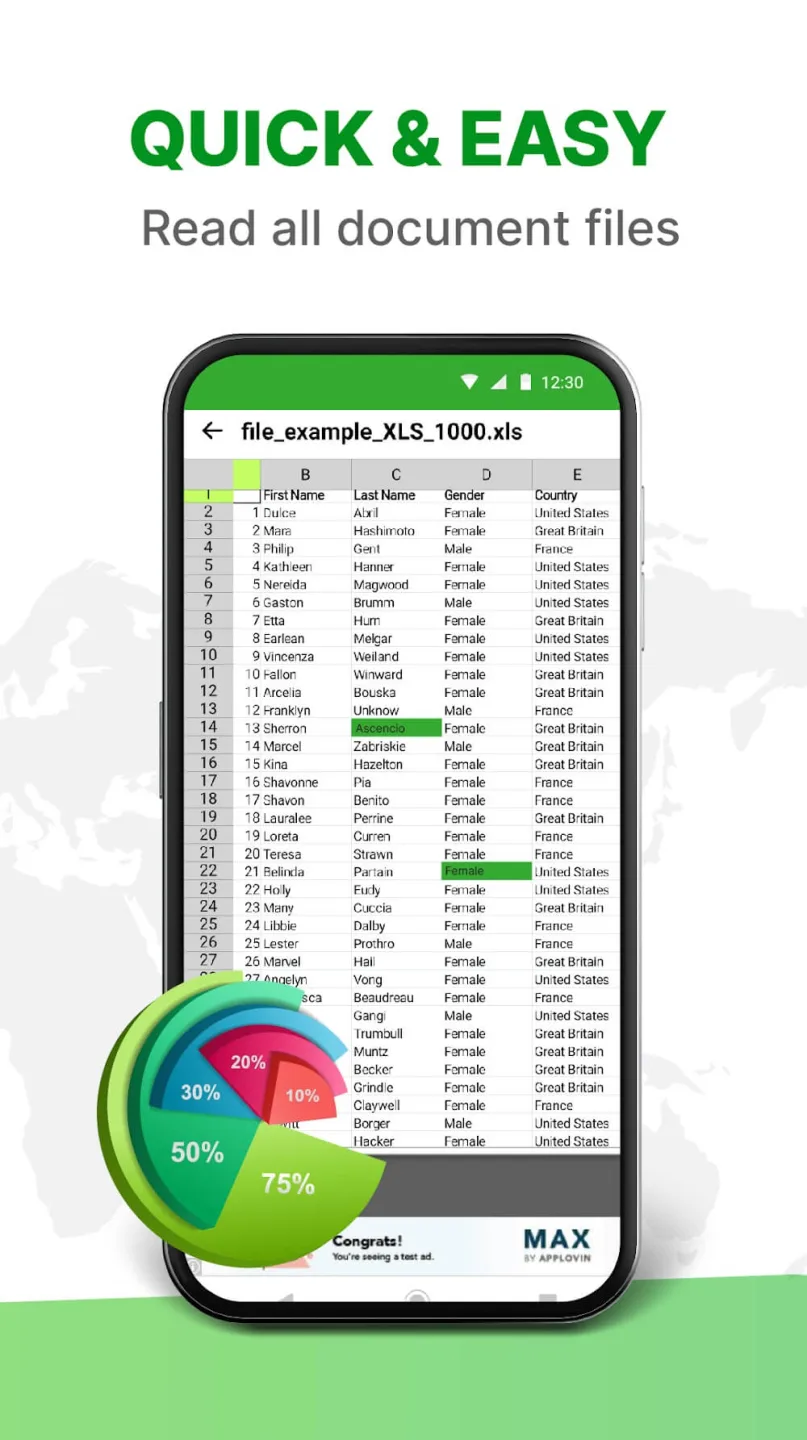
Scroll Excel spreadsheet document pages: XLSX Reader simplifies navigating through large Excel spreadsheets with numerous rows and columns.On your smartphone, you can effortlessly scroll vertically to view all the rows in a sheet, thanks to intuitive touch gestures. The sheet smoothly scrolls up and down as you drag your finger across the screen.Similarly, horizontal scrolling is made easy with sideways swipe gestures. This feature allows for seamless viewing of all columns, including those that extend beyond the screen’s width.Both vertical and horizontal scrolling capabilities enable easy access to any part of large spreadsheets. Unlike other apps that often lag when opening such files, XLSX Reader provides excellent visibility and smooth performance, ensuring all sheet data is easily accessible without any issues.
Data analysis capabilities: The extensive data analysis capabilities set XLSX Reader apart from other Excel file viewer applications. It offers user-friendly options for applying filters, creating charts, and utilizing lookup functions.Filtering data in the application is straightforward, both on single and multiple columns. The interactive charts, including column, bar, pie, and area charts, facilitate easy understanding and interpretation of data.
Directly print your documents: Printing sheets and data directly from the XLSX Reader app is extremely convenient. There’s no need to transfer files to other platforms for printing. You can accomplish this directly from your smartphone.Simply connect the XLSX Reader to the same Wi-Fi network as your printer. Then, select the ‘Print’ option from the ‘Share’ menu and choose your printer. This will start the printing process for the content currently displayed in the app.With this feature, you can effortlessly generate high-quality physical Excel outputs whenever needed.
Export and backup files: A standout feature that I find incredibly helpful in XLSX Reader is its backup and export functionality. It allows for the secure exporting or backing up of important Excel files with ease through various sharing options. You can access the ‘Share’ menu within the app and choose applications like email, cloud drives, and messaging apps to share copies of your Excel files.This feature enables you to create backups of essential files in multiple formats, including PDF, CSV, HTML, and others, ensuring you always have access to your critical data in the format you need.
FAQs of XLSX Reader:
Q: What file formats does it support?
A: It supports various file formats, including XLS, XLSX, CSV, XLSM, XLTM, and XLTA.
Q: Can I edit spreadsheets with this app?
A: The app allows you to edit and format spreadsheets with its built-in tools.
Q: How can I access files using this app?
A: Access files directly from your file manager, email attachments or web links.
Q: Is the app compatible with all devices?
A: The app is compatible with devices running version 5.0 and above.
Q: Can I insert charts into my spreadsheets?
A: Yes, the app includes features for inserting and customizing charts within your spreadsheets.
Final Thoughts:
The app’s primary benefit is its compatibility with individual printers, which enables users to print any document with minimal work and time spent. They are free to utilize any available digital printer and make whatever adjustments they see fit to the printing process. As a bonus, users can make any necessary adjustments to the document’s layouts or designs before confirming the printing. All the printing options available for the device will show up for you to choose from with the document.