

AnyDesk is a remote desktop software that allows you to connect with friends on the other side of the world and share your desktop. The software is fast, stable, and secure, with a wide range of applications, including IT support, working from home, and remote learning for students. Its efficient and convenient operation makes it one of the best solutions for remote control.
Click to load YouTube / 点击加载视频
YouTube ↗Functionality
Access and Control
Management and Customization
Security and Privacy
Collaboration
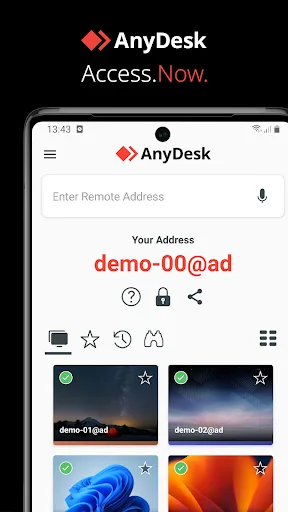
What AnyDesk Can Offer You:
Understand your data and gain insights.
Get professional AnyDesk training and onboarding guidance.
Benefit from success programs tailored to your needs.
Get guidance on how to get the most out of AnyDesk.
Leverage our technical expertise to achieve greater success.
Learn about industry best practices and trends.
Technical Support
Offices
Germany: Stuttgart (Headquarters), Berlin;
USA: Tampa, Florida;
Hong Kong: Shanghai
Availability
Our customer service representatives and product experts are available Monday through Friday, 9:00 AM to 5:00 PM (Central European Time) to assist you and collect your feedback. Simply submit a ticket.
Help Center
Get answers to frequently asked questions and learn about AnyDesk's features and different application scenarios. The Help Center is available 24/7.
System Status
View current system uptime and potential issues. Get a clear overview of uptime over the past 90 days and more historical data.
FAQs
Do I need to renew my contract every year?
We understand that business continuity is important for you. Hence, your contract will renew automatically unless you let us know beforehand.
What payment options do you offer?
We accept payments via Visa, Mastercard, American Express, JCB, and PayPal. Bank transfers are accepted in Germany, Austria and Switzerland.
What is a user?
A User is the initiator of a session. If you want to start Remote Access, you need a valid license assigned to your respective account, for example via your own AnyDesk address or alias.
What are registered devices?
With each paid license, devices can be registered according to the size of the license. A user can, for example, log in and start sessions on up to 3 devices in parallel.
What is a Namespace?
You can rename your AnyDesk address (e.g. 123 456 789) to an available alias in the @AD domain (example. My.Name@AD). The Namespace option allows you to specify an individual Namespace available only to you, e.g. My.Name@CompanyName.
Where can I get an overview on the features that AnyDesk provides?
Our features are explained in detail on our feature pages and in the Help Center .
Summary
In the field of remote access software, AnyDesk stands out with its comprehensive features designed to meet the needs of modern users. From file transfer to secure connections, this application provides essential tools for anyone who needs to work remotely or assist others remotely. AnyDesk improves productivity and supports a wide range of application scenarios by facilitating seamless interaction with remote devices.








