

Ruok FF Auto Headshot is a free Android utility. This application boasts powerful features that enhance weapon control and sensitivity, providing users with a superior gaming experience. With Ruok FF Auto Headshot, you can easily achieve better weapon control and higher weapon sensitivity, leading to easier victories. Furthermore, you can flexibly adjust sensitivity for specific weapons and modify RAM settings for a smoother gaming experience. This application simplifies the attack process, allowing you to attack and eliminate enemies more quickly, securing victory in matches.
Features:
DPI Changer
The App lets you change the DPI or resolution of Free Fire. You can choose from 360 DPI, 480 DPI, 660 DPI, 720 DPI, 840 DPI, 960 DPI, 1030 DPI, 1140 DPI, 1250 DPI, and 1490 DPI.
FOV
You also get the option to choose the FOV or field of view. You get four options, 30FOV, 60FOV, 90FOV, and 120FOV.
Sensitivity
Sensitivity is one of the main functions when it comes to touch screen controls. This Application allows players to adjust the sensitivity. You can choose from 999X, 1999X, 2999X, 3999X, 4999X, 5999X, and up to 19999X.
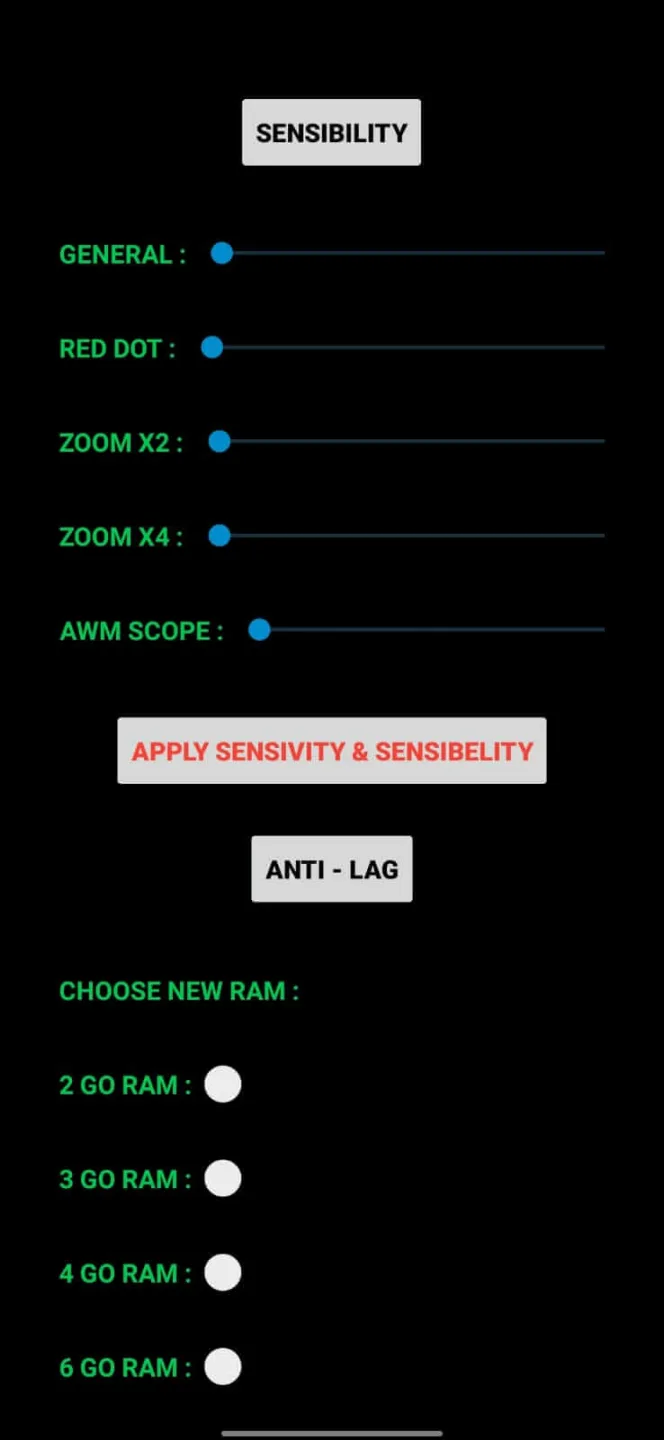
Sensibility
Another primary function is sensibility. The App allows you to adjust the sensibility for headshots. It includes General Sensibility, Red Dot Sensibility, Zoom X2 Sensibility, Zoom X4 Sensibility, and AWM Scope Sensibility.
Anti-Lag
The App makes sure that you enjoy the game smoothly. It offers an Anti-lag feature and allows you to choose a new RAM. You can choose from 2 GO RAM, 3 GO RAM, 4 GO RAM, 6 GO RAM, and up to 12 GO RAM.
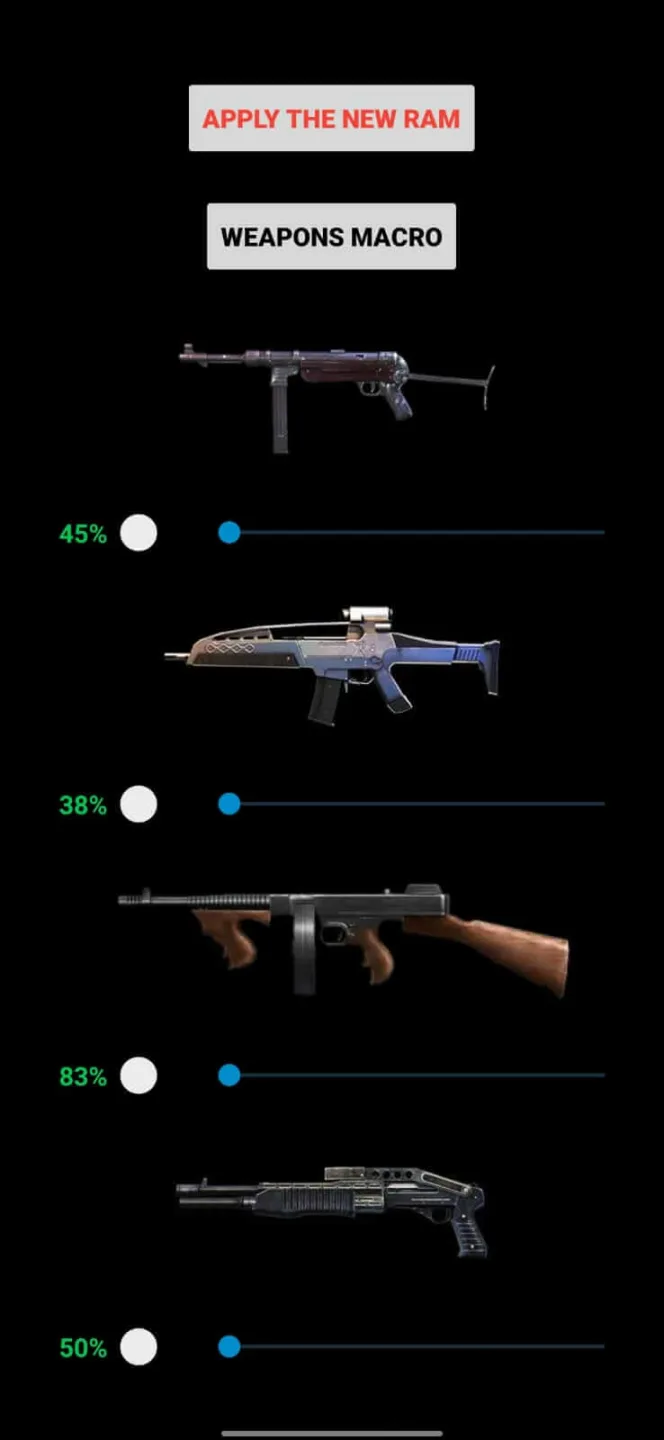
Weapons
With this App, you can also adjust the sensibility of Macro Weapons. You will see a list of macro weapons and a slider under them. You can drag the slider to adjust it from zero to maximum.
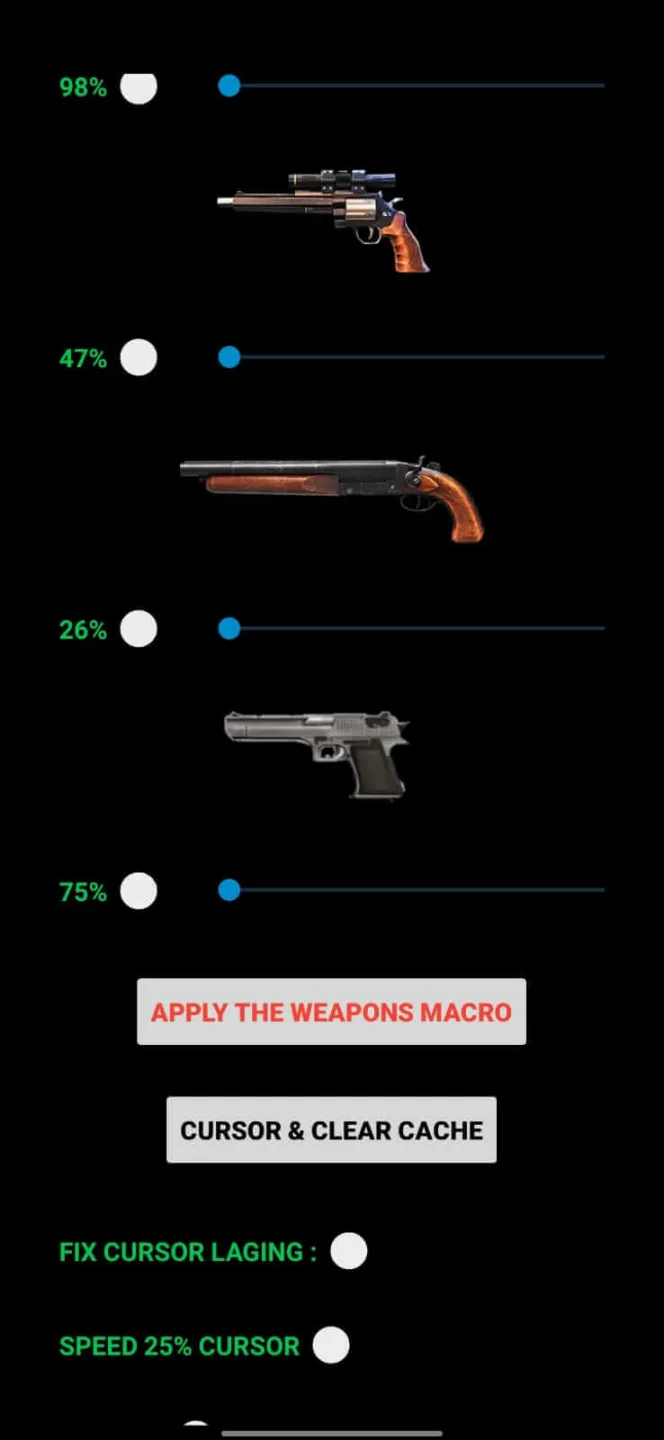
Cursor & Clear Cache
Along with all these features, the App allows you to adjust the fix cursor lagging function, speed 25 cursor, Fix Aim, clear cache, and clear crashed data functions.
Benefits:
When it comes to fast-paced multiplayer shooters, your accuracy can make or break your performance during intense battles. First-person or third-person perspectives demand precise aiming, and while player skill matters, game controls themselves often influence hit success. Small adjustments to sensitivity or layout can drastically affect outcomes. Tools like Ruok FF Auto Headshot highlight how external utilities may augment aiming for more consistent results in Free Fire matches.
Mobile FPS games like PUBG, Fortnite, or Free Fire require players to balance movement, aiming, and survival under pressure. Default settings offer only basic sensitivity and layout adjustments, often limiting precision. Players typically need to fine-tune controls to suit their play style. While supported controllers help, the lack of granular in-game options makes third-party tools a useful solution for achieving more optimized and consistent aiming performance.
It enhances aiming by allowing customization of each weapon’s sensitivity, helping users achieve more precise shots automatically. The program works specifically for Free Fire, and the setup involves granting permissions and configuring settings before launching the game. While it can improve accuracy, relying solely on it may lead to penalties or unfair advantages. Ultimately, consistent practice, patience, and skill development remain essential for mastering headshots and in-game performance.
Pros & Cons:
Pros
Simple and intuitive user interface
Detailed weapon customization options
Significant aiming assistance through enhanced sensitivity settings
Free to use
Cons
Risk of account suspension or ban in competitive matches
Requires permission to install applications from unknown sources
Diminishes skill-based gameplay experience
Exclusive compatibility with Garena Free Fire
FAQs:
What is Ruok FF Auto Headshot APK?
It is an application designed specifically for the popular mobile game Free Fire.
Is it Safe to Use third-party Apps?
Yes, it is safe to use for all Android and IOS users but sometimes it is not good.
Is It Free to Download Ruok Free Fire Auto Headshot APK?
Yes, it is free to use for all FF game lovers.
Conclusion:
Overall, Ruok FF Auto Headshot presents substantial benefits in enhancing aiming ease, especially for beginners or players struggling to adapt to Free Fire’s aiming mechanics. However, there is potential risk of bans and security concerns related to using third-party utilities. Players must weigh possible benefits against potential account consequences.








