

Shizuku is an open-source mobile tool designed to help users customize and develop their devices to their liking, optimizing performance and enhancing the user experience. The software provides a detailed system information panel, displaying the device's current battery status, specifications, network quality, and more, allowing users to develop and optimize based on their device's capabilities. Using built-in tutorials and developer tools, users can create their own custom tools. The software will continue to be updated, releasing more user-friendly tools and further optimizing the user experience.
Click to load YouTube / 点击加载视频
YouTube ↗Features of Shizuku:
System API Access: A cornerstone feature of Shizuku APK is its System API Access, which permits apps to utilize system-level APIs without necessitating root access. This feature empowers users to perform tasks that would typically require deeper system permissions, broadening the functional scope of their apps and enhancing overall utility.
ADB Integration: ADB Integration is another pivotal feature, facilitating a seamless connection between apps and the Android Debug Bridge. This integration allows for advanced management and debugging capabilities that are crucial for developers looking to optimize their apps for peak performance.
Root and Non-Root Support: Shizuku APK is uniquely designed to operate across both rooted and Non-Root Support devices, providing versatility regardless of the user's device status. This inclusivity ensures that all users, regardless of their technical setup, can benefit from Shizuku's advanced features.
Minimal Performance Impact: Despite its extensive capabilities, Shizuku APK is engineered to have a Minimal Performance Impact on device performance. This ensures that users can enjoy enhanced app functionalities without compromising on device speed or battery life.
Non-Root Functionality: The Non-Root Functionality of Shizuku APK sets it apart from many competitors, offering powerful system access without the security risks associated with rooting devices. This makes Shizuku an attractive option for users who prioritize safety but require advanced app capabilities.
Highlights of Shizuku:
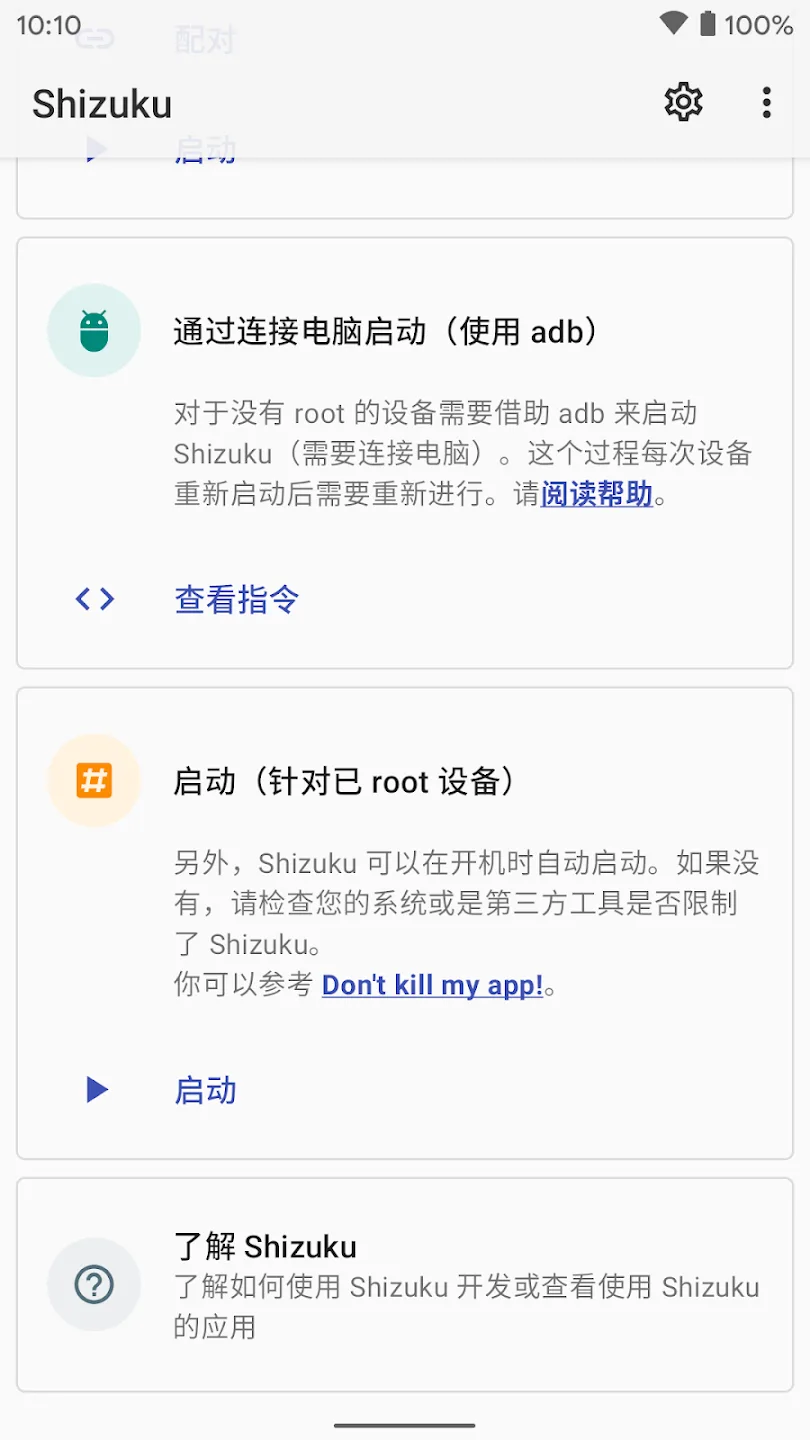
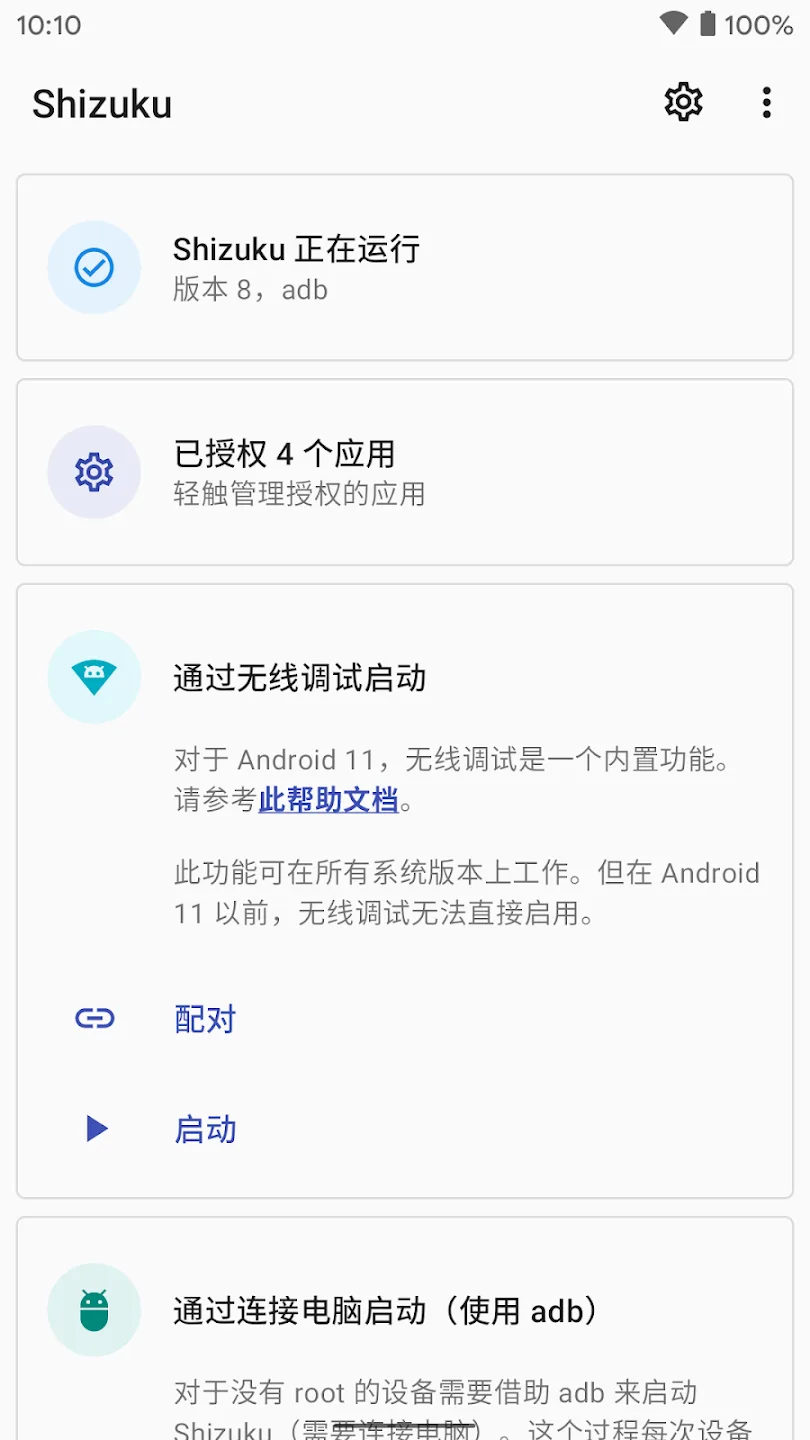
The installation process for Shizuku involves enabling developer options on the Android device and granting specific permissions. Once set up, users can easily start the Shizuku service, which allows for privileged access to the supported applications. This straightforward setup process is user-friendly, making it accessible for those who may not have extensive technical knowledge.
Shizuku also provides a user interface that allows users to manage and monitor the permissions granted to various applications. This feature ensures that users maintain control over what each application can access, promoting a secure environment. The app displays a list of applications that have been granted elevated privileges, enabling users to revoke access when necessary.
The application also includes a logging feature that allows users to view the commands executed through the ADB interface. This logging capability can be beneficial for troubleshooting issues or understanding how applications interact with the system. By providing detailed logs, Shizuku enables users to pinpoint problems and optimize their experience.
Security is a fundamental consideration for Shizuku. The app operates under a model that emphasizes user control and transparency. By requiring explicit permissions for each application that requests elevated access, Shizuku ensures that users are aware of what is being granted and to whom. This approach helps mitigate potential risks associated with granting access to sensitive system features.
For those interested in enhancing their device capabilities, Shizuku serves as a valuable tool. Its focus on providing elevated access without rooting devices makes it an appealing choice for a wide range of users. The app's ability to interface with ADB commands opens up possibilities for customization that can improve productivity and device functionality.
FAQs of Shizuku:
What apps work with Shizuku?
Many. AppOps or permission managers (VolumeManager, AppOpsX), terminal/ADB shells (LADB, Termux-Shizuku), automation apps (MacroDroid, Tasker with Tasker Settings, AutoJs), UI customizers (font changers, QuickSwitch), and more. The official Shizuku website even lists some supported apps.
What is Shizuku and why would I use it?
Shizuku is an Android app that starts a background service (via ADB or root) to let other apps access privileged system APIs. You’d use it to give apps advanced permissions (like uninstalling system apps, editing system settings, reading protected data) without actually rooting your phone. It’s popular for managing permissions and bloatware.
Do I need to root my phone to use Shizuku?
No. Shizuku itself works on non-rooted devices by using ADB (wired or wireless) to start its service. Root is optional. If your phone is rooted, you can start Shizuku with one tap. If not, you can start it via USB debugging or wireless debugging on Android 11+.
How can I start Shizuku on a device without Android 11?
If your Android is 10 or below, you must use a PC: connect via USB, enable USB debugging, and run the Shizuku start command (adb shell sh /sdcard/Android/data/moe.shizuku.privileged.api/start.sh) from your computer. For rooted devices, simply open Shizuku and tap “Start with root.”
Does Shizuku require a PC every time I want to use it?
Not necessarily. On Android 11+, you can use wireless pairing once and then run it all over Wi-Fi. On rooted devices, no PC is needed at all. A PC is only needed initially for non-root, Android-10-or-below devices to start Shizuku via USB. Once started, Shizuku runs independently.
How do I update Shizuku to the latest version?
Simply update through the same source you installed it from. If you used Google Play, it will auto-update like any app. If you sideloaded via APK, download the new APK from GitHub and install it over the old one. The app will migrate data automatically. Always backup any important data if you are cautious, but Shizuku updates are usually smooth.
Conclusion:
In conclusion, Shizuku offers a great solution for users needing elevated app privileges without fully rooting their devices. While the setup process requires some technical expertise, its ability to maintain security and compatibility with Android's framework makes it an excellent choice for power users seeking advanced control. Being an open-source tool, users can also inspect the code, as well as modify and contribute to its improvement.








