
Activity Launcher is a clean and simple utility application. It boasts an intuitive and fully customizable interface, allowing users to directly launch specific activities within installed apps and even create shortcuts for each activity. With Activity Launcher, you can quickly launch any activity and create fully customized shortcuts for frequently used activities. You can also customize shortcut icons, change their names, and configure them entirely to your liking. Create shortcuts to frequently used apps, contacts, and websites with just a click.
Click to load YouTube / 点击加载视频
YouTube ↗Highlights:
Launch hidden activities from installed apps for faster, deeper access
Create home screen shortcuts to any supported app screen or action
Lightweight design focused on speed and practicality
Open-source project with ongoing maintenance and translations
Helpful guidance when shortcut permission is required
Features:
Create shortcuts in seconds
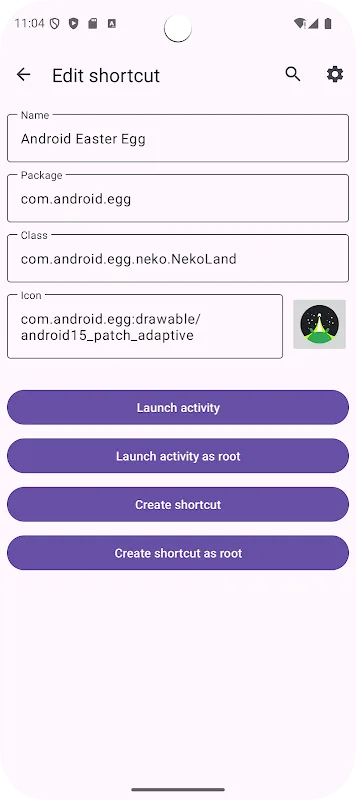
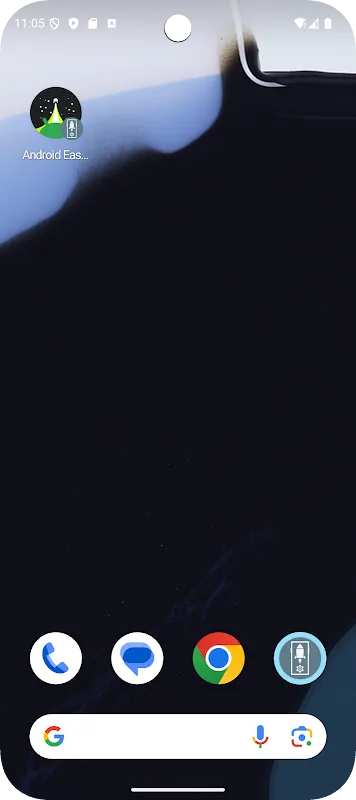
Activity Launcher's most useful feature is one that allows you to create shortcuts for any activity. It's very easy to do; simply find the app with the activity you want to add to your home screen. By tapping on the app you can see the full list of activities and, if you tap on one of them, you will see a summary of it. Here you will see the name, package name, type and icon. You can customize each field and even change the icon. Once you have chosen a name and icon, simply hit the Create Shortcut button.
Customize the interface to your liking
Activity Launcher is a simple app, with a very intuitive but fully customizable interface. There are two different themes available: light and dark. In addition, you can choose whether to show or hide private activities. Private activities can only be executed directly if you have a device with root privileges. So, if your device isn't rooted, it's best to check this option. Finally, you can also choose between more than twenty different languages.
Launch any activity in no time
Download the Activity Launcher APK if you want to save time when using some of the most common features within your favorite apps. Thanks to this app you can create fully customized shortcuts for your most frequent activities. You can even customize the shortcut icon and change its name to hide or obscure its presence on your Android device.
Pros & Cons:
Pros:
Easy to use: Activity Launcher is designed with a simple and intuitive interface, making it easy for users of all ages to access the app quickly.
Customizable: Users can customize their home screen layout by adding widgets that offer quick shortcuts directly from the main page.
Variety of activities available: With over 150 different types of tasks and activities, users are sure to find something they enjoy doing in this application.
Widgets support: This feature allows you to add widgets on your home screen which provides direct shortcut links or information related to any activity launched through the launcher itself without having to open another window/app separately.
Backup & restore data option: The backup & restore options allow the user’s settings preferences as well as task history so that one doesn’t have to start from scratch if he changes his device or reinstalls OS version etc.
Cons:
Cannot be used to launch all activities, only those that are visible in the list.
Does not allow users to customize or create their own shortcuts for launching specific apps and activities.
No support for multiple user accounts on a single device.
Limited search capabilities within the app itself; no way of searching through installed applications by name or category.
May slow down phone performance due to its heavy resource consumption when running in background processes.
Changelog:
Features
- Favorites and recently used activities
- Sharing of shortcuts via URL
- In-app reviews
- Translation updates
Fixes
- App crashes when rotated
Other improvements/changes
- Improved startup time: Loading of all packages skipped when opening favorites or recents
Conclusion:
If you've ever had to dig through sub-menus to open specific settings or windows on apps, Activity Launcher can help bypass that cumbersome process and have them accessible through shortcuts. It works on any app and it's quite easy to set up and configure. It won't be for everyone, but if you need the type of functionality it offers, this one is worth trying out.








