

Welcome to Flowframes, a new world of video processing! Here, you can freely process different video frame rates and read various video formats including MP4, GIF, WEBM, MKV, MOV, and BIK. Flowframes supports exporting advanced video codecs, providing more practical functions for your video processing and making video editing more efficient! In addition, the design is simple and easy for beginners to navigate and operate. Using state-of-the-art neural networks, it gives you highly accurate frame interpolation. With Flowframes, you can get the best video processing experience!
Tips
Check Video Length and Processing Time
Longer videos require more powerful processing capabilities and longer processing times. When processing longer video footage, plan accordingly and anticipate longer processing times, especially with higher frame rates or resolutions.
Optimize for Specific Platforms
When exporting videos, be sure to consider the specific platforms you plan to share them on. For example, YouTube videos typically perform best at 1080p or 4K resolution. Social media platforms like Instagram may require square or portrait formats.
Avoid Over-Interpolation
While boosting the frame rate as high as possible is tempting, over-interpolation (e.g., increasing from 30 FPS to 120 FPS) can result in unnatural or overly smooth effects.
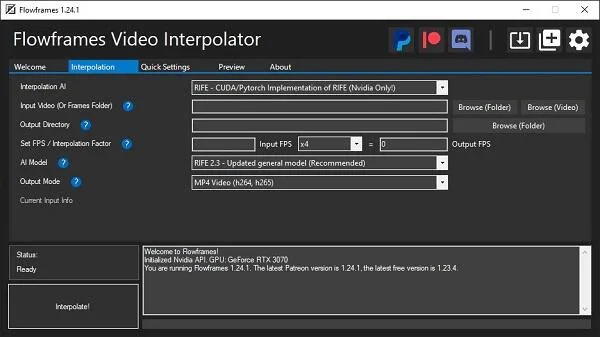
Features
Focusing on RIFE AI, but also supporting DAIN and experimental FLAVR and XVFI.
Also supports AMD GPUs implemented via NCNN/Vulkan (for RIFE and DAIN).
Includes all necessary components; no additional software installation required.
Reads multiple video formats including MP4, GIF, WEBM, MKV, MOV, and BIK.
Also accepts image sequences in PNG, JPEG, and other formats as input.
Output formats are video (MP4/MKV/WEBM/MOV), GIF, or frames.
Supports exporting advanced video codecs such as H265/HEVC, VP9, and AV1.
Fully preserves all audio and subtitles from the input video without any quality loss.
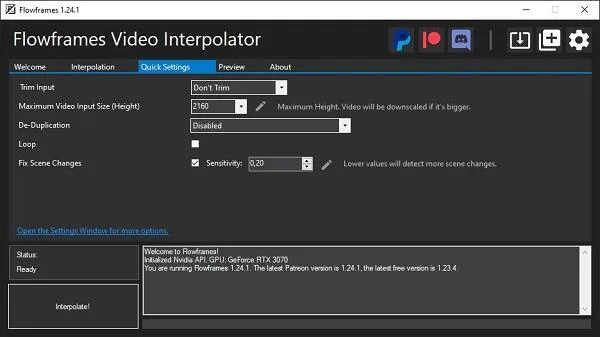
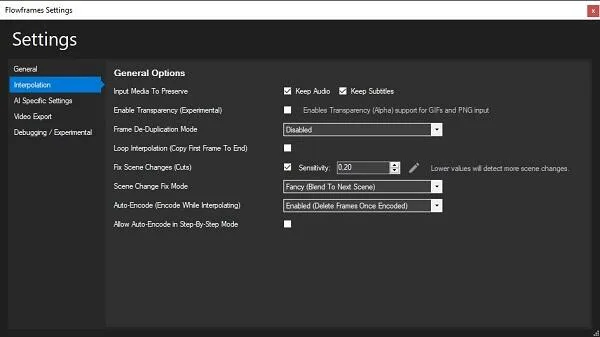
Built-in frame deduplication and speed compensation (suitable for 2D animation, etc.)
Scene detection to avoid artifacts during scene transitions
Highlights
AI Precision: Flowframes utilizes state-of-the-art neural networks to provide highly accurate frame interpolation, maintaining the original video quality without degrading it.
User-Friendly Interface: Both beginners and experienced professionals will find the interface intuitive and easy to use, allowing for smooth navigation and operation.
Lightweight Application: Despite its powerful features, the application is optimized for a small size, ensuring smooth operation even on older Android devices.
Pros and Cons
Pros: Provides a variety of video editing tools for content creators.
Offers easy-to-use templates and presets for quickly enhancing video effects.
Features a user-friendly interface that is easy for even beginners to learn and use effectively.
Supports importing and exporting multiple video file formats.
Cons: Its advanced editing features may be limited compared to professional video editing software.
May be unstable or prone to crashing when handling large video files or complex projects.
Rendering speed for high-quality or complex effects may be slower.
Summary
In conclusion, this program is intelligent and works well. With the right knowledge and thorough testing, it can be used successfully. Although it is still new, this application is a promising project and is very well implemented.








