

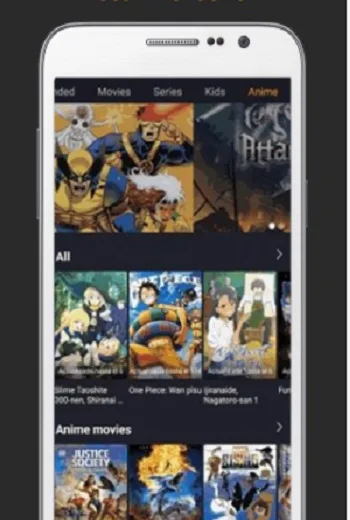
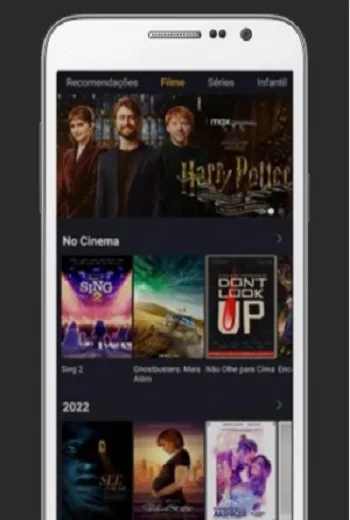
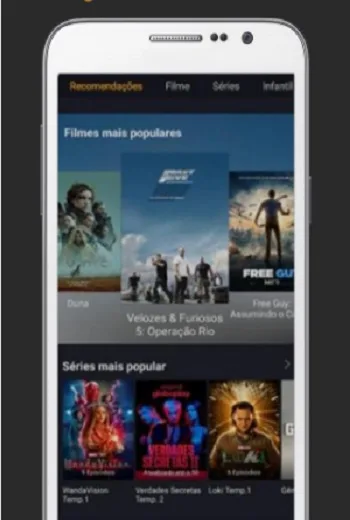
Welcome to the new world of movies and TV shows on Cine TV! Here you'll find a wealth of content, including movies, channels, anime, and TV series – practically everything you could want! Cine TV boasts a clean and efficient interface, making it easy for both first-time users and seasoned movie buffs to navigate. Furthermore, it's compatible with M3U and custom URLs, ensuring smooth playback and a superior viewing experience!
Use
Open CineTV and look at the home screen to familiarize yourself with the player's layout.
Go to the Add Playlist section and paste your M3U or M3U8 link. If you're using a direct URL, add it to the provided input box.
If your service provider asks for credentials, enter your username and password, then save the playlist to load available channels and titles.
Wait for the content list to load, then select a category such as Live TV, Movies, TV Series, Music, or Photos.
Select a channel or title to start playing and adjust the settings according to your network connection and viewing preferences.
Features
Compatible with M3U playlists and custom URLs;
Plays channels, movies, and TV shows;
Clean and intuitive interface;
Supports smartphones, TV boxes, and tablets;
Lightweight and high-performance application
Highlights
With its free license, CINE TV 4K offers a user-friendly experience for those looking to enhance their streaming experience. Beyond a smooth login process, CINE TV 4K caters to the lifestyle needs of users who enjoy diverse content. The app stands out for its efficiency and simplicity, making it ideal for anyone seeking a reliable tool to connect to their favorite services.
FAQs
What is CineTV? How does it work on Android devices?
Cine TV is a browser-based Android mobile streaming application that allows users to watch movies and TV shows without complicated setup or subscriptions.
Is the Cine TV APK free to use, or does it require a subscription?
CineTV offers a free version, but it contains ads and offers optional upgrades. Most features are available without payment, making it suitable for users on a budget.
Can I watch international movies with subtitles using Cine TV?
Yes, CineTV supports downloading subtitles directly within the app, allowing users to watch content in various languages without confusion.
Can Cine TV run on Android TVs and tablets?
Absolutely. The app features a responsive layout, so it runs smoothly on smartphones, tablets, and Android TVs.
How is CineTV different from other free movie apps?
It focuses on smooth playback, legal content, and smart features such as gesture controls, customizable viewing modes, and community interaction tools.
Summary
Of course, it's not perfect. While the free version offers most of the features, occasional pop-up ads will appear. Some users may prefer less ad interference, and the premium version can meet this need. But for users who don't mind one or two ads, the free version is still feature-rich and generous. Cine TV is best suited for users who want a fast, convenient, and fully mobile streaming experience without the hassle of managing subscriptions or performing tedious operations.








