
Tired of Android's default themes and UI designs? Edge UI lets you freely choose different themes or explore various widget options to personalize your phone's interface! You can also customize edge lighting to personalize your user interface! Furthermore, Edge UI offers third-party integration, allowing you to freely place widgets from various mobile apps to create a more interesting phone interface! Edge UI can make your phone both beautiful and fun!
Tips
Explore the Edge Panel: Quickly access important information by swiping the panel without switching screens.
Customize Lighting Effects: Experiment with different hues and layout elements to create a look that reflects your personality.
Try Customizing Your Home Screen: Choose from a variety of themes, wallpapers, and fonts to create a unique interface.
Explore a Rich Component Option: Explore widgets beyond the standard ones to suit your specific interests.
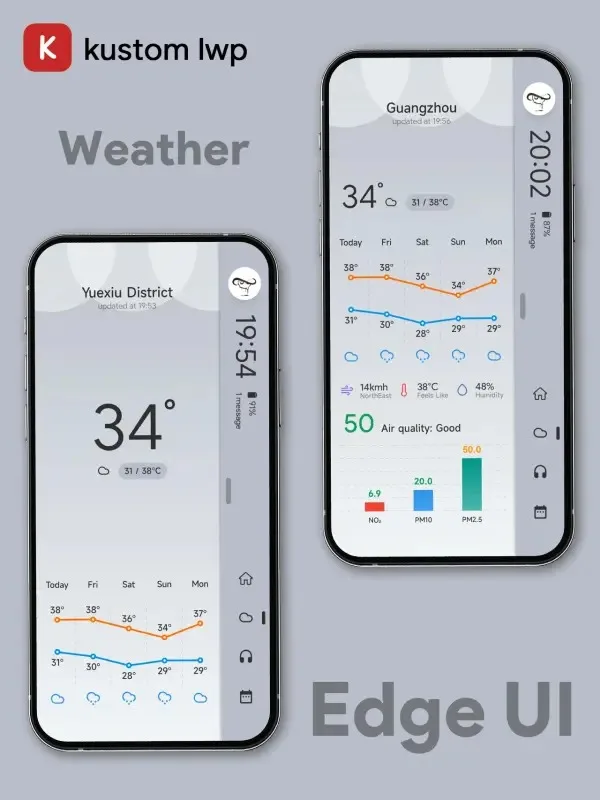
Stay Up-to-Date: Use widgets to display important information such as weather updates, calendar events, and news feeds in a convenient location.
Features
Edge-Based Panels
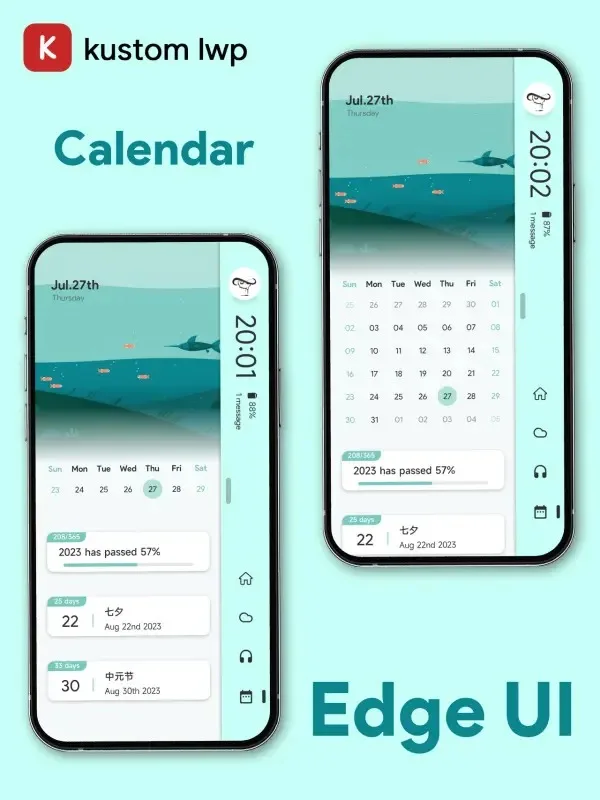
The most notable feature of this product is the side panel, accessible via simple swipe gestures. These panels contain a wide variety of components, providing readily available information without switching displays.
Customizable Edge Lighting
Personalize your user interface with fully customizable edge lighting effects. Options include soft background halos and vibrant color bursts at the edges.
Home Screen Customization
Personalization extends beyond the sidebar to every aspect of your home screen. Change themes, wallpapers, icon styles and sizes, fonts, and more to create a unique interface.
Third-Party Integration
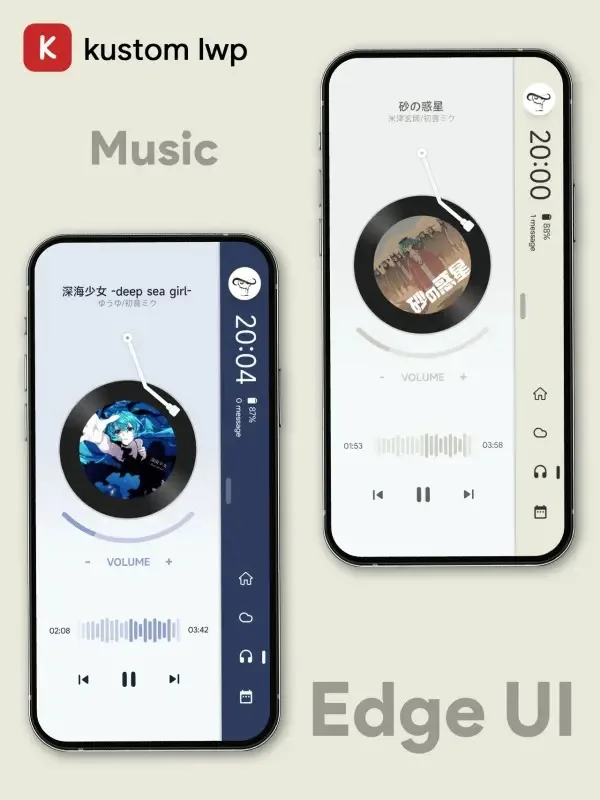
Seamlessly integrate components from weather apps, social media, music services, and other apps into the edge panels for seamless access.
Extensive Component Library
Beyond calendars and weather, choose from a vast library of widgets. Display information relevant to your interests and priorities without installing additional apps.
Advantages and Disadvantages
Advantages
KLWP Integration: Powerful animation effects for dynamic customization.
Variety of Templates: Suitable for both beginners and experienced users.
Highly Interactive: A personalized and inspiring interface.
Dark Mode and Eye Comfort Mode: Enhance the user experience in various conditions.
Real-time notifications and data integration: Smart and user-friendly interface.
Disadvantages
Resource requirements: May impact devices with low abandonment rates.
Complex customization settings: Challenging for new users.
Initial user interface clarity: Suitable for beginners.
Installation
- Open the application.
- In the menu, select "Widgets," and the theme will appear.
- Click and navigate to KLWP.
- Once the template is loaded, click the "Save" icon to apply the template, then set KLWP as your wallpaper.
Summary
The Edge UI APK is more than just an application; it's a comprehensive solution that enhances the way we browse the web and manage APIs. With its emphasis on backward compatibility, easy installation experience, and robust ecosystem of extensions, it's no surprise that Edge UI has quickly gained popularity among tech enthusiasts and professionals alike.








