

LnShot is a professional video editing tool where you can find numerous advanced video editing tools. You can easily arrange items, crop, split, adjust... and complete almost all video editing operations. It also offers a wide range of filters and effects to bring more professionalism and fun to your videos. In addition, LnShot provides a large selection of free music, so you no longer need to search everywhere for suitable music; just click to easily add appropriate music to your videos!
Click to load YouTube / 点击加载视频
YouTube ↗Use
Open the LnShot editor, select a video or photo, and then choose your video clip or image from your device's gallery.
Arrange items on the timeline. Crop or split as needed, and then drag to reorder. Next, set the canvas aspect ratio to match your target platform.
Add subtitles using the automatic captioning feature. Check text accuracy, adjust the timeline, and set styles and positions.
Apply filters, effects, and transitions. If needed, use green screens, keyframes, and stickers, and track elements to follow motion.
Add music or narration and adjust the volume. Finally, set the resolution and frame rate, then export the file and save it to your device.
Features
Effects and Filters
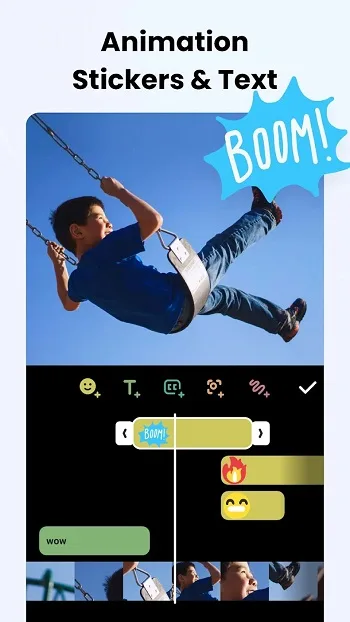
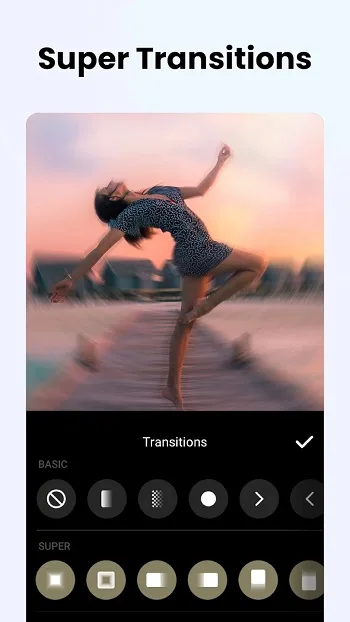
When editing photos or videos, you'll need to use various filters. Fortunately, InShot has a huge library of excellent photo and video filters built-in. You can choose any filter from the provided options or create your own. From the most commonly used and popular filters to unique ones, there's something for everyone. For video editors, InShot also offers a variety of unique effects. Transition effects, text effects, and many other effect types can make your video editing stand out and deliver professional-grade production quality.
Fonts
Whether it's a photo or video, if you want to add a title, you must add text cleverly. In some cases, choosing the right font is crucial; it can make photos and videos look more professional. With the InShort APK, you can access a large number of high-quality fonts, making it easier to edit videos and photos. With a rich selection of open-source and paid fonts, you can easily create professional-grade photos and videos. You don't need to download fonts on your device; they are automatically added to your videos or photos from the in-app font library.
Slideshow Maker
One of the best features of this app is its built-in slideshow maker. This feature makes creating photo slideshow videos a breeze. You can combine multiple photos to create a slideshow to share with friends and family. Furthermore, it easily merges presentation slides to create presentation slideshows for your work. The slideshow creation function is versatile and can do almost anything.
Free Music
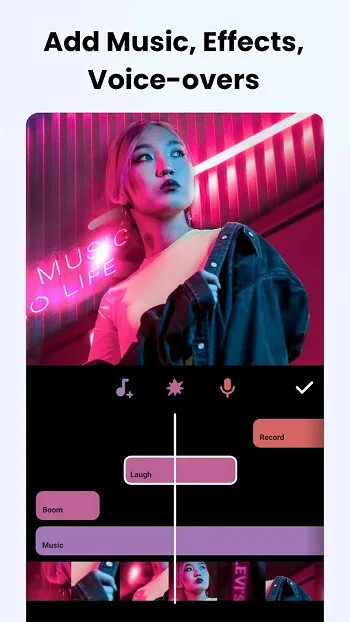
In this app, you can access a vast library of music tracks to add to your videos. You can enrich your video content with tracks from movies, solo artists, and even the NCS music library. All music in the InShot music library is free to use in this APK version. Using free music from the InShot music library, you don't need to worry about copyright issues, as InShot has licensed these tracks for its users. This is a powerful feature that many other video editing apps lack.
Reviews
InShot has made my content creation, artistic creation, and video production journey incredibly fulfilling. After experiencing numerous video editing apps, I can confidently say that InShot is the best choice for editing and creating videos. It boasts a wealth of features, allowing you to incorporate various tools and effects during the editing process. This includes adding custom music, applying color effects, editing text, achieving seamless transitions, and more. That's why I highly recommend this app. It truly surpasses other similar products.
I absolutely love this app. It's my favorite app because of its excellent customer support, affordable price, and ability to meet all my needs. Despite its ease of use and great value, it remains the best of all similar apps I've tested. The only feature Capcut lacks is the ability to stabilize my shaky videos.
This app is a fantastic tool for photography and videography beginners. It makes the editing process fun. The app is easy to use and feature-rich.
InShot is the best editing software I've ever used. I've been using it for over six years and haven't found anything better. While I've tried other editing software, none can compare. This software has won my loyal following thanks to its excellent features, customizability, ads that don't interfere with the user experience, and a clean and simple design.
FAQs
What is InShot?
InShot is a mobile editing application that lets you trim, crop, add music, filters, and text, and export videos or photos in high quality and without watermarks.
Is InShot worth buying for beginners?
Yes, this app is very user-friendly for beginners, with a smooth interface and a wealth of preset features; but when you're ready to upgrade, it also provides enough tools for more detailed editing.
What's the difference between the free and pro versions of InShot?
The pro version removes ads, removes watermarks, and unlocks additional filters, effects, transitions, and advanced features not available in the free version.
Can InShot edit videos and photos simultaneously?
Absolutely! You can edit video clips, still photos, and even combine them into collages and slideshows, with complete control over layout and effects.
Does InShot support HD video export?
Yes, you can export videos in various resolutions, including Full HD and custom formats for platforms like Instagram, TikTok, and YouTube.
In summary
If your video content needs some highlights, InShot has a wealth of built-in filters, effects, and a complete music library. You also don't have to limit yourself to the same old background music—you can import your own tracks or use its audio tools to adjust the atmosphere of your video. Drag and drop audio tracks, fade in and out, and even perfectly match the beat to the video editing. These features typically require a dozen apps or a laptop, but now you can do it all with your phone during your lunch break.








