

IndyCall is an app designed for making free voice calls. Here, you can contact anyone in India without paying any fees, providing a convenient calling experience. No upfront payment is required; you get free call minutes after registration, and you can earn more by watching ads or completing documents, so you can almost always enjoy IndyCall's service. IndyCall always protects your privacy and security; you only need the recipient's number to make calls, requiring absolutely no personal information!
Usage
Step 1: Open the IndyCall App
After installation, open the IndyCall app from your device menu. The app loads quickly and requires no login or account creation. Once opened, you will be taken directly to the main call interface. This saves time and simplifies the process.
Step 2: Enter the Phone Number
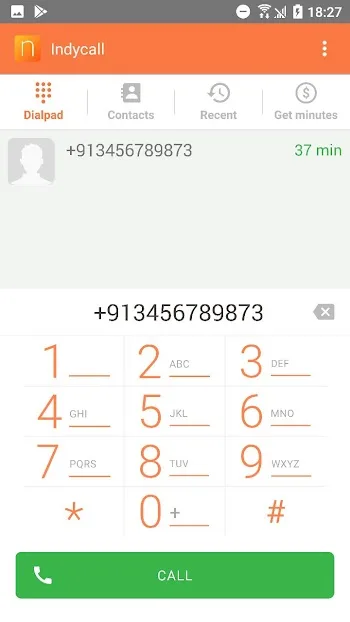
Use the built-in dialer to enter the phone number you want to call. You can manually enter the number just like using a regular phone app. Make sure the country code is correct, especially when calling from abroad. The dialer interface is clear and easy to use.
Step 3: Check Network Connection
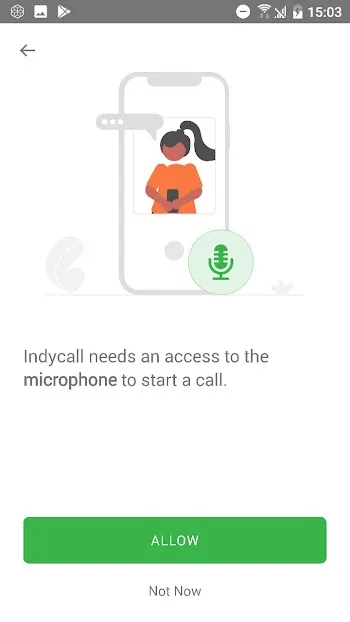
Before starting the call, ensure your network connection is working properly. This app supports Wi-Fi and mobile data networks. A stable network connection helps improve call clarity and reduce interruptions. A weak network signal may cause call delays or dropped calls.
Step 4: Tap the Call Button
After entering the number and confirming your network connection, tap the call button. The app will use mobile data for the call. Some versions may display a short advertisement before the call begins. Once the call is connected, you can talk normally.
Step 5: End the Call
During the call, you can speak like a regular phone call. Voice quality depends on your network speed. After the call ends, tap the End Call button. The call will be immediately disconnected without any further action.
Features
Make free calls to Indian mobile and landline numbers.
The receiver does not need to install the app.
A certain amount of free call time is provided each day.
You can choose to watch ads or complete tasks to earn extra free call time.
Easy-to-use interface and simple navigation.
Caller ID is provided, and users can make anonymous calls if needed.
Installation
Download the Indycall APK file on your mobile device. Then wait for the application to finish downloading.
After downloading the file, locate the application in your file manager app and tap it. Locate the Indycall APK and install it.
Then, tap "Install" and begin installing the application.
Install Indycall on your Android device.
Installation takes only a few seconds.
Once installed, open the application to start using it.
FAQs
What is IndyCall?
IndyCall is a mobile application that allows users to make free calls to Indian phone numbers without a credit card or prepaid balance.
How does the IndyCall APK work?
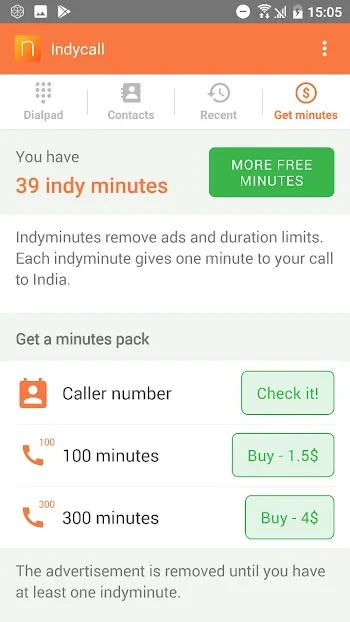
IndyCall APK offers free call minutes upon registration, and users can earn more call minutes by completing surveys, watching ads, or making direct purchases.
Is the IndyCall APK really free to use?
Yes, IndyCall offers free call minutes upon registration. You can earn more call minutes by participating in ads or surveys, or you can purchase additional call minutes.
Can I make unlimited calls with the IndyCall APK?
With the modified IndyCall APK, you can enjoy unlimited calls without ads or surveys, ensuring a smooth calling experience.
Will using the IndyCall APK protect my privacy?
Yes, IndyCall respects your privacy. Using the app requires no personal information or location data, ensuring your calls are secure and confidential.
Summary
With the IndyCall APK, users can enjoy unlimited calls without worrying about insufficient call time. It's designed for users who frequently need to make calls to India but don't want to be limited by the cumbersome procedures and costs of traditional calling services. Whether for personal or business use, IndyCall provides a convenient and cost-effective way to connect.








