
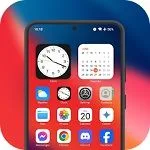
Launcher OS is an application for organizing and customizing apps. Here, you can design your Android phone to look like an Apple device, while still retaining its original freedom! Launcher OS lets you freely change the screen layout, icons, lock screen, and control methods, making it truly unique! The interface is clean and simple, with a smooth and beautiful control panel, status bar, and assisted touch controls. Combining features of both Android and Apple systems, it provides an excellent mobile user experience!
Features
App Library
Launcher phone and OS support: The App Library is a brand-new way to organize apps, just like a real operating system device.
Dark Mode
Launcher OS supports both dark and light modes.
Styled Folders
We've designed operating system-style folders. You can drag and drop an application onto another application to create folders.
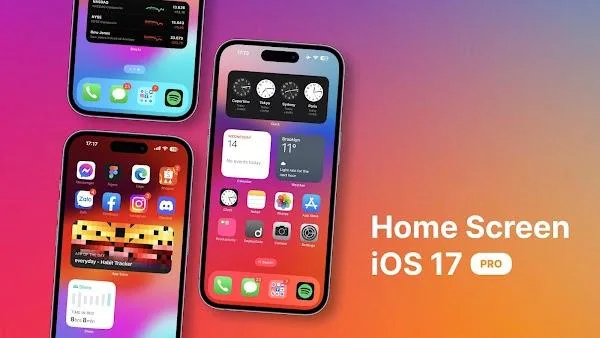
Weather and Suggestions Widgets
We provide a weather and weather suggestions widget, allowing you to get the weather forecast for the next few days.
Customizable Icons
Application icons and names can be modified. You can choose an image and use it as your application icon.
Unread App Notifications
We've added an unread message notification feature. Simply enable "App Notifications" in Settings and grant permissions to select the apps for which you want to display "New Message" notifications. Never miss important information again!
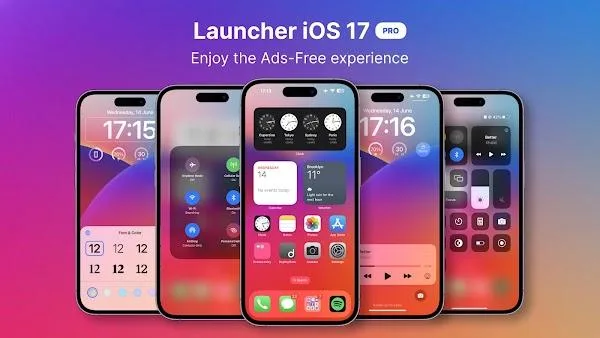
Highlights
Instant Camera Launch: The camera will launch immediately upon user request. Users can activate the camera directly from the home screen, making it even more convenient. Simply swipe the screen to activate the camera.
View Incoming Calls: Once set up, the system will notify users of incoming calls in advance. The notification method and format can be customized by the user. Users will no longer miss calls and can promptly discover and answer them.
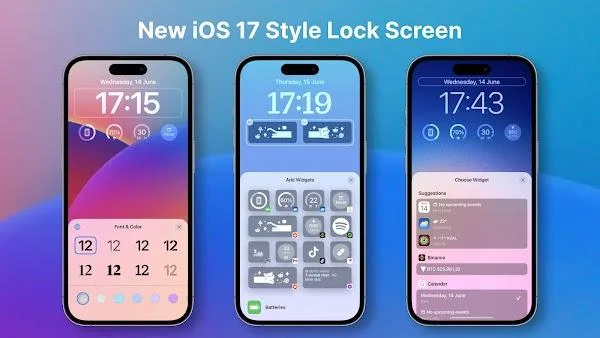
Instant Notification Viewing: Notifications will be aggregated and displayed directly on the lock screen. Users can view notifications more conveniently without needing to power on the device. They can also customize the display mode of these notifications.
Universal File Search: The search tool is integrated into the screen. Users can easily search for what they need using this tool. The newly enabled search bar allows for faster location of files stored on the device.
Speech-to-Text AI: During the search process, users can use the speech-to-text function. AI will help users quickly convert short speech snippets. The system automatically inputs text based on information from the voice clip.
Custom Wallpaper Support: This app also offers a wider selection of beautiful wallpaper templates for users. Users can customize their wallpapers to create a truly modern and stylish space. Numerous exquisite wallpaper templates are available for users to apply at any time.
Pros and Cons
Pros:
Enhances the look of your Android device.
Provides an OS-style application library.
Cons:
Requires advanced permissions.
FAQs
What is Launcher OS used for?
Launcher OS is an Android launcher application that redesigns the phone's interface, making it look and feel similar to Apple's iOS, while still providing the full flexibility of Android.
Will Launcher OS slow down your phone?
No. Launcher OS is designed to be lightweight and smooth. It not only improves your home screen experience and application management efficiency but also does not degrade phone performance.
Can Launcher OS support both face unlock and password unlock?
Yes, Launcher OS supports dual security lock screen functionality with both password and facial recognition, providing a stylish look while offering reliable security.
Is Launcher OS free or paid?
There's also a modified version that unlocks all the professional features, including ad-free use, full personalization, and extra tools—all completely free.
Can I customize icons and wallpapers in Launcher OS?
Absolutely. You can change icons, apply your own wallpapers, blur or resize icons, and even design layouts according to your personal aesthetic.
Summary
In short? Launcher OS is designed for Android users who crave a clean visual experience, iPhone-like functionality, and excellent performance, while also wanting the ability to personalize it to their liking. It has a clean interface, is responsive, subtly enhances your phone's appearance—and is easy to use.








